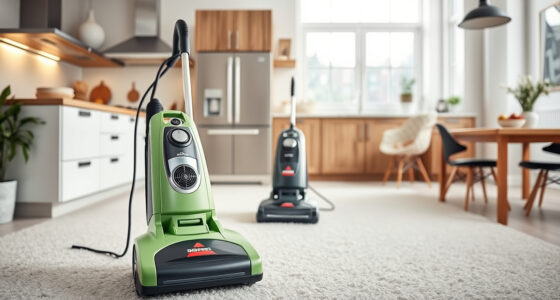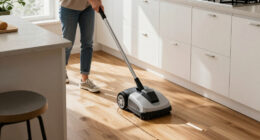
Keeping your Roborock Q7 M5+ Robot Vacuum and Mop in top condition ensures optimal cleaning performance and longevity. Regular maintenance and troubleshooting can resolve common issues quickly and safely. This guide provides clear, step-by-step instructions to help you care for your device effectively, whether you’re dealing with connectivity, suction, or cleaning problems.

Get cleaning gear delivered free with Prime
- Fast, free delivery on millions of items
- Prime Video, Amazon Music and more included
- Member-only deals all year
By following these practical tips, you’ll minimize downtime and extend the life of your Roborock, ensuring your home stays spotless with minimal hassle.
Key Takeaways
| Regular Cleaning | Keep brushes and sensors clean to prevent clogs and ensure efficient navigation. |
| Battery Maintenance | Properly charge and avoid over-discharging to prolong battery life. |
| Troubleshooting Connectivity | Reset Wi-Fi and app settings if the vacuum disconnects. |
| Filter and Mop Care | Wash filters and replace mop pads regularly for optimal cleaning. |
Preparing Your Roborock for Troubleshooting
Before diving into specific issues, ensure your Roborock Q7 M5+ is positioned correctly and has sufficient power. Check that it is on a flat surface, with no obstructions around its charging dock. Make sure the device is charged or connected to power, and your app is updated to the latest version. These preliminary steps can often resolve minor glitches without further intervention.
Gather your cleaning supplies: a soft cloth, mild cleaning solution, and replacement filters or mop pads if needed. Always turn off the device before performing maintenance to avoid accidental activation or damage.
Troubleshooting Common Connectivity Issues
- Verify Wi-Fi network: Ensure your home Wi-Fi is working and your Roborock is within range.
- Restart your device: Turn off the vacuum, wait 10 seconds, then turn it back on.
- Reboot your router: Sometimes, resetting the router can resolve network conflicts.
- Reinstall the app: Delete and reinstall the Roborock app to fix any software glitches.
- Reconnect the device: Follow the app’s instructions to reconnect your vacuum to Wi-Fi, ensuring you select the correct network and enter the password accurately.
If issues persist, reset the device’s network settings via the app or hardware reset button, then reconfigure from scratch.
Cleaning and Maintaining Suction and Brushes
- Turn off and unplug the device. Remove the main brush and side brushes carefully.
- Use a cleaning tool or a soft brush to remove hair, debris, and dust from the brushes and the suction inlet.
- Check the filters: Wash washable filters, such as the HEPA filter, with water. Let them dry completely before reinserting.
- Inspect the dual anti-tangle system to ensure pet hair is not clogging the brush area.
- Reassemble the brushes securely and run a test cleaning cycle to confirm proper operation.
Regular cleaning of the brushes and filters maintains suction power and prevents motor strain or overheating.
Addressing Mop and Sensor Problems
- Remove and wash the microfiber mop pads with mild detergent. Ensure they are fully dry before reuse.
- Inspect sensors for dust or smudges. Clean them gently with a soft, dry cloth to maintain accurate navigation.
- If the device is not mapping correctly, recalibrate the sensors via the app or reset the map data.
- Ensure floors are free of large debris that could obstruct the mop or sensors.
- Replace mop pads every 1-3 months for optimal mopping performance.
Properly maintained sensors and mop pads are vital for effective cleaning and obstacle avoidance.
Battery Care and Self-Emptying System Maintenance
To maximize battery life, avoid letting the battery fully deplete regularly. Charge your Roborock Q7 M5+ on a stable power source and use the self-emptying dock regularly to prevent dust buildup in the bin.
If the device experiences reduced runtime, consider replacing the battery if it is a replaceable model, or contact support for assistance. Keep the self-emptying station’s dust bag clean and replace it when full to maintain the system’s efficiency.
By following these steps, you ensure your vacuum remains ready for daily cleaning with minimal interruptions.
The Products in This Guide

roborock Q7 M5+ Robot Vacuum and Mop
- ✔ Weight: 4.5 kg
- ✔ Charging Time: Approx. 3 hours
- ✔ Dimensions: 35 x 35 x 9.7 cm

4 Pack Washable Filter
- ✔ Dimensions: Approx. 10 x 7 cm
- ✔ Weight: 50 grams
- ✔ Material: HEPA and microfiber
roborock Q7 M5+ Robot Vacuum and Mop
The Roborock Q7 M5+ offers powerful suction, advanced navigation, and a self-emptying system that keeps maintenance minimal. Its dual anti-tangle system is especially helpful for pet hair, making it a reliable choice for busy households.
Pros:
- Powerful 10000Pa suction
- Self-emptying with 2.7L dust bag
- PreciSense LiDAR navigation
- App control for easy management
Cons:
- Higher price point
- Requires regular filter and mop pad replacements
- May need occasional sensor recalibration
Best for: Pet owners and households with high dust and debris levels
Not ideal for: Light users or minimal cleaning needs
Bottom line: A high-capacity, tech-forward robot vacuum ideal for pet households and deep cleaning needs.
4 Pack Washable Filter
This 4-pack washable HEPA filter set ensures your Roborock maintains peak suction and air quality, with easy cleaning and replacement. Compatible with many models, it offers a reliable filtration upgrade.
Pros:
- Washable and reusable
- Ensures consistent filtration
- Easy to install
- Cost-effective over time
Cons:
- Requires regular washing
- Not OEM, but performs equally
Best for: Users seeking cost-effective maintenance
Not ideal for: Those preferring OEM replacements only
Bottom line: Reliable washable filters keep your Roborock performing at its best.
Frequently Asked Questions
How often should I clean the brushes and filters?
For optimal performance, clean the main brushes and filters weekly, and replace mop pads every 1-3 months depending on usage.
Why is my Roborock not connecting to Wi-Fi?
Ensure your Wi-Fi network is active and within range. Restart your router and device, then reconfigure the connection through the app.
My vacuum is not picking up debris as effectively, what should I do?
Check and clean the brushes, filters, and suction inlet. Replace or wash the filters if dirty and ensure the brushes are free of hair and debris.
Can I use any mop pads with my Roborock?
Use only mop pads compatible with your model, such as the VIEWALL 6 Pack Reusable Mop Pads for Q10 or the 8 Pack Mop Pads for QV series, to ensure proper fit and cleaning performance.
How do I reset my Roborock to troubleshoot issues?
Hold the reset button or follow the app instructions for a factory reset. Reconfigure your device after resetting to restore default settings.
Keep Your Roborock Running Like New with These Tips
Proper maintenance and troubleshooting are key to maximizing your Roborock Q7 M5+’s lifespan and cleaning efficiency. Regularly cleaning brushes, filters, sensors, and keeping the software updated will prevent common issues and ensure your device works seamlessly. When problems do arise, following these step-by-step instructions can save you time and money, keeping your home spotless and your Roborock performing at its best.
Affiliate disclosure: As an Amazon Associate we earn from qualifying purchases. Prices and availability are accurate as of the time of publishing.
Halloween Picks
halloween
As an affiliate, we earn on qualifying purchases.