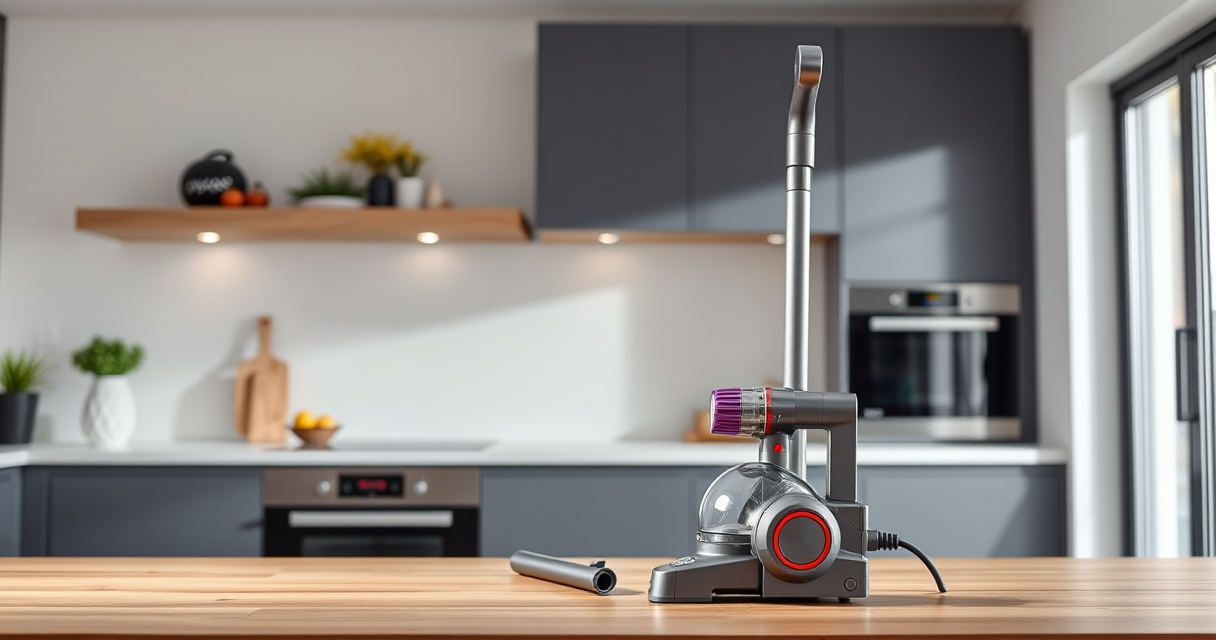

The Dyson V15 Detect™ Origin Cordless Vacuum is a powerful, intelligent cleaning tool designed for whole-home deep cleaning. To keep it performing at its best, regular maintenance and troubleshooting are essential. This guide provides step-by-step instructions on how to care for your Dyson V15, troubleshoot common issues, and ensure long-lasting performance.

Get cleaning gear delivered free with Prime
- Fast, free delivery on millions of items
- Prime Video, Amazon Music and more included
- Member-only deals all year
Whether you’re facing a drop in suction, error alerts, or simply want to extend the lifespan of your vacuum, these practical tips will help you address most problems safely and effectively.
Key Takeaways
| Regular Filter Cleaning | Keep filters clean for optimal suction and efficiency. |
| Check for Blockages | Clear obstructions in the cleaner head and wand. |
| Battery & Charging Troubleshooting | Ensure proper charging and replace faulty batteries. |
| Routine Maintenance | Replace filters and inspect parts every few months. |
Cleaning the Filters
- Remove the filters from the vacuum according to the user manual instructions.
- Rinse the filters under cold water until the water runs clear. Do not use detergents or wash in a dishwasher.
- Gently squeeze out excess water and let the filters air dry completely for at least 24 hours before reinstalling.
- Replace the filters back into the vacuum once dry, ensuring a proper seal.
Regular cleaning of the filters, approximately every 2-3 months, maintains suction power and prevents overheating or error alerts.
Clearing Blockages and Maintaining the Cleaner Head
- Turn off and unplug the vacuum before inspecting the cleaner head and wand.
- Check the Digital Motorbar and Fluffy Optic cleaner heads for tangled hair, debris, or obstructions.
- Remove any blockages manually or with a small brush. Pay attention to the airways and nozzle openings.
- Ensure the brush bar spins freely; if it’s jammed, clear debris and rotate manually if needed.
Keeping the cleaner head clear ensures effective dirt pickup and prevents motor strain.
Battery and Charging Troubleshooting
- Ensure the vacuum is properly connected to a functioning power outlet.
- If the LCD shows low remaining run time or errors, reset the vacuum by turning it off and on again.
- For persistent charging issues, check the charging port for dust or debris and clean gently.
- If the battery no longer holds a charge, consider replacing it with a compatible Dyson battery or contacting Dyson support.
A fully charged battery should last up to 60 minutes of power, depending on the mode used.
Replacing and Maintaining Filters
Using the correct replacement filters is crucial. The V10 filters (asin=B085G3CDS2) are compatible and help restore high-efficiency performance. Replace filters every 2-3 months or as recommended.
To replace filters:
- Remove the old filters by twisting or pulling, as instructed in the manual.
- Insert the new filters, ensuring they are seated securely.
Proper filter maintenance prevents loss of suction and extends the life of your vacuum.
Common Error Codes and Their Solutions
Dyson V15 displays various alerts on the LCD screen. For example, a filter alert indicates it needs cleaning or replacement. An error related to blockages will prompt you to inspect and clear obstructions.
When encountering an error code:
- Turn off the vacuum and unplug it.
- Refer to the user manual or Dyson support site for specific error code guidance.
- Perform the recommended cleaning or replacement steps.
Persistent errors may require professional service.
The Products in This Guide

Dyson V15 Detect™ Origin Cordless Vacuum
- ✔ Weight: 6.8 lbs
- ✔ Battery Life: up to 60 mins
- ✔ Filtration: Advanced HEPA-like filtration

LANMU Crevice Tool Vacuum Attachments Compatible
- ✔ Compatibility: Multiple Dyson models
- ✔ Material: Plastic
- ✔ Length: 12 inches
Dyson V15 Detect™ Origin Cordless Vacuum
The Dyson V15 Detect™ Origin offers 100% more power and intelligent features like debris detection and real-time particle counts. Its advanced cleaner heads and LCD screen make it a standout for thorough, easy cleaning.
Pros:
- Powerful and deep cleaning performance
- Intelligent debris detection
- Long battery life (up to 60 mins)
- Versatile with multiple attachments
Cons:
- Higher price point
- Filters require regular cleaning
- Heavier than some cordless models
Best for: Homeowners seeking powerful, high-tech cleaning
Not ideal for: Users preferring ultra-lightweight vacuums or minimal maintenance
Bottom line: The Dyson V15 Detect™ Origin is a high-performance cordless vacuum ideal for thorough, smart cleaning, requiring regular maintenance for peak operation.
LANMU Crevice Tool Vacuum Attachments Compatible
The LANMU Crevice Tool vacuum attachments are compatible with Dyson V15 and other models, making it easier to clean tight corners, car interiors, and furniture crevices. Its slim, flexible design ensures thorough cleaning of hard-to-reach areas.
Pros:
- Compatible with many Dyson models
- Narrow nozzle for tight spaces
- Easy to attach and use
- Effective at removing dust from corners
Cons:
- Not suitable for V6 or canister models
- Narrow nozzle may require extra effort for larger debris
- Plastic build may feel less durable
Best for: Cleaning corners, car interiors, and small crevices
Not ideal for: Large debris or heavy-duty cleaning tasks
Bottom line: A versatile, slim crevice tool perfect for detailed cleaning in tight spots and hard-to-reach areas.
Frequently Asked Questions
How often should I clean or replace the filters?
Filters should be rinsed every 2-3 months and replaced approximately every 6-12 months, depending on usage and signs of wear.
What should I do if my vacuum won’t hold a charge?
Ensure the charger is working correctly, clean the charging contacts, and consider replacing the battery if it no longer holds a full charge after several years.
Why is my Dyson V15 losing suction?
Check for blockages in the cleaner head, wand, or hose. Also, clean or replace dirty filters and ensure the dustbin is properly sealed and emptied.
Can I use non-Dyson filters or attachments?
For safety and optimal performance, use only Dyson-approved filters and attachments, as non-compatible parts may affect suction and damage the vacuum.
How do I reset error alerts on my Dyson V15?
Turn off the vacuum, unplug it, and then turn it back on. For persistent alerts, consult the user manual or contact Dyson support for assistance.
Keep Your Dyson V15 Detect™ Origin Running Smoothly
Regular maintenance and troubleshooting are key to ensuring your Dyson V15 Detect™ Origin continues to deliver powerful, intelligent cleaning. Follow these steps diligently, and don’t hesitate to replace filters or parts as needed. A well-maintained vacuum not only performs better but also lasts longer, saving you time and money in the long run.
If issues persist despite these tips, contacting Dyson support or a professional repair service might be the best course of action to keep your cleaning routine uninterrupted.
Affiliate disclosure: As an Amazon Associate we earn from qualifying purchases. Prices and availability are accurate as of the time of publishing.
Fall Picks
fall essentials
As an affiliate, we earn on qualifying purchases.