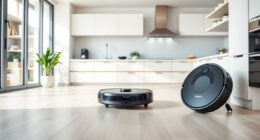
If your Roborock Q10 S5+ Robot Vacuum and Mop isn’t mopping as it should, it can be frustrating, especially after investing in a device with advanced features like Sonic Mopping and Auto Mop Lifting. Sometimes, issues stem from simple problems such as clogged filters, worn mop pads, or misaligned components. This guide walks you through practical, step-by-step troubleshooting to restore your robot’s mopping function.
Whether your Roborock isn’t mopping at all or just not covering the floors effectively, the solutions here are safe, easy to follow, and grounded in the product’s specifications. Let’s get your robot back to delivering spotless floors with efficient mopping performance.
Key Takeaways
| Basic Checks | Ensure mop pads are clean and properly attached. |
| Filter Maintenance | Replace or clean filters regularly for optimal water flow. |
| Water Tank & Settings | Check water tank is full and mopping mode is enabled. |
| Component Inspection | Verify no blockages or damage to mopping components. |
| Software & Firmware | Update firmware if mopping issues persist after hardware checks. |
Check and Clean the Mop Pads
- Remove the mop pads from your Roborock Q10 S5+ and inspect for dirt, dust, or debris. Dirty pads can hinder proper cleaning and water dispersion.
- Wash the microfiber mop pads with mild detergent and warm water. Ensure they are thoroughly dried before reattaching.
- Replace mop pads every 1-3 months to maintain effective mopping. Using worn or dirty pads will reduce cleaning quality.
Inspect and Refill the Water Tank
- Open the water tank compartment and check the water level. Fill it with clean, filtered water up to the recommended level.
- Ensure the water tank is securely attached to prevent leaks and ensure proper water flow during operation.
- Check that the water tank’s valve and nozzle are clean and free of blockages. Clogs can prevent water from reaching the mop pads.
Verify Mopping Settings and Mode
- On your Roborock app, ensure the mopping mode is activated and configured correctly. Some models allow selecting water flow levels—set this to medium or high for better mopping results.
- Check if the obstacle avoidance sensors are active, as they might prevent the robot from mopping certain areas.
- Run a test cleaning cycle to see if the robot is mopping as intended.
Inspect and Clear Blockages
- Turn off and unplug your robot. Remove the water tank and mop assembly.
- Check the water nozzle, water channels, and sensors for any blockages or buildup. Use a soft brush or compressed air to clear debris.
- Ensure the dual anti-tangle system isn’t obstructed, as tangled hair can impair the mopping function.
Update Firmware and Reset the Device
- Open the Roborock app and check for firmware updates. Keeping your device updated can fix bugs affecting mopping performance.
- If issues persist, perform a factory reset following the manufacturer’s instructions.
- Reconfigure your cleaning preferences and test the mopping feature again.
Additional Tips and Warnings
- Always use compatible mop pads and filters to avoid compatibility issues.
- Regular maintenance, including filter replacement and mop pad cleaning, prolongs device life and improves performance.
- Avoid using harsh chemicals or abrasive cleaners on the microfiber mop pads, as this can damage them.
- Be cautious when handling water tanks to prevent leaks or water damage to electronics.
The Products in This Guide

roborock Q10 S5+ Robot Vacuum and Mop
- ✔ Model: Q10 S5+
- ✔ Water Tank: Large, auto-lifting
- ✔ Mopping System: Sonic with dual zones

4 Pack Washable Filter
- ✔ Material: Microfiber
- ✔ Washability: Multiple washes
- ✔ Compatibility: Q10 S5+ and similar models
roborock Q10 S5+ Robot Vacuum and Mop
<p>The Roborock Q10 S5+ stands out with its 10,000 Pa suction power, Sonic Mopping, and 70 days of self-emptying. Its obstacle avoidance and dual anti-tangle design make it a reliable, low-maintenance cleaning companion.</p><p>Perfect for pet owners and busy households, this model offers powerful performance with minimal fuss, especially with its advanced mopping system and large dust capacity.</p>
Pros:
- Powerful 10,000 Pa suction
- Self-emptying station for 70 days
- Obstacle avoidance technology
- Dual anti-tangle system
Cons:
- Higher price point
- Requires regular filter and mop pad replacements
- Complex setup for some users
Best for: Large homes and pet owners needing reliable, hands-free cleaning.
Not ideal for: Small apartments or users on a tight budget.
Bottom line: A high-performance robot vacuum with effective mopping and self-emptying features.
4 Pack Washable Filter
<p>The VIEWALL 6 Pack Reusable Mop Pads are compatible with Roborock Q10 S5+ and other models, providing durable, washable cleaning cloths that maintain their effectiveness wash after wash.</p><p>They are crafted from ultra-fine microfiber, capable of removing fine dust, dirt, and pet hair, ensuring your floors stay spotless.</p>
Pros:
- Washable and reusable
- High-quality microfiber
- Compatible with multiple models
- Easy to install and clean
Cons:
- Requires regular washing
- Not OEM, but high performance
- Replacement every few months recommended
Best for: Pet owners and households seeking eco-friendly, cost-effective mop pads.
Not ideal for: Users preferring disposable pads or minimal maintenance.
Bottom line: A cost-effective, eco-friendly solution for consistent mopping.
Frequently Asked Questions
Why isn’t my Roborock mopping properly?
Common causes include dirty mop pads, blocked water nozzles, or incorrect settings. Regular maintenance and proper setup can resolve these issues.
How often should I replace the mop pads?
For optimal cleaning, replace or wash mop pads every 1 to 3 months, depending on usage and dirt levels.
Can I use any water in the tank?
It’s best to use clean, filtered water to prevent clogging and ensure the longevity of the mopping system.
How do I update the firmware?
Open the Roborock app, connect to your device, and check for firmware updates under device settings.
What should I do if the robot still doesn’t mop after troubleshooting?
Contact Roborock customer support or consider a professional service if hardware issues persist.
Restore Your Roborock’s Mopping Power
Following these troubleshooting steps can help you quickly resolve common issues that prevent your Roborock Q10 S5+ from mopping effectively. Regular maintenance, proper setup, and updates are key to keeping your device performing at its best. With a little care, your robot will continue to deliver spotless floors effortlessly, saving you time and effort in your cleaning routine.
Affiliate disclosure: As an Amazon Associate we earn from qualifying purchases. Prices and availability are accurate as of the time of publishing.