TL;DR

Get cleaning gear delivered free with Prime
- Fast, free delivery on millions of items
- Prime Video, Amazon Music and more included
- Member-only deals all year
Home Depot used its Hubspace app to connect compatible smart-home products at House Beautiful’s Whole Home in Charleston, South Carolina. The app can control devices including lights, thermostats, outlets, fans, locks and lawn sprinklers, but the report does not establish that it works with every appliance or disclose its full compatibility and setup requirements.
Home Depot’s Hubspace app was featured at House Beautiful’s Whole Home in Charleston, South Carolina, where the retailer connected compatible smart-home products and created an interactive lighting display. The demonstration showed how one app can control devices from different product categories, though the source does not establish that Hubspace works with every brand or appliance.
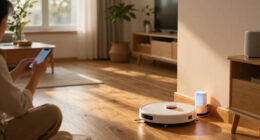
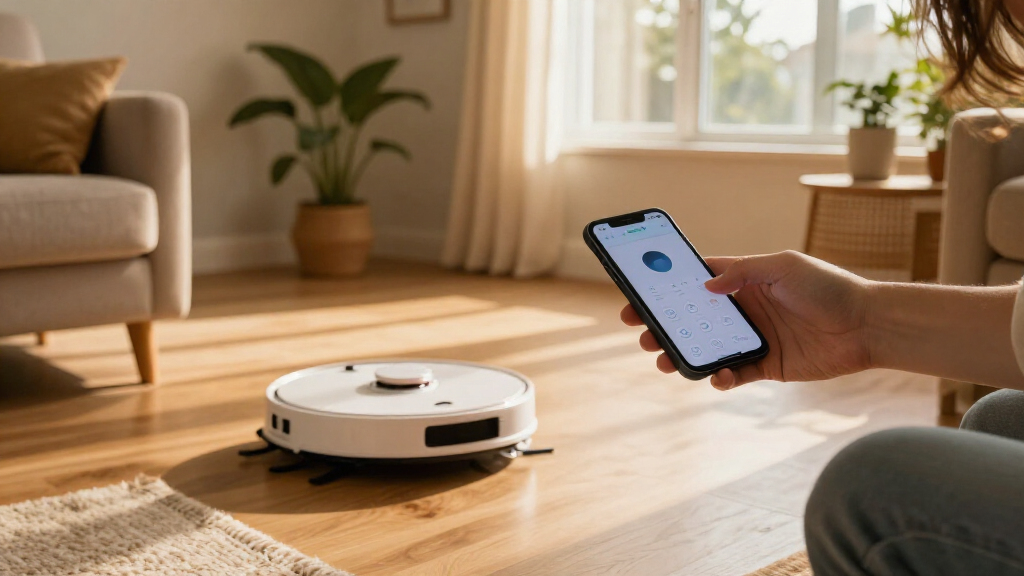
Hubspace is a Home Depot smart-home app that lets users manage compatible products from a smartphone. The House Beautiful report describes controls for lighting, fans, doors and locks, as well as thermostats, indoor outlets and lawn sprinklers. It also says the app includes a Vacation Mode intended to simulate occupancy while residents are away.
At the Whole Home project, a luxury condo in downtown Charleston was furnished and styled by designers, while Home Depot’s role was to demonstrate connected-home technology. The retailer used Hubspace-compatible lighting to create “The Color Canopy,” an installation designed to evoke the changing Charleston sky. The pop-up also included demonstrations of connected products, according to House Beautiful.
The report says users need a smartphone, internet access and compatible devices to use the system. It presents Hubspace as a way to bring controls together, rather than as a new category of app-controlled technology: controlling devices by phone is already familiar, while the report frames cross-category management through one hub as the feature being demonstrated.
One App, Multiple Home Devices
For homeowners, the appeal is fewer separate controls for devices that otherwise may rely on different apps or interfaces. If the products in a home are compatible, a single place to adjust lights, temperature or other connected equipment could make routine management simpler. Vacation Mode may also offer a way to give an occupied appearance to a home while its residents are away.
The demonstration also links home technology with interior design. The Color Canopy used adjustable lighting as part of an experience for visitors, rather than treating connected devices only as hidden utilities. That illustrates a possible design use for app-controlled lighting, but the report does not provide evidence about energy savings, security outcomes, reliability or the cost of outfitting a home.
Hubspace’s practical value will depend on which devices a household owns or plans to buy. A unified interface is most useful when the desired products are supported and can be set up reliably. The source describes a range of categories but does not compare Hubspace with other smart-home platforms or show how it handles products that are not compatible.
Products Worth Considering
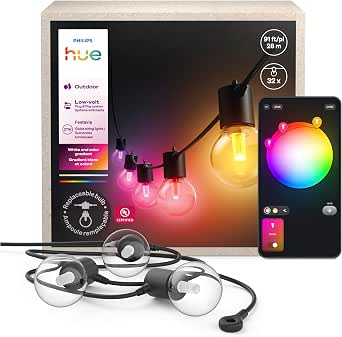
Philips Hue Festavia Globe Outdoor String Lights, 32 Bulbs, 91 ft

Samsung 48-Inch S90H OLED 4K Smart TV (2026)

Samsung 42-Inch Class OLED S90F 4K Smart TV (2025)
As an affiliate, we earn on qualifying purchases.
The Charleston Whole Home Demonstration
House Beautiful’s Whole Home project challenged designers to turn a Charleston condo into a distinctive residence, with Home Depot tasked with connecting elements of the home. The report says the retailer used Hubspace-compatible products and an in-person pop-up to demonstrate how connected lights, fans, doors and locks could work in a household setting.
App control itself is not new, as the source acknowledges. The report’s focus is on using one app across product categories available through Home Depot. It describes the retailer as a major home and kitchen appliance seller, but that does not mean every product sold there is compatible with Hubspace. Compatibility is specific to supported devices.
“The challenge for this year’s Whole Home was simple: transform a luxury condo in downtown Charleston, South Carolina, into a bespoke home filled with design, texture, and personality.”
— House Beautiful’s report describing the Whole Home challenge
Device Support and Setup Details
The source does not identify the full list of Hubspace-compatible products, explain whether devices from other retailers or manufacturers can be added, or describe limits on the number of products a user can control. It also does not specify the app’s setup process, subscription costs, privacy practices, or how it functions if a home internet connection is interrupted.
The Whole Home display was a demonstration, not a published assessment of performance in ordinary homes. House Beautiful does not report independent testing, user feedback, reliability data or measured security and energy benefits. Those points remain unverified in the supplied material.
Check Compatibility Before Buying
Readers considering Hubspace can start by checking whether each intended device is specifically listed as Hubspace-compatible and by reviewing the app’s current setup and connectivity requirements. The report does not announce a new launch date, software update or additional product rollout, so no next release milestone is confirmed.
Further reporting would be needed to establish how broad the supported-product range is, whether the app works with devices outside Home Depot’s own offerings and what protections apply to connected-home data. For now, the Charleston event provides a showcase of the app’s intended use, not a full technical or consumer review.
Key Questions
What is Home Depot’s Hubspace?
Hubspace is a smartphone app for controlling compatible smart-home products. House Beautiful says the demonstrated categories include lights, fans, thermostats, outlets, doors and locks, and lawn sprinklers.
Does Hubspace work with every product sold at Home Depot?
The report does not confirm that every Home Depot product is supported. It describes control of compatible devices, so shoppers should check the product listing for Hubspace support before buying.
What did Home Depot show at the Whole Home event?
Home Depot demonstrated connected devices at House Beautiful’s Charleston Whole Home and created “The Color Canopy,” an interactive lighting display intended to evoke the local sky.
What does Hubspace Vacation Mode do?
According to the report, Vacation Mode simulates occupancy while residents are away. The source does not explain exactly which devices it controls or how the feature is configured.
What is needed to use Hubspace?
The report says users need a smartphone, internet access and compatible devices. It does not give further technical requirements or explain what features remain available during an internet outage.
Source: rss