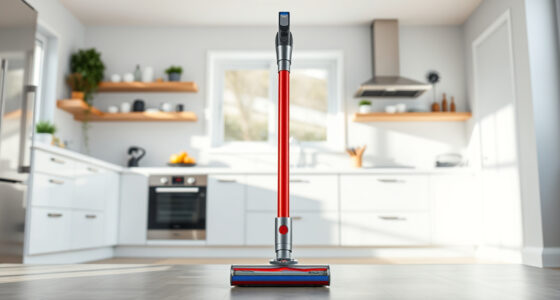

Maintaining your Dyson V15 Detect™ Origin Cordless Vacuum is essential to keep it performing at its best. Regular upkeep not only extends the lifespan of your device but also ensures you get the deepest clean every time. In this comprehensive guide, we’ll walk you through the essential maintenance routines, troubleshooting tips, and safe practices for your Dyson vacuum.

Get cleaning gear delivered free with Prime
- Fast, free delivery on millions of items
- Prime Video, Amazon Music and more included
- Member-only deals all year
Whether you’re a new user or a seasoned owner, following these steps will help you keep your vacuum in top shape and troubleshoot common issues effectively.
Key Takeaways
| Regular filter cleaning | Prevents suction loss and maintains filtration efficiency. |
| Check and replace filters periodically | Ensures peak performance and air quality. |
| Clean the brush bars and cleaner heads | Prevents hair and debris buildup that can impair cleaning. |
| Inspect the battery and charging port | Avoids charging issues and ensures longer run time. |
| Troubleshoot common malfunctions | Address power, suction, or error alerts promptly. |
Routine Filter Maintenance
- Remove the filters: Locate the pre-filters on your Dyson V15 vacuum, typically near the cyclone assembly. Twist or pull them out carefully.
- Wash the filters: Rinse the filters under cold water, gently squeezing out dirt. Use a soft brush if needed to dislodge stubborn debris.
- Dry thoroughly: Allow filters to air dry completely for at least 24 hours before reinserting. Do not use a dryer or expose to direct heat.
- Replace periodically: For optimal performance, replace pre-filters every 2-3 months or as recommended, especially if they show signs of wear.
Maintaining clean filters is critical for suction power and air quality. Neglecting this step can lead to decreased cleaning efficiency and potential damage to the motor over time.
Cleaning the Brush Bars and Cleaner Heads
- Detach the cleaner head: Remove the Digital Motorbar or Fluffy Optic head from the vacuum. Refer to your model’s instructions for detachment.
- Remove tangled debris: Use your fingers or a cleaning tool to clear hair, string, or large debris wrapped around the brush bars.
- Wash the heads: If washable, rinse with water and let dry completely before reassembling. Avoid using harsh chemicals.
- Inspect for damage: Check the brush bars and wheels for signs of wear or damage, replacing parts if necessary.
Regular cleaning of the heads ensures your vacuum maintains strong suction and effective dirt removal, especially on carpets and hard floors where brush action is vital.
Battery and Charging Port Care
- Inspect the battery: Check for signs of swelling, corrosion, or damage. If issues are present, contact Dyson support for replacement options.
- Clean the charging port: Use a dry cloth or a soft brush to remove dust and debris from the charging contacts.
- Charge properly: Use the original charger and avoid overcharging. Allow the battery to cool before charging if it feels hot.
- Monitor runtime: Keep track of your vacuum’s run time. If it diminishes significantly, consider replacing the battery or consulting troubleshooting steps.
Proper battery care prolongs your vacuum’s operational life and ensures consistent power during cleaning sessions.
Troubleshooting Common Issues
- Vacuum not turning on: Check the battery charge, ensure the device is properly assembled, and inspect for any error alerts on the LCD screen.
- Reduced suction: Clean the filters, brush bars, and cyclone area. Replace filters if they are dirty or worn out.
- Power or mode errors: Reset the vacuum by turning it off, removing the battery, waiting a minute, then reassembling and turning on.
- Battery not charging: Verify the charger and port are clean, and the charger is plugged into a working outlet. Replace the battery if necessary.
Addressing these issues promptly can prevent further damage and restore your vacuum’s full cleaning power.
Safety Tips and Precautions
- Always disconnect from power before cleaning or servicing internal parts.
- Allow filters and parts to dry completely before reassembly to prevent mold growth.
- Use only Dyson-approved accessories and replacement parts to avoid damage.
- Handle the battery carefully—do not puncture or expose to excessive heat.
- If you notice unusual smells, smoke, or performance drops, stop using the vacuum and seek professional help.
Following safety guidelines ensures your maintenance routine is safe and effective, protecting both you and your device.
The Products in This Guide

Dyson V15 Detect™ Origin Cordless Vacuum
- ✔ Battery Life: Up to 60 minutes
- ✔ Filters: Replace every 2-3 months
- ✔ Weight: Approx. 6.8 lbs

LANMU Crevice Tool Vacuum Attachments Compatible
- ✔ Compatibility: Multiple Dyson models
- ✔ Material: Plastic
- ✔ Design: Slim and flexible
Dyson V15 Detect™ Origin Cordless Vacuum
The Dyson V15 Detect™ Origin offers powerful, intelligent cleaning with advanced features like laser dust detection and adaptable power modes. Regular maintenance will keep it performing at its best for years to come.
Pros:
- Powerful suction
- Intelligent dust detection
- Long battery life
- Versatile cleaning heads
Cons:
- Requires regular filter cleaning
- Can be heavy for some users
- Filter replacements add ongoing cost
Best for: Whole-home deep cleaning, pet hair, hard floors, carpets
Not ideal for: Light, quick cleanups or very small spaces
Bottom line: Keep your Dyson V15 in top shape with regular maintenance for optimal performance.
LANMU Crevice Tool Vacuum Attachments Compatible
The LANMU Crevice Tool Vacuum Attachments are compatible with Dyson V15 and other models, making it easier to clean tight corners and narrow spaces in your home or car.
Pros:
- Slim, flexible design
- Easy to attach and use
- Effective for corners and crevices
- Compatible with multiple Dyson models
Cons:
- May require extra storage space
- Not suitable for heavy debris
- Limited to narrow spaces
Best for: Cleaning corners, edges, car interiors, keyboards
Not ideal for: Heavy-duty cleaning or large debris
Bottom line: A versatile tool to enhance your Dyson cleaning arsenal.
Frequently Asked Questions
How often should I replace the filters on my Dyson V15?
It is recommended to replace the filters every 2-3 months, depending on usage and signs of wear. Regular cleaning can extend their lifespan.
Can I wash the filters?
Yes, most filters, including pre-filters and V10 filters, are washable. Rinse with cold water, dry completely for at least 24 hours before reusing.
What should I do if my vacuum loses suction?
Check and clean the filters, brush heads, and cyclone area. Also, inspect for blockages or tangled debris in the cleaner head and hose.
How do I troubleshoot charging issues?
Ensure the charger is plugged into a working outlet. Clean the charging contacts on the vacuum and charger. Replace the battery if it no longer holds charge after troubleshooting.
Is it safe to use my Dyson vacuum while charging?
Yes, but avoid using it during charging to prevent overheating. Always follow the manufacturer’s safety instructions.
Keep Your Dyson V15 Performing Like New
By following this maintenance guide, you can ensure your Dyson V15 Detect™ Origin remains powerful, efficient, and reliable. Regular cleaning, filter replacements, and troubleshooting will extend its lifespan and keep your home spotless. Remember, a well-maintained vacuum is a happy vacuum—enjoy effortless cleaning for years to come.
Affiliate disclosure: As an Amazon Associate we earn from qualifying purchases. Prices and availability are accurate as of the time of publishing.
Columbus Day / Indigenous Peoples' Day Picks
long weekend sales
As an affiliate, we earn on qualifying purchases.