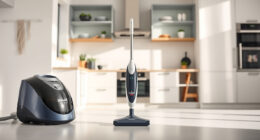
If your Roborock Q10 S5+ robot vacuum isn’t mopping as it should, it can be frustrating. This guide helps you identify common causes and walk through safe, effective solutions to restore its mopping function.
Ensure your device is set up correctly, the mop pads are clean, and the system is configured properly to get the best mopping results from your Roborock Q10 S5+.
Key Takeaways
| Check the mop attachment | Ensure the mop pad is properly installed and secure. |
| Inspect the mop pads | Clean or replace dirty or worn-out mop pads. |
| Verify water level and tank | Make sure the water tank is filled and correctly positioned. |
| Review app settings | Confirm mopping is enabled and no restrictions are set. |
| Update firmware | Keep your robot’s software current for optimal function. |

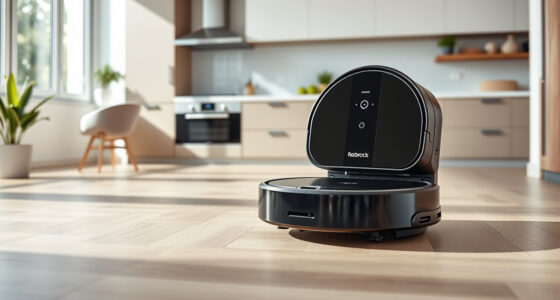
roborock Q10 S5+ Robot Vacuum and Mop, 10,000Pa Suction, Upgraded from Q8 max+, 70 Days Self-Emptying, Obstacle Avoidance, Sonic Mopping, Dual Anti-Tangle Design, Auto Mop Lifting, Black
70 Days of Hands-Free Cleaning - Enjoy ultimate convenience with the self-emptying station. The large 2.7L dust bag...
As an affiliate, we earn on qualifying purchases.
1. Confirm Mop Pad Installation
- Power off the robot and remove it from the dock.
- Check the mop pad is correctly attached to the bottom of the robot, ensuring it clicks into place securely.
- Reattach if necessary, making sure it lies flat against the floor surface.

4 Pack Washable Filter For Roborock Q5 Pro/Pro+(Plus)/ Max+(Plus)/ DuoRoller+, Q7/ Q7+, Q7 Max/Max+, Q8 Max/Max+ Robot Vacuum Cleaner Accessories Replacement Part True HEPA Filter For Robotic
Compatible Models: The True HEPA washable filter replacement parts are compatible with Roborock Q7, Q7+(Plus), Q7 Max, Q7...
As an affiliate, we earn on qualifying purchases.
2. Clean or Replace the Mop Pads
- Remove the mop pad and inspect it for dirt, debris, or wear.
- If dirty, wash it with mild detergent and let it dry completely.
- If worn or damaged, replace with a new pad.
3. Check Water Tank and Water Flow
- Remove the water tank and fill it with clean water, ensuring it is not overfilled.
- Reattach the tank securely, making sure it clicks into place.
- Inspect the water outlet for clogging or blockages and clean if needed.
4. Verify App Settings and Mopping Mode
- Open the Roborock app and select your device.
- Ensure that mopping is enabled in the cleaning preferences.
- Check for any restricted zones or no-mop zones that might prevent mopping.
5. Update Firmware and Restart
- Check for firmware updates in the app and install any available updates.
- Restart the robot manually or via the app to reset its systems.
The Products in This Guide

roborock Q10 S5+ Robot Vacuum and Mop
- ✔ Model: Q10 S5+
- ✔ Suction Power: 10,000 Pa
- ✔ Self-Emptying: Yes

4 Pack Washable Filter
- ✔ Pack Size: 4 filters
- ✔ Compatibility: Multiple Roborock models
- ✔ Type: Washable HEPA
roborock Q10 S5+ Robot Vacuum and Mop
The Roborock Q10 S5+ offers powerful 10,000 Pa suction, obstacle avoidance, and sonic mopping, making it an ideal choice for busy households and pet owners. Its self-emptying station reduces maintenance and ensures continuous cleaning.
Pros:
- Powerful 10,000 Pa suction
- Self-emptying station for up to 70 days
- Obstacle avoidance technology
- Dual anti-tangle system
Cons:
- Mopping not automatic if not set correctly
- Requires regular mop pad maintenance
- Water tank refill needed for mopping
Best for: Pet owners and busy households needing reliable, hands-free cleaning
Not ideal for: Users who prefer manual control or minimal setup
Bottom line: Roborock Q10 S5+ combines power and convenience for effortless cleaning, with some setup needed for mopping features.
4 Pack Washable Filter
This 4-pack of washable filters ensures your Roborock maintains high filtration efficiency and reduces replacement costs, compatible with multiple models including Q7 and Q8 Max+.
Pros:
- Reusable and washable
- Maintains high filtration
- Compatible with many models
- Easy to install
Cons:
- Requires regular cleaning
- Not OEM, but performs well
Best for: Owners seeking long-term cost-effective filtration
Not ideal for: Users wanting OEM-certified filters only
Bottom line: A cost-effective, eco-friendly way to keep your Roborock’s filtration system optimal.
Frequently Asked Questions
Why isn’t my Roborock Q10 S5+ mopping?
Common causes include improperly installed mop pads, clogged water outlets, or incorrect app settings. Follow the troubleshooting steps for best results.
How often should I replace the mop pads?
It’s recommended to wash and re-use microfiber mop pads every 1-3 months, or replace when worn or damaged for optimal cleaning.
Can I use any water in the tank?
Use clean, room-temperature water. Avoid adding cleaning agents or chemicals to prevent damage to the mopping system.
How do I update the robot’s firmware?
Open the Roborock app, connect to your device, and check for firmware updates in the device settings menu.
Getting Your Roborock Q10 S5+ Mopping Again
By following these troubleshooting steps, you can resolve most issues preventing your Roborock Q10 S5+ from mopping effectively. Regular maintenance and correct setup ensure your robot continues to deliver excellent cleaning performance. Keep your firmware updated and replace mop pads as needed for best results.
Affiliate disclosure: As an Amazon Associate we earn from qualifying purchases. Prices and availability are accurate as of the time of publishing.