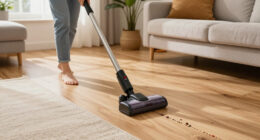
If your Roborock Q7 M5+ robot vacuum keeps getting stuck, it can be frustrating and disrupt your cleaning schedule. Fortunately, most issues are fixable with simple troubleshooting steps. This guide will walk you through the essential steps to identify and resolve common causes of the problem, ensuring your vacuum runs smoothly again.

Get cleaning gear delivered free with Prime
- Fast, free delivery on millions of items
- Prime Video, Amazon Music and more included
- Member-only deals all year
Before starting, make sure your device is updated with the latest firmware and that you have a clean, clutter-free environment for testing. Safety first: unplug the device if you need to inspect or handle internal parts.
Key Takeaways
| Check for obstacles | Remove objects and clear pathways. |
| Inspect wheels and brushes | Ensure they are free of hair, debris, or damage. |
| Update firmware | Keep your vacuum’s software current. |
| Adjust cleaning path | Rearrange furniture or change cleaning schedule. |
Step 1: Clear the Path and Remove Obstacles
- Inspect the area where the vacuum gets stuck. Remove any small objects, cords, or clutter that might block its path.
- Check for loose rugs or uneven flooring that could cause the device to get caught.
Step 2: Examine and Clean Wheels and Brushes
- Flip the vacuum over and inspect the wheels for hair, dust, or debris wrapped around them. Remove any obstructions carefully.
- Clean the main brush and side brushes with a brush or scissors, ensuring they spin freely.
Step 3: Reset and Update Firmware
- Perform a reset by turning off the vacuum and turning it back on after a few seconds.
- Check the Roborock app for firmware updates and install if available.
Step 4: Adjust Navigation and Cleaning Settings
If the vacuum still gets stuck, try changing its cleaning schedule or map layout in the app. Avoid overly cluttered or tight areas.
Tips and Warnings
- Always power off before inspecting internal parts.
- Regularly clean wheels and brushes to prevent tangling.
- Ensure the cleaning area is free of small objects that can trap the vacuum.
- Use the latest app version for optimal navigation updates.
The Products in This Guide

roborock Q7 M5+ Robot Vacuum and Mop
- ✔ Model: Q7 M5+
- ✔ Color: Black
- ✔ Weight: Approx. 4.8 kg

4 Pack Washable Filter
- ✔ Pack: 4 filters
- ✔ Material: HEPA
- ✔ Washable: Yes
roborock Q7 M5+ Robot Vacuum and Mop
The Roborock Q7 M5+ offers powerful suction and PreciseLiDAR navigation, making it reliable for thorough cleaning. Its dual anti-tangle system helps prevent pet hair from clogging, reducing stuck incidents.
Pros:
- Strong 10000Pa suction
- Up to 9 weeks of self-emptying
- Advanced navigation system
- Pet hair friendly
Cons:
- Price may be higher for some
- Requires app setup
- Can get stuck on very tight spots
Best for: Pet owners and those with complex floor plans
Not ideal for: Very cluttered or obstacle-filled environments
Bottom line: A smart, powerful vacuum ideal for pet owners and multi-room cleaning.
4 Pack Washable Filter
Replacing your filter regularly ensures optimal suction and air quality. This 4-pack of washable filters fits compatible Roborock models and is easy to maintain.
Pros:
- Cost-effective
- Washable and reusable
- Maintains suction efficiency
- Easy to install
Cons:
- Not OEM, but high quality
- Requires regular cleaning
- Replacement every few months
Best for: Maintaining optimal filtration and suction
Not ideal for: For models not listed in compatibility
Bottom line: A reliable and economical way to keep your vacuum’s filtration system in top shape.
Frequently Asked Questions
Why does my Roborock keep getting stuck?
Common causes include obstacles, tangled brushes, or outdated firmware. Follow the troubleshooting steps to resolve these issues.
How can I prevent my vacuum from getting stuck?
Clear pathways, remove small objects, and regularly clean brushes and wheels. Updating the firmware can also improve navigation.
Is it safe to manually clean the brushes?
Yes, always power off the vacuum before inspecting or cleaning brushes and wheels to avoid injury or damage.
How often should I replace the filters?
It’s recommended to wash and reinsert filters regularly, replacing them every 2-3 months for optimal performance.
Keep Your Roborock Running Smoothly
With proper maintenance and troubleshooting, your Roborock Q7 M5+ can operate efficiently without getting stuck. Regularly clear obstacles, clean brushes, and update firmware to ensure seamless cleaning. A little proactive care goes a long way in maintaining your robot’s performance and keeping your home spotless.
Affiliate disclosure: As an Amazon Associate we earn from qualifying purchases. Prices and availability are accurate as of the time of publishing.
Columbus Day / Indigenous Peoples' Day Picks
long weekend sales
As an affiliate, we earn on qualifying purchases.