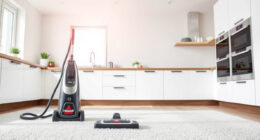
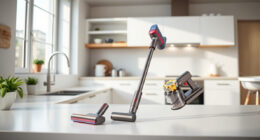
If your Bissell ProHeat 2X Revolution Pet Turbo Carpet Cleaner is leaving water on your carpets instead of drying them, it can be frustrating. This issue typically indicates a problem with the machine’s suction, filters, or internal components. Fortunately, with some simple troubleshooting steps, you can resolve this and get your cleaner back to optimal performance.
Listen free for 30 days with Audible
Thousands of audiobooks and originals — cancel anytime.
Start your free trialAs an affiliate, we earn on qualifying purchases.
Follow this clear, step-by-step guide to identify and fix common causes of excess water leaving your carpets after cleaning, ensuring a thorough and efficient clean each time.
Key Takeaways
| Check for blockages | Ensure hoses and filters are clear of debris. |
| Inspect the filters | Dirty filters can reduce suction and cause water to be left behind. |
| Examine the brush roll | A clogged or worn brush can affect cleaning and water pickup. |
| Verify water and solution levels | Incorrect levels can impact suction and drying. |
| Maintain heat and suction systems | Ensure HeatWave and motor functions are working properly. |
Step 1: Turn Off and Unplug the Machine
Before performing any maintenance, ensure the cleaner is turned off and unplugged to avoid electrical hazards. Remove the water tank and set aside.
Step 2: Check and Clear the Hoses
- Inspect the entire length of the hoses for clogs or obstructions. Detach hoses if needed.
- Use a long, flexible brush or a straightened coat hanger to gently clear any debris blocking the passage.
- Reattach hoses securely once cleared.
Step 3: Clean or Replace Filters
Locate the filters (usually near the water tank or suction area). Remove and rinse them thoroughly with warm water. If filters are damaged or excessively dirty, replace them with a compatible set.
Step 4: Inspect and Clean the Brush Roll
Remove the brush roll and clear any hair, threads, or debris tangled around it. Use a brush or scissors carefully to trim any buildup. Check for wear or damage, replacing if necessary.
Step 5: Confirm Water and Solution Levels
Ensure the water and solution tanks are filled to the recommended levels. Do not overfill, which can cause drainage issues, nor underfill, which can affect cleaning performance.
Step 6: Test Suction and Functionality
Reassemble the machine, power it on, and run a test on a small area. Observe if water is now being extracted properly and carpets are drying as expected.
The Products in This Guide

BISSELL ProHeat 2X Revolution Pet Turbo Upright Carpet C
- ✔ Model: 35799
- ✔ Suction Power: Enhanced with TurboStrength™
- ✔ Cleaning Modes: MAX and Express

JORAIR Brush Replacement Compatible
- ✔ Compatibility: Multiple CrossWave models
- ✔ Package Includes: Brushes, filters, cleaning brush
- ✔ Material: Durable synthetic components
BISSELL ProHeat 2X Revolution Pet Turbo Upright Carpet C
The BISSELL ProHeat 2X Revolution Pet Turbo Upright Carpet Cleaner offers powerful suction with its TurboStrength™ Motor and HeatWave technology, ensuring carpets are cleaned and dried thoroughly. Proper maintenance of filters, hoses, and brushes is key to preventing excess water issues.
Pros:
- Powerful suction with 40% more efficiency
- Excellent for deep cleaning and pet stains
- Includes heat maintenance technology
- Multiple cleaning modes
Cons:
- Can be heavy for some users
- Requires regular filter cleaning
- Hose and brush maintenance needed
Best for: Pet owners and deep carpet cleaning
Not ideal for: Light cleaning tasks or small areas
Bottom line: Regular maintenance and cleaning ensure your Bissell cleaner performs optimally.
JORAIR Brush Replacement Compatible
Replacing worn brushes and filters with the JORAIR Brush Replacement Kit helps maintain optimal suction and cleaning power, reducing water left behind after cleaning.
Pros:
- Compatible with multiple Bissell CrossWave models
- Includes 3 brush rolls and filters
- Easy to install and use
- Affordable price
Cons:
- Only compatible with specific models
- Requires periodic replacement
- Limited to CrossWave series
Best for: Maintaining and upgrading your Bissell CrossWave
Not ideal for: For non-compatible models or general cleaning
Bottom line: Maintaining your brushes and filters keeps your cleaner performing at its best.
Frequently Asked Questions
Why is my Bissell cleaner leaving water on the carpet?
This usually occurs due to clogged hoses, dirty filters, worn brushes, or insufficient water or solution levels. Regular maintenance can prevent this problem.
How often should I clean the filters and brushes?
Inspect and clean filters weekly if used frequently. Brushes should be cleaned after every few uses to prevent buildup and maintain suction.
Can I use any cleaning solution in my Bissell?
It’s best to use the Bissell Multi-Surface Solution or other recommended formulas to ensure compatibility and optimal cleaning performance.
What should I do if my machine still leaves water after troubleshooting?
If issues persist, contact Bissell customer service or consider professional servicing to check for internal component problems.
Keep Your Bissell Running Smoothly
A well-maintained Bissell ProHeat 2X Revolution Pet Turbo ensures thorough cleaning and quick drying. Regularly check hoses, filters, and brushes, and use recommended solutions to maximize performance and avoid issues like leaving excess water on your carpets. With proper care, your cleaner will serve you well for years to come.
Affiliate disclosure: As an Amazon Associate we earn from qualifying purchases. Prices and availability are accurate as of the time of publishing.
Flea & tick season Picks
flea and tick prevention
As an affiliate, we earn on qualifying purchases.

![Bukit Bintang Hicks Flat: DBKL Orders Cleanup After Viral Video Exposes Dirty Conditions [WATCH] - NST Online](https://cleanerslink.com/wp-content/uploads/2026/07/bukit-bintang-hicks-flat-dbkl-orders-cleanup-after-viral-video-exposes-dirty-con-featured-560x300.jpg)