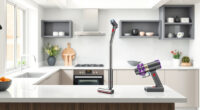
Getting your new Roborock Q7 M5+ robot vacuum ready for action is straightforward with the right setup steps. Proper initialization ensures optimal performance, longer device lifespan, and a thorough clean every time. In this guide, you’ll find clear, practical instructions to set up your device safely, troubleshoot common issues, and accessories that can enhance your robot’s capabilities.
Whether you’re a first-time user or upgrading from an older model, following these steps will help you get your Roborock Q7 M5+ up and running smoothly, so you can enjoy a cleaner home with minimal effort.
Key Takeaways
| Easy Setup | Follow straightforward steps for quick setup. |
| Optimal Performance | Proper initial configuration ensures thorough cleaning. |
| Maintenance Tips | Learn how to keep your vacuum functioning well. |
| Accessory Recommendations | Enhance cleaning with compatible filters and mop pads. |
| Troubleshooting | Address common setup issues quickly. |

roborock Q7 M5+ Robot Vacuum and Mop, Upgraded from Q5 Max+, Up to 7-9 Weeks Self-Empty, 10000Pa Suction, Dual Anti-Tangle System for Pet Hair & Carpet, PreciSense LiDAR Navigation, App Control, Black
- Long-lasting Self-Emptying: Up to 7-9 weeks with 2.7L dust bag
- Powerful 10000Pa Suction: Deep cleaning for pet hair and debris
- Anti-Tangle Brush System: Resists pet hair wrap for less maintenance
As an affiliate, we earn on qualifying purchases.
Unboxing and Initial Inspection
- Carefully remove the Roborock Q7 M5+ from its packaging, ensuring all components are present. You should find the main vacuum unit, charging dock, power cable, dust bag, and accessories.
- Inspect the device for any visible damage or missing parts. Check that the dust bag is securely installed in the dock and that the charging contacts are clean.
- Place the charging dock on a flat, open surface against a wall, with at least 1.5 meters of clearance on each side and 2 meters in front. Plug in the dock and ensure the indicator light is on.
Charging and Powering Up
- Connect the power cable to the charging dock and plug it into a power outlet. Allow the vacuum to charge for at least 4 hours before first use for optimal battery health.
- Place the Roborock Q7 M5+ onto the charging dock, aligning the charging contacts. The device should automatically start charging; if not, press the power button.
- Wait until the device indicates a full charge—usually a steady light or a specific indicator on the app—before proceeding to setup.
Connecting to the App and Wi-Fi
- Download and install the Roborock app compatible with your device (available on iOS and Android).
- Create or log into your Roborock account, then turn on Wi-Fi on your phone.
- Open the app and follow on-screen instructions to add a new device. Select the Roborock Q7 M5+ from the list.
- Ensure the robot is close to your Wi-Fi router, then connect the robot to your home network. The app will guide you through the process, including syncing the device’s firmware.
Initial Configuration and Mapping
- Once connected, the app will prompt you to assign a name to your robot and select cleaning preferences.
- Run a quick initial cleaning cycle to allow the robot to map your home. The PreciseSense LiDAR navigation will create an accurate map, which can be viewed in the app.
- Set no-go zones or specific rooms if desired, to customize your cleaning areas.
Accessory Installation and Maintenance
Attach the washable mop pads or replace filters as needed, following the device instructions. For optimal operation, regularly clean or replace filters (such as the washable HEPA filter) and mop pads, especially if you notice reduced suction or cleaning effectiveness.
Use the recommended accessories like the 4 Pack Washable Filter to maintain high performance. Regular maintenance prevents common issues like tangling or poor cleaning results.
Troubleshooting Common Setup Issues
- If the robot does not charge, check the alignment of contacts and the power source.
- If Wi-Fi connection fails, reset the robot and restart your router, then try reconnecting.
- For app issues, ensure your device’s software is up-to-date and that you’re on the same Wi-Fi network as the robot.
The Products in This Guide

roborock Q7 M5+ Robot Vacuum and Mop
- ✔ Color: Black
- ✔ App Compatibility: iOS & Android
- ✔ Dimensions: roughly 13.8 x 3.8 inches

4 Pack Washable Filter
- ✔ Quantity: 4 filters
- ✔ Material: HEPA
- ✔ Compatibility: Multiple Roborock models
roborock Q7 M5+ Robot Vacuum and Mop
The Roborock Q7 M5+ Robot Vacuum and Mop offers powerful suction, a self-emptying dust bag, and advanced navigation, making it ideal for pet owners and busy households. Its upgraded features ensure thorough cleaning with less maintenance.
Pros:
- Up to 7-9 weeks of self-emptying
- 10000Pa strong suction power
- Precise LiDAR navigation
- Dual anti-tangle system
- App control for customization
Cons:
- Requires initial setup time
- Might be complex for complete beginners
- Higher price point
Best for: Pet owners, large homes, allergy sufferers
Not ideal for: Small apartments with minimal debris, users preferring manual cleaning
Bottom line: A high-performance robot vacuum ideal for pet households and deep cleaning needs.
4 Pack Washable Filter
The 4 Pack Washable Filter is a cost-effective way to keep your Roborock Q7 M5+ performing at its best. Easy to install and wash, these filters help maintain high suction and air quality.
Pros:
- Reusable and washable
- Compatible with multiple models
- True HEPA filtration
- Long-lasting filters
Cons:
- Requires regular cleaning
- Not OEM but highly compatible
- Limited to specific models
Best for: Maintaining filter performance, allergy sufferers
Not ideal for: Users needing OEM filters for warranty reasons
Bottom line: A reliable, washable HEPA filter pack to keep your vacuum performing optimally.
Frequently Asked Questions
How long does it take to fully charge the Roborock Q7 M5+?
It typically takes around 4 hours to fully charge the battery from empty, ensuring optimal battery health and readiness for cleaning.
Can I use the robot on multiple floor types?
Yes, the Roborock Q7 M5+ is designed to handle various surfaces including hardwood, tiles, and carpets, thanks to its powerful suction and adjustable settings.
How often should I clean or replace the filters?
Filters should be cleaned every 1-3 months and replaced every 6-12 months, depending on usage. The washable HEPA filters make maintenance easier.
What should I do if the robot is not connecting to Wi-Fi?
Ensure your Wi-Fi network is functioning properly, restart your router and the robot, and keep the robot close to the router during setup.
Is the self-emptying feature reliable?
Yes, the 2.7L sealed dust bag and RockDock Plus allow for up to 7-9 weeks of maintenance-free cleaning, reducing frequent emptying.
Getting the Most Out of Your Roborock Q7 M5+
By following proper setup procedures, connecting your device correctly, and maintaining its accessories, you ensure a seamless cleaning experience. Regular maintenance and troubleshooting help prevent common issues, allowing your robot vacuum to keep your home spotless with minimal effort.
With its advanced navigation and powerful suction, the Roborock Q7 M5+ is a valuable addition to any home, especially for pet owners or larger households. Proper initial setup and ongoing care will maximize its lifespan and cleaning effectiveness.
Affiliate disclosure: As an Amazon Associate we earn from qualifying purchases. Prices and availability are accurate as of the time of publishing.