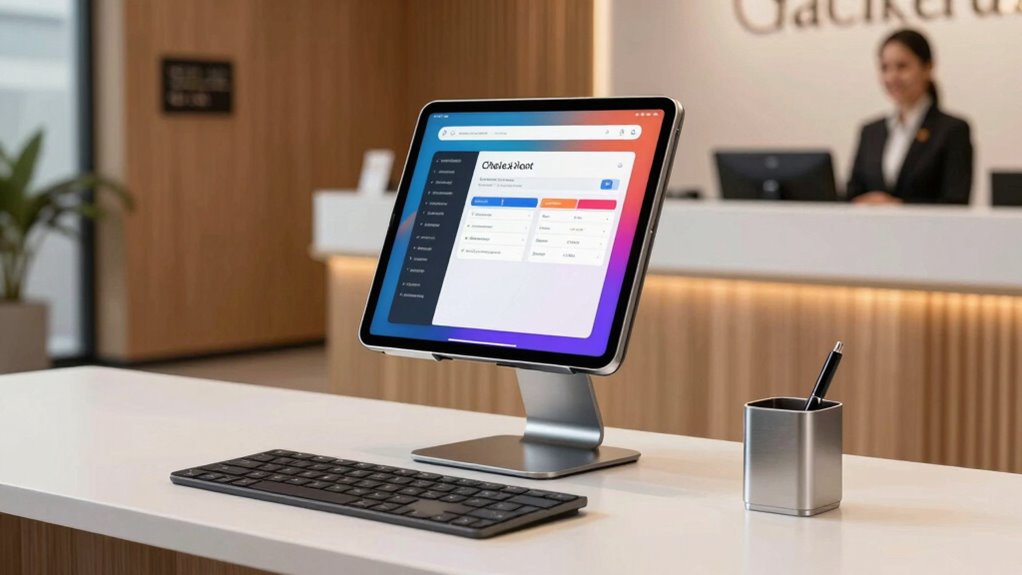

For front desk check-in, I’d put the AboveTEK Retail Kiosk iPad Stand first for its broad tablet-size range and 360-degree rotation, which suit a shared counter. The Square Stand is a more focused fit for an iPad-based Square checkout flow, while the All-in-One Metal Tablet POS Stand adds a locked printer compartment for reception desks that need printed slips. The main tradeoffs are countertop versus floor placement, device compatibility, and how much theft resistance or accessory storage your check-in process needs. A stand that works for a receptionist may be awkward for visitors completing forms themselves. Read on for the full comparison and a guide to choosing around your space and workflow.

Get cleaning gear delivered free with Prime
- Fast, free delivery on millions of items
- Prime Video, Amazon Music and more included
- Member-only deals all year
Complete the kit


Key Takeaways
- AboveTEK leads as the flexible countertop pick: its stated 6–13-inch tablet range and 360-degree rotation make it adaptable to different shared-counter setups.
- Square Stand is the workflow-specific choice: it makes the most sense when check-in includes a compatible iPad and Square payments, rather than when broad device fit is the priority.
- The All-in-One Metal POS Stand serves print-heavy desks: its printer compartment and key lock combine tablet use with receipt or form handling, at the cost of a more specialized setup.
- Floor stands solve a different placement problem: the Mount-It! height-adjustable floor kiosk can suit visitor-led check-in away from a counter, while countertop models take less lobby space.
- Compatibility and mounting options separate similar-looking kiosks: some listed stands target particular iPad sizes or models, while universal designs and counter-or-wall mounting offer different kinds of flexibility.
| AboveTEK Retail Kiosk iPad Stand with 360° Rotation, for 6–13 Inch Tablets, Black |  | Best for Flexible Check-In | Compatible screen size: 6–13 inches | Compatible device dimensions: 6.6–9.6 inches in width or height | Maximum case thickness: Less than 0.5 inches | VIEW ON AMAZON | See Our Full Breakdown |
| Square Stand for iPad (2nd Generation, USB-C) |  | Best for Payment-Ready Check-In | Generation: 2nd generation | Connector: USB-C | Compatible iPads: iPad (10th generation); iPad Pro 11-inch (1st–4th generation); iPad Air (4th and 5th generation); iPad Air 11-inch (M2) | VIEW ON AMAZON | See Our Full Breakdown |
| Secure Desk Tablet Kiosk Stand for 10–14-Inch Tablets |  | Best for High-Traffic Public Lobbies | Compatible screen size: 10–14 inches | Maximum tablet thickness: 0.39 inches (10 mm) | VESA mounting pattern: 75 × 75 mm | VIEW ON AMAZON | See Our Full Breakdown |
| Mount-It! Anti-Theft Universal Tablet Kiosk Countertop Stand, Black |  | Best for Secured Small Tablets | Tablet compatibility: 7.9–11 inches | Clamp width range: 5–7.125 inches | Clamp height range: 7.87–9.68 inches | VIEW ON AMAZON | See Our Full Breakdown |
| All-in-One Metal Tablet POS Stand with Printer Compartment and Key Lock |  | Best for Locked-In Receipt Printing | Model: BSP101BA | Material: Metal | Screen tilt: Up to 90° | VIEW ON AMAZON | See Our Full Breakdown |
| Mount-It! Secure iPad and Tablet Kiosk Stand, 10.2–11-Inch, Countertop or Wall Mount, 360° Swivel, Black |  | Best Countertop or Wall Mount | Compatible tablet size: 10.2–11 inches | Compatible devices: Select iPad and Samsung Galaxy Tab models | Mounting: Tabletop or wall mount | VIEW ON AMAZON | See Our Full Breakdown |
| Mount-It! Anti-Theft Universal Tablet Floor Stand, Silver |  | Best for Adjustable Visitor Access | Compatible tablet size: 7.9–11 inches | Device dimensions: 5.3–7.8 inches wide and 7.7–10.6 inches tall | Material: Steel | VIEW ON AMAZON | See Our Full Breakdown |
| Pinikox Kiosk POS Tablet Stand for Compatible iPads, 360° Swivel Base, Metal, White |  | Best for Older iPad Setups | Model: PSC101W | Compatible devices: iPad 5th and 6th generation, iPad Air 1st and 2nd generation, iPad Pro 9.7-inch | Mounting: Tabletop | VIEW ON AMAZON | See Our Full Breakdown |
| Mount-It! Anti-Theft Locking iPad Floor Stand, White |  | Best for Securing the Power Adapter | Compatible devices: iPad Pro 10.5- and 11-inch; iPad Air 10.5- and 10.9-inch; iPad A16 11-inch; iPad 7th–10th generation 10.2–10.9-inch | Tablet requirements: Bare tablet; cases are not supported | Material: Powder-coated high-strength steel | VIEW ON AMAZON | See Our Full Breakdown |
| Mount-It! Anti-Theft Universal Tablet Floor Kiosk Stand, Height Adjustable, Black |  | Best for Large and Mixed-Brand Tablets | Compatible devices: iPads, Galaxy Tab, Surface Pro, Fire HD, and other 9.7–13.1-inch tablets | Maximum device dimensions: 6.67–8.68 inches wide and 9.45–12.04 inches tall | Height range: 27.5–47 inches | VIEW ON AMAZON | See Our Full Breakdown |
| Mount-It! Anti-Theft iPad Kiosk Stand, White |  | Best for Secure Countertop Check-In | Material: Steel | Color: White | Compatible devices: Select iPad Pro, Air, and standard iPad models, generations 7–11 and A16; not iPad mini | VIEW ON AMAZON | See Our Full Breakdown |
| tablet and stand for front desk check in | Rotation | Warranty |
|---|---|---|
| AboveTEK Retail Kiosk iPad Sta | 360° | — |
| Square Stand for iPad | — | — |
| Secure Desk Tablet Kiosk Stand | 360° | — |
| Mount-It! Anti-Theft Universal | 360° | Lifetime |
| All-in-One Metal Tablet POS St | — | — |
| Mount-It! Secure iPad and Tabl | 360° swivel | Lifetime |
| Mount-It! Anti-Theft Universal | — | Lifetime |
| Pinikox Kiosk POS Tablet Stand | 360° swivel | — |
| Mount-It! Anti-Theft Locking i | 90° | Lifetime |
| Mount-It! Anti-Theft Universal | — | Lifetime |
| Mount-It! Anti-Theft iPad Kios | — | Lifetime |
More Details on Our Top Picks
AboveTEK Retail Kiosk iPad Stand with 360° Rotation, for 6–13 Inch Tablets, Black
The AboveTEK is a good fit for a front desk where staff and visitors need to share a screen: its 360° rotating base and swiveling bracket make it easy to turn a sign-in form toward either side of the counter. The folding arm adds another adjustment point, while the padded holders support portrait or landscape use across a broad range of tablets. Compared with the Mount-It! Anti-Theft Universal Tablet Kiosk Countertop Stand, AboveTEK prioritizes flexible positioning and accepts tablets from 6 to 13 inches, while Mount-It! adds anti-theft fasteners and cable routing. That makes AboveTEK better for a staffed reception area than an unattended public kiosk. Its weighted base supports a stable setup, but the listing gives no stand dimensions or weight, and tablet fit depends on device dimensions and case thickness.
Pros:- Rotating base and swiveling bracket make it easy to share the screen across the counter.
- Supports portrait and landscape tablet orientations.
- Padded holders fit a range of 6–13-inch tablets.
- Weighted base and folding arm support a stable, adjustable setup.
Cons:- Fit depends on tablet dimensions and a case thinner than 0.5 inches.
- The listing does not provide the stand’s weight or dimensions.
- No anti-theft fasteners or bolt-down security are specified.
Best for: Staffed reception desks that need to turn a tablet between visitors and employees or change its orientation for different check-in forms.
Not ideal for: Unattended public lobbies that need anti-theft hardware, or buyers who need confirmed compatibility with a thick tablet case.
- Compatible screen size:6–13 inches
- Compatible device dimensions:6.6–9.6 inches in width or height
- Maximum case thickness:Less than 0.5 inches
- Rotation:360°
- Arm:Folding
- Color:Black
Our verdict“Choose AboveTEK when screen sharing and flexible positioning matter more than built-in theft protection.”
Square Stand for iPad (2nd Generation, USB-C)
For a front desk that collects payments as part of registration, Square Stand turns a compatible iPad into a more complete point-of-sale station, with Square POS access and built-in payment processing. It also supports offline payments, giving a check-in desk a way to keep taking transactions during a connection outage; those transactions must be uploaded within 24 hours after reconnecting. Compared with the All-in-One Metal Tablet POS Stand with Printer Compartment and Key Lock, Square emphasizes payment processing and offline use, while the metal stand adds a locked enclosure and space for a receipt printer. Square can also run from the iPad’s full battery when unplugged, which helps with temporary desk layouts. The tradeoff is compatibility: it only works with listed USB-C iPads, so it is a poor choice for a mixed or older tablet fleet.
Pros:- Built-in payment processing avoids the need for an extra reader.
- Includes access to Square’s POS app.
- Offline payments can keep transactions moving during a connection outage.
- Can run from a full iPad battery when unplugged.
Cons:- Compatible only with the listed USB-C iPad models.
- Offline transactions must be uploaded within 24 hours after reconnecting.
- Does not provide the locked enclosure and printer compartment described for the All-in-One Metal Tablet POS Stand.
Best for: Clinics, studios, and service desks that use a supported USB-C iPad and want to take payments during check-in.
Not ideal for: Front desks with older or unsupported tablets, or teams that need a locked enclosure and integrated receipt-printer compartment.
- Generation:2nd generation
- Connector:USB-C
- Compatible iPads:iPad (10th generation); iPad Pro 11-inch (1st–4th generation); iPad Air (4th and 5th generation); iPad Air 11-inch (M2)
- Offline payments:Supported; reconnect within 24 hours to upload transactions
- POS software:Access to Square POS app
- Unplugged operation:Can run from a full iPad battery
Our verdict“Choose Square Stand if payment collection is part of check-in and your iPad is on its compatibility list.”
Secure Desk Tablet Kiosk Stand for 10–14-Inch Tablets
This steel kiosk stand is the strongest fit here for a busy, unattended check-in point where tablet security and fit adjustment matter. Its anti-theft screws and bolt-down base help deter casual removal, while internal cable routing keeps charging wires out of the way. Height adjusts from 10.43 to 15.94 inches, and the head rotates 360° and tilts 180°, giving visitors more flexibility to read and tap the screen than the fixed-height Mount-It! Anti-Theft Universal Tablet Kiosk Countertop Stand. It also accommodates tablets up to 14 inches, exceeding Mount-It!’s 11-inch limit. The security comes with installation and fit constraints: bolt-down protection requires a suitable countertop, and tablets thicker than 0.39 inches will not fit. At 5.38 pounds, it is a substantial desk fixture rather than an easy-to-move stand.
Pros:- Anti-theft screws and an optional bolt-down base help secure the tablet and stand.
- Height, rotation, and tilt adjustments suit different users and counter layouts.
- Internal cable routing keeps the charging lead concealed.
- Fits many tablets up to 14 inches.
Cons:- Bolt-down security requires countertop installation.
- Tablets thicker than 0.39 inches are incompatible.
- Its 5.38-pound steel construction is less convenient to move between desks.
Best for: Facilities teams setting up a permanent, shared check-in station with a 10–14-inch tablet in a public lobby or clinic.
Not ideal for: Reception desks that need a portable stand, cannot bolt into the counter, or use a tablet thicker than 0.39 inches.
- Compatible screen size:10–14 inches
- Maximum tablet thickness:0.39 inches (10 mm)
- VESA mounting pattern:75 × 75 mm
- Height adjustment:10.43–15.94 inches (265–405 mm)
- Rotation:360°
- Tilt:180° (-90° to +90°)
- Material and weight:Steel; 5.38 lbs (2.44 kg)
- Security and cable management:Anti-theft screws, bolt-down base, and internal cable routing
Our verdict“Choose this stand for a fixed public check-in station that needs broad tablet fit, substantial adjustment, and theft deterrence.”
Mount-It! Anti-Theft Universal Tablet Kiosk Countertop Stand, Black
Mount-It! is a practical match for a front desk using a bare 7.9–11-inch tablet that needs to stay attached to the counter. Its TORX-secured clamp and optional bolt-down base address removal risk, while the pole routes the charging cable to reduce loose wires around a visitor-facing screen. The head rotates 360° and tilts across a wide range, so staff can set a readable angle or turn the display toward a guest. Compared with the Secure Desk Tablet Kiosk Stand for 10–14-Inch Tablets, this model is limited to smaller screens and has a defined 11.2-inch stand height, but its stated clamp width and height ranges make fit checks more specific. A key drawback is that cases are not supported; buyers must also verify tablet dimensions and weight before ordering.
Pros:- TORX fasteners secure the tablet clamp and its connection to the pole.
- Optional bolt-down base supports a more fixed installation.
- 360° rotation and broad tilt range let staff adjust the visitor-facing screen.
- Cable routing through the pole keeps the charging lead organized.
Cons:- Protective cases are not supported.
- Fit requires checking tablet dimensions against the clamp ranges.
- Maximum supported tablet weight is 2.2 pounds.
Best for: Reception teams securing a compatible bare tablet between 7.9 and 11 inches on a fixed countertop.
Not ideal for: Desks using tablets in protective cases, larger screens, or devices that exceed the clamp dimensions or 2.2-pound limit.
- Tablet compatibility:7.9–11 inches
- Clamp width range:5–7.125 inches
- Clamp height range:7.87–9.68 inches
- Maximum tablet weight:2.2 lbs
- Tilt range:+20° to -110°
- Rotation:360°
- Stand height and base:11.2 inches; 6.29 inches W × 9.05 inches D
- Security and cable management:TORX-secured clamp, optional bolt-down base, and cable routing through pole
- Warranty:Lifetime
Our verdict“Choose Mount-It! for a secured countertop setup with a bare tablet that fits its clamp.”
All-in-One Metal Tablet POS Stand with Printer Compartment and Key Lock
This all-in-one stand suits a front desk that prints receipts and wants the iPad enclosed between transactions. The key-locked metal enclosure and dedicated printer compartment combine two pieces of counter equipment, while rear cutouts keep the camera and buttons accessible without unlocking the tablet. The screen tilts up to 90° to help staff set a usable angle for check-in. Compared with the Square Stand for iPad, this model prioritizes physical enclosure and receipt-printer placement; Square is the more direct fit when built-in payment processing and offline transactions are the main needs. The tradeoff is a narrower device match: this stand is specified for particular iPad models, and printer support is described for standard receipt printers such as the Epson TM-M30. Check both device and printer fit before choosing it.
Pros:- Combines an iPad enclosure with a compartment for a standard receipt printer.
- Key lock adds physical security for the enclosed tablet.
- Screen tilts up to 90° for adjustable viewing.
- Rear cutouts allow camera and button access while the enclosure is locked.
Cons:- Compatibility is limited to the listed iPad models.
- Printer support is described for standard receipt printers, so exact fit should be checked.
- Does not list built-in payment processing or offline transaction support like Square Stand.
Best for: Front desks using one of the listed iPads that need a locked enclosure and a standard receipt printer at the same station.
Not ideal for: Teams with non-listed tablets, no receipt printer, or a need for a payment-processing setup like Square’s.
- Model:BSP101BA
- Material:Metal
- Screen tilt:Up to 90°
- Security:Key lock
- Printer compatibility:Standard receipt printers, including Epson TM-M30
- Tablet compatibility:iPad 10th Gen (10.9-inch); iPad Pro 11-inch (all generations); iPad Air 4/5 (10.9-inch); iPad Air 11-inch (M2/M3/M4); iPad 11-inch (A16)
- Included accessories:Key and EVA pads
Our verdict“Choose this stand when your front desk needs a locked, model-specific iPad setup with receipt printing close at hand.”
Mount-It! Secure iPad and Tablet Kiosk Stand, 10.2–11-Inch, Countertop or Wall Mount, 360° Swivel, Black
For a front desk with limited counter space or a need to choose the mounting position, this steel enclosure can attach to a countertop or wall. Its 360° swivel lets staff turn the screen toward a visitor, while the fixed 45° tilt keeps the viewing angle simple and consistent. Compared with the Mount-It! Anti-Theft Universal Tablet Floor Stand, this model occupies less floor space and is better suited to a permanent check-in point; the floor stand offers height adjustment for different visitors. Cable management and a tamper-resistant enclosure support a tidy, shared-use setup. The tradeoff is fit: it accepts select 10.2–11-inch tablets only when they are out of their cases, and the tilt cannot be adjusted for different counter heights or users.
Pros:- Steel enclosure helps deter tampering in a public check-in area
- Countertop or wall installation offers flexible placement
- 360° swivel turns the display toward staff or visitors
- Cable channel helps keep charging wires organized
Cons:- Compatible tablets must be used without a case
- Fixed 45° tilt cannot be adapted to different users or mounting heights
Best for: Reception desks that need a secured, fixed tablet position and want the choice of counter or wall installation.
Not ideal for: Sites that rotate among different tablet models, use protective cases, or need adjustable screen tilt.
- Compatible tablet size:10.2–11 inches
- Compatible devices:Select iPad and Samsung Galaxy Tab models
- Mounting:Tabletop or wall mount
- Rotation:360° swivel
- Tilt:Fixed 45°
- Enclosure:High-strength, powder-coated steel
- Weight capacity:20 lb
- Warranty:Lifetime
Our verdict“Choose this for a secured front desk tablet when flexible mounting location matters more than adjustable tilt.”
Mount-It! Anti-Theft Universal Tablet Floor Stand, Silver
When visitors need to complete check-in while standing, this floor stand offers more placement flexibility than a countertop kiosk. Its height adjustment, 360° rotation, and ±90° tilt let staff set the display for different users and interaction styles. The keyed clamp secures compatible 7.9–11-inch tablets, and the charging port remains accessible for ongoing use. Compared with the Mount-It! Anti-Theft Universal Tablet Floor Kiosk Stand, Height Adjustable, this model lists a narrower tablet size range but provides a wide tilt range that can help orient the screen at reception. The 13.6 × 17.4-inch base needs room, though, and the stand weighs 9.4 lb. It also requires a bare tablet, and you must supply the tablet separately.
Pros:- Height, rotation, and tilt adjustments suit varied visitor positions
- Keyed clamp helps secure a shared-use tablet
- Charging and audio-jack ports remain accessible
- Cable clips help organize the charging lead
Cons:- Bare tablets only; cases are not supported
- The base takes up a substantial floor footprint
- Tablet is not included
Best for: Reception areas with standing check-in where staff need to adjust screen height and angle for different visitors.
Not ideal for: Small lobbies with little floor space, or offices that need a case-compatible mount or an included tablet.
- Compatible tablet size:7.9–11 inches
- Device dimensions:5.3–7.8 inches wide and 7.7–10.6 inches tall
- Material:Steel
- Weight:9.4 lb
- Base dimensions:13.6 × 17.4 inches
- Adjustment:360° rotation and ±90° tilt
- Mounting:Freestanding or floor bolt-down
- Lock:Keyed clamp; 1 key included
- Warranty:Lifetime
Our verdict“Pick this floor stand when adjustable visitor access matters more than saving lobby space.”
Pinikox Kiosk POS Tablet Stand for Compatible iPads, 360° Swivel Base, Metal, White
This tabletop stand is a straightforward fit for a reception desk already equipped with one of its specifically listed older iPads. The metal frame supports landscape or portrait installation, and its 360° swivel makes it easy to turn the screen between receptionist and visitor. Button and camera access can also help when the tablet needs routine operation at the desk. Compared with the Mount-It! Secure iPad and Tablet Kiosk Stand, it offers orientation flexibility but does not list a tamper-proof enclosure or a wall-mount option. That makes it more suitable for a staffed counter than an unattended public kiosk. Its main limitation is device compatibility: the listed models are older iPads, so buyers with newer iPads or Android tablets should choose a broader-fit option.
Pros:- 360° swivel turns the screen toward staff or visitors
- Supports landscape and portrait installation
- Key buttons and front camera remain accessible
- Metal construction provides a stable tabletop base
Cons:- Compatibility is limited to the listed iPad generations and models
- No anti-theft enclosure is specified
- Tabletop placement uses counter space
Best for: Reception teams with a listed iPad model who want a compact tabletop check-in display that can switch orientation.
Not ideal for: Businesses buying a new tablet, using a non-listed model, or needing a lockable enclosure for unattended check-in.
- Model:PSC101W
- Compatible devices:iPad 5th and 6th generation, iPad Air 1st and 2nd generation, iPad Pro 9.7-inch
- Mounting:Tabletop
- Material:Metal
- Color:White
- Rotation:360° swivel
- Installation orientation:Landscape or portrait
- Dimensions:11.41 × 7.9 × 10.23 inches
- Weight:4 lb
Our verdict“Choose this for a staffed desk with a compatible older iPad and no need for a locking kiosk enclosure.”
Mount-It! Anti-Theft Locking iPad Floor Stand, White
For an unattended front desk that needs the iPad and its power adapter secured, this floor stand adds a lockable cabinet for the adapter alongside its tablet enclosure. Internal cable routing keeps the charging lead out of sight, while the 90° rotation and tilt up to 75° allow staff to set a usable visitor-facing position and lock it in place. Compared with the Mount-It! Anti-Theft Universal Tablet Floor Stand, its listed compatibility is restricted to selected iPads, but the added power cabinet gives the setup another layer of protection. The 33 lb steel stand offers a substantial base, although it is less convenient to move once installed. Check the model list carefully: cases are unsupported, and 12.9-inch iPads do not fit.
Pros:- Lockable tablet enclosure and adapter cabinet secure key components
- Internal cable routing keeps cords out of sight
- Rotation and tilt can be locked in position
- Heavy steel base and lifetime warranty suit a fixed installation
Cons:- Compatible only with listed bare iPad models
- Does not fit 12.9-inch iPads
- At 33 lb, it is cumbersome to reposition
Best for: Clinics, offices, and reception areas that leave a compatible iPad charging at an unattended check-in point.
Not ideal for: Teams using Android tablets, 12.9-inch iPads, protective cases, or a frequently relocated kiosk.
- Compatible devices:iPad Pro 10.5- and 11-inch; iPad Air 10.5- and 10.9-inch; iPad A16 11-inch; iPad 7th–10th generation 10.2–10.9-inch
- Tablet requirements:Bare tablet; cases are not supported
- Material:Powder-coated high-strength steel
- Rotation:90°
- Tilt:Up to 75°
- Base dimensions:13.4 × 11.8 inches
- Weight:33 lb
- Included:Four interchangeable mounting plates, installation hardware and tools, two keys
- Warranty:Lifetime
Our verdict“Choose this when securing both the iPad and its charging adapter is a priority at a fixed reception point.”
Mount-It! Anti-Theft Universal Tablet Floor Kiosk Stand, Height Adjustable, Black
Among these floor options, this model has the broadest stated tablet fit, covering 9.7–13.1-inch devices from brands including Apple, Samsung, Microsoft, and Amazon. Its height range of 27.5–47 inches helps accommodate seated visitors, standing visitors, and different counter layouts; hidden cable routing supports a cleaner public-facing installation. Compared with the Mount-It! Anti-Theft Universal Tablet Floor Stand, it accepts larger tablets and offers explicit height adjustment, while the silver stand lists a broader tilt range. The enclosure is described as wood, despite the commercial-grade positioning, and the stand weighs 22.5 lb, so moving it between check-in areas takes effort. It also requires a bare tablet, and floor bolt-down installation calls for a standard drill.
Pros:- Fits a stated range of 9.7–13.1-inch tablets across major brands
- Height adjusts from 27.5 to 47 inches
- Concealed cable routing supports continuous charging
- Freestanding or bolt-down installation and lifetime warranty
Cons:- Requires a bare tablet without a case
- The 22.5 lb stand is difficult to move frequently
- Floor bolt-down installation requires a standard drill
Best for: Organizations with mixed-brand or larger tablets that need a height-adjustable floor kiosk for shared check-in.
Not ideal for: Reception desks that need case compatibility, frequent relocation, or a metal tablet enclosure.
- Compatible devices:iPads, Galaxy Tab, Surface Pro, Fire HD, and other 9.7–13.1-inch tablets
- Maximum device dimensions:6.67–8.68 inches wide and 9.45–12.04 inches tall
- Height range:27.5–47 inches
- Base diameter:14.5 inches
- Weight:22.5 lb
- Mounting:Freestanding or floor bolt-down
- Adjustment:180° tilt and 90° rotation
- Enclosure material:Wood
- Warranty:Lifetime
Our verdict“Pick this for a shared floor kiosk when broad tablet compatibility and adjustable height outweigh easy repositioning.”
Mount-It! Anti-Theft iPad Kiosk Stand, White
The keyed steel enclosure makes this a strong fit for reception areas where visitors handle the check-in iPad and staff want to limit tampering or walk-off theft. I’d choose it over the AboveTEK Retail Kiosk iPad Stand when security matters more than broad tablet compatibility: this Mount-It! is designed for select iPad models, while AboveTEK supports a wider range of tablet sizes. Its 90-degree rotation and 75-degree tilt let staff set a readable angle for standing visitors, and the iPad can remain accessible for charging. The four mounting plates accommodate different button and camera layouts. The tradeoff is a narrower fit: you must verify the exact iPad generation, and cases and iPad mini models are excluded. The tablet also comes separately, and the 11.8-by-7.9-inch base needs meaningful counter space.
Pros:- Keyed steel enclosure helps deter tampering and theft
- Can stand freely or be bolted to the counter
- Rotates 90 degrees and tilts up to 75 degrees for visitor viewing
- Four mounting plate configurations support different iPad button and camera layouts
Cons:- iPad is sold separately
- Does not fit iPad mini models or iPads with cases
- Compatibility depends on the exact supported iPad model and generation
Best for: Reception desks using a compatible, case-free iPad that need a lockable visitor check-in station with adjustable viewing.
Not ideal for: Offices rotating among different tablet models, using an iPad mini or protective case, or working with a very small counter.
- Material:Steel
- Color:White
- Compatible devices:Select iPad Pro, Air, and standard iPad models, generations 7–11 and A16; not iPad mini
- Base dimensions:11.8 × 7.9 in
- Maximum tablet weight:2.2 lbs
- Rotation and tilt:90° rotation; tilts up to 75°
- Mounting:Freestanding or bolt-down
- Lock:Keyed; 2 keys included
- Warranty:Lifetime
Our verdict“Choose this stand for a compatible iPad when a lockable, adjustable countertop check-in station matters more than universal tablet fit.”

How We Picked
I ranked these stands around the realities of front desk check-in: whether the device is easy for a visitor or receptionist to reach, whether the stand fits the intended tablet, and whether its mounting style suits a counter or open lobby. I also weighed security features, rotation and height adjustment, cable and accessory needs, and how much setup complexity the design introduces. Since product names alone do not confirm every tablet generation, installation detail, or included accessory, I treat compatibility as something buyers should verify against the current product listing.
The AboveTEK ranks first for its stated wide size range and rotation, giving it the broadest apparent fit for a shared countertop. I placed the Square Stand and All-in-One Metal POS Stand as workflow-led alternatives: one favors Square and iPad users, the other a desk that also needs printer storage. Secure countertop kiosks follow for buyers who prioritize locking, while the floor stands serve locations that need visitor access away from reception furniture. Within those groups, narrower tablet fit, fixed placement, or fewer stated adjustment options make a product a more particular choice rather than a default recommendation.
Factors to Consider When Choosing Tablet And Stand For Front Desk Check In
Before choosing a stand, map the check-in task from the visitor’s point of view: where they stand, what they must tap or sign, and whether staff need to intervene. The right setup depends as much on traffic flow and device policy as on the stand itself.
Match the Stand to Who Uses the Tablet
Decide whether visitors will complete check-in themselves or hand the tablet to a receptionist. Self-service usually calls for an accessible screen angle and a stable base that stays put when tapped. Staff-assisted use can benefit more from rotation, letting the employee turn the screen toward a visitor and back again. A fixed viewing angle may work for a simple sign-in page but frustrate people entering longer details. Walk through the actual interaction at the intended counter height before settling on a mount. Also check whether the stand leaves enough room for a keyboard, sign-in materials, or the visitor’s belongings.
Measure the Space and Visitor Route
Countertop stands preserve floor space, but they compete with phones, paperwork, and payment equipment for a limited surface. A floor stand can place check-in closer to an entrance or waiting area, though its base may narrow a walkway or become a trip obstacle. Measure the full footprint, including the space needed for someone to stop and use the screen. Consider wheelchair access and whether visitors can reach the controls without leaning over a counter. For a busy lobby, placement should avoid blocking reception staff or creating a queue across an entrance. A quick floor plan can reveal problems that product dimensions alone do not.
Check Tablet Fit Beyond Screen Size
A stated screen-size range is a useful starting point, not proof that a particular tablet will fit. Tablet generations can differ in body dimensions, button placement, camera position, and connector location. Confirm the exact model list, case compatibility, and whether charging access remains available while the tablet is secured. If your organization refreshes devices regularly, a universal holder may reduce replacement friction, but it still needs to clamp the actual device firmly. A model-specific holder can create a cleaner fit while tying the stand to one device family. Check the listing and installation details before ordering several units.
Plan Security Around the Threat
Locking a tablet into a stand can deter casual removal, but it does not automatically protect the device, its data, or attached cables. Think about whether the main concern is a visitor walking away with the tablet, someone disconnecting power, or tampering during unattended hours. Choose a fixed mounting method suited to the counter or floor surface, and ask facilities staff whether drilling is permitted. Keep the operating system, check-in app, and guest-data practices in view as part of the same security plan. A locked kiosk still needs a clear procedure for charging, cleaning, and staff access. Avoid paying for a locking enclosure if the tablet is always under direct staff supervision and another setup issue matters more.
Account for Cables, Printers, and Cleaning
Check-in may involve more than the tablet: charging cables, receipt printers, scanners, or a payment reader can all affect the layout. A stand with a printer compartment can tidy a print-based workflow, but it may be unnecessary bulk for digital forms alone. Confirm that cable paths do not cross visitor touch points or hang where they can be pulled. Choose surfaces and seams that staff can wipe without leaving moisture around ports or locks. If the tablet runs continuously, establish who checks charging and restarts the app when needed. These operating details often shape daily satisfaction more than a stand’s appearance.
Choose for the Workflow You Expect to Keep
Pay for adjustability or specialized storage when the front desk process has a real need for it, such as multiple user heights or regular printing. A simpler fixed stand can be easier to install and maintain when the tablet only displays one short form. Consider how frequently your software, tablet, or check-in process may change. A mount that is easy to reposition can help if the lobby layout is temporary, but a permanent installation may favor a secure, purpose-fit design. Before buying, list the devices and tasks the kiosk must support now and over the next replacement cycle. That list helps distinguish useful flexibility from features that add bulk without improving check-in.
Frequently Asked Questions
Should I choose a countertop stand or a floor stand for visitor check-in?
Choose a countertop stand when the check-in point already has a suitable desk and staff need to share the device. It usually takes less lobby space, but visitors may need to reach over the counter. A floor stand can make self-service more visible and accessible away from the reception desk, though you must account for its base and queue space. Consider where visitors naturally pause and whether staff need to supervise the screen. Test the planned position with the check-in task and traffic route in mind.
Will a universal tablet stand fit an iPad with a protective case?
Not necessarily: the tablet’s dimensions with its case can exceed the holder’s supported range even when the screen size appears suitable. Check the exact device dimensions, holder adjustment limits, and whether the case must be removed for mounting. Also verify that the case does not cover a camera, home button, or charging port needed during check-in. For a shared business device, removing a case may add handling and damage risk. Confirm the fit with the specific tablet and case combination before deploying the stand.
Do I need an anti-theft stand if reception staff are nearby?
Staff presence can lower the chance of casual removal, but it does not protect a tablet during breaks, busy periods, or after closing. Decide what loss or tampering scenario you need to prevent and select a mount with a suitable lock and installation method. A locking stand may also make routine charging or device swaps slower, so check how staff will access the tablet. Consider software safeguards and the sensitivity of visitor information alongside physical security. For a supervised desk, a simpler stand may be adequate if the device is secured elsewhere when unattended.
Is the Square Stand a good choice for check-in forms?
It can fit a front desk that already uses a compatible iPad and Square for payments or related transactions. If check-in mainly involves forms, signatures, or visitor management software, the Square-specific setup may offer less flexibility than a broadly compatible kiosk stand. Confirm that your iPad generation and the required app workflow are supported. Also check how the stand positions the screen for visitors and staff during the actual interaction. Choose it for a Square-centered workflow, not simply because the front desk has an iPad.
When is a printer compartment worth choosing for a check-in stand?
A printer compartment is useful when check-in regularly produces receipts, visitor badges, or other printed paperwork and the desk needs a compact place for that hardware. It adds size and makes the stand more specialized, so it is a poor fit for an entirely digital process. Confirm that the compartment fits your printer and that paper loading, cable access, and maintenance remain practical. Think about where completed documents will go and whether visitors can collect them without reaching into staff space. If printing is occasional, a separate printer may be easier to rearrange or replace.
Conclusion
For most shared reception counters, I’d start with the AboveTEK Retail Kiosk iPad Stand as the best overall option because its stated tablet range and rotation offer useful flexibility. The Mount-It! Anti-Theft Universal Tablet Kiosk Countertop Stand is a value-minded direction for buyers whose main priority is a secure countertop kiosk, while the All-in-One Metal Tablet POS Stand is the premium workflow pick when a locked printer compartment earns its space. For beginners, I’d favor a straightforward countertop setup after confirming exact tablet fit and mounting needs; fewer workflow-specific parts make installation easier to plan. Choose the Mount-It! Height Adjustable Floor Kiosk when visitors need to check in away from the desk, or the Square Stand when Square and a compatible iPad already anchor your process. The right choice comes down to visitor access, device compatibility, and whether your front desk needs rotation, floor placement, or print support.