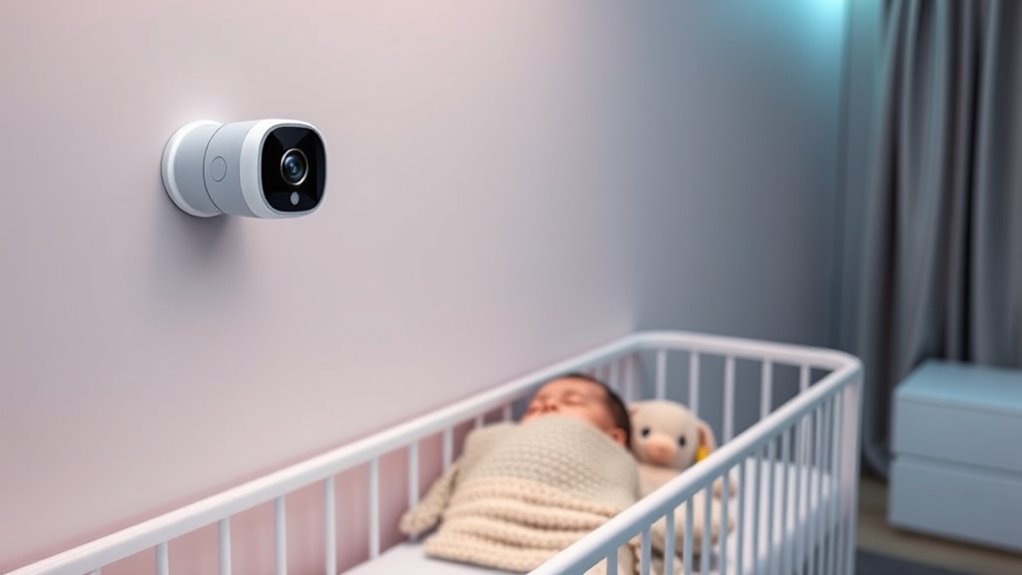
For most families seeking smart baby monitors with camera, I’d start with the VTech VM901: its Wi-Fi camera works alongside a dedicated screen, giving you both app access and a straightforward at-home viewing option. The Nanit stands out for families who want a camera-centered smart setup, while the HelloBaby HB6550 suits buyers who prefer a monitor that does not rely on Wi-Fi. The main tradeoff is connected features versus simplicity and privacy; camera resolution, screen size, battery life, and mounting options also shape everyday use. Some models offer two-camera viewing or cry alerts, while others focus on a direct screen connection. Read on for my comparison of all 15 options and the buyer priorities that separate them.

Get cleaning gear delivered free with Prime
- Fast, free delivery on millions of items
- Prime Video, Amazon Music and more included
- Member-only deals all year
Complete the kit


Key Takeaways
- The VTech VM901 has the broadest everyday appeal in this lineup because it combines a 1080p Wi-Fi camera, app access, and a dedicated 5-inch screen rather than making buyers choose between connected viewing and a local monitor.
- The lineup splits into two distinct approaches: Wi-Fi models such as Nanit, Owlet, and VTech add app-based access, while HelloBaby HB6550, HB6560, and GoodBaby models emphasize a separate screen without Wi-Fi.
- Screen size and portability are competing priorities. The HelloBaby 6-inch models offer a larger viewing area, while the 4-inch Wi-Fi options take up less space in a parent’s room or bag.
- Families monitoring more than one sleep space should focus on camera count and split-screen support. The 1080p two-camera model and GoodBaby split-screen model address that need more directly than single-camera picks.
- Not every camera in the list is purpose-built for nursery monitoring. The Tapo SolarCam is a security-camera kit, so its outdoor-oriented solar setup makes it a different fit from dedicated baby monitors.
| 1080p Wi-Fi Baby Monitor with Camera, 4-Inch Screen, Pan and Tilt |  | Best for Flexible Local and App Viewing | Camera video: 720p; supports up to 1080p display | Screen: 4-inch IPS | Camera movement: 340° pan and tilt | VIEW ON AMAZON | See Our Full Breakdown |
| HelloBaby HB6550 No-WiFi Baby Monitor with Camera and 5-Inch Screen |  | Best for Wi-Fi-Free Monitoring | Screen: 5-inch color display | Connectivity: 2.4 GHz FHSS; no Wi-Fi required | Camera movement: 355° horizontal pan and 120° vertical tilt | VIEW ON AMAZON | See Our Full Breakdown |
| Nanit Smart Baby Video Monitor with Camera and Floor Stand, 1080p Wi-Fi |  | Best for Caregiver Sharing and Sleep Insights | Resolution: 1080p HD | Connectivity: Wi-Fi with local-network viewing during internet outages | Night vision: Infrared | VIEW ON AMAZON | See Our Full Breakdown |
| HelloBaby 4.3” Video Baby Monitor with Remote Pan-Tilt-Zoom |  | Best for Long Battery Life Without Wi-Fi | Screen: 4.3-inch IPS | Connectivity: 2.4 GHz FHSS; no Wi-Fi | Battery capacity: 3,500 mAh | VIEW ON AMAZON | See Our Full Breakdown |
| Dr.Care VistaView 5-Inch 1080p Smart Wi-Fi Baby Monitor with Camera and Clip Mount |  | Best for Feature-Rich Hybrid Viewing | Screen: 5 inches | Camera resolution: 1080p | Connectivity: 2.4 GHz FHSS and 2.4 GHz Wi-Fi | VIEW ON AMAZON | See Our Full Breakdown |
| 1080p Wi-Fi Baby Monitor with 2 Cameras and Audio, 4″ IPS Display |  | Best for Monitoring Two Rooms | Video resolution: 720p; supports up to 1080p display | Display: 4-inch IPS | Camera features: Pan-tilt-zoom, 68° wide lens, auto-IR night vision | VIEW ON AMAZON | See Our Full Breakdown |
| GoodBaby 5-Inch Baby Monitor with Camera and Audio, No Wi-Fi |  | Best for Wi-Fi-Free Monitoring | Display: 5-inch IPS LCD | Video resolution: 480p | Camera movement: 355° pan, 120° tilt | VIEW ON AMAZON | See Our Full Breakdown |
| HelloBaby 6″ No WiFi Video Baby Monitor with Camera and Audio, 33-Hour Battery |  | Best Large-Screen No-Wi-Fi Pick | Screen: 6-inch IPS | Battery life: 18–33 hours | Connectivity: No Wi-Fi; 2.4 GHz FHSS | VIEW ON AMAZON | See Our Full Breakdown |
| Owlet Dream Sight Smart Baby Monitor – 2K HD WiFi Camera with Cry Alerts |  | Best for High-Detail Smart Monitoring | Video resolution: 2K HD | Night vision: Yes | Zoom: 4× | VIEW ON AMAZON | See Our Full Breakdown |
| Momcozy Smart WiFi Baby Monitor with Camera, 5-Inch 1080p Display and Wall Mount |  | Best for Shared Access and Recording | Display: 5-inch, 1080p | Connectivity: Dedicated parent unit or 2.4 GHz Wi-Fi via app | App alerts: Danger-zone and motion alerts | VIEW ON AMAZON | See Our Full Breakdown |
| VTech Smart WiFi Baby Monitor with 1080p Camera, 5″ Screen, Pan‑Tilt‑Zoom, Night Vision, Two‑Way Talk (VM901) |  | Best Overall for App-and-Screen Flexibility | Parent unit screen: 5 inches | Camera resolution: 1080p | Listed range: Up to 1,000 ft | VIEW ON AMAZON | See Our Full Breakdown |
| ARENTI Baby Monitor C3 Kit with 5″ Wireless Display and 3MP PTZ Camera |  | Best for Privacy-Minded Smart-Home Homes | Camera resolution: 3MP (1296p) | Display: 5 inches | Digital zoom: 6x | VIEW ON AMAZON | See Our Full Breakdown |
| Tapo SolarCam C402 Kit 1080p Wireless Security Camera with Solar Panel |  | Best for Flexible Indoor-Outdoor Placement | Resolution: 1080p | Battery life: Up to 180 days per charge | Solar charging: 45 minutes of direct sunlight provides up to one day of use | VIEW ON AMAZON | See Our Full Breakdown |
| GoodBaby 5-Inch Split-Screen Baby Monitor with 2 Cameras |  | Best for Monitoring Two Rooms | Display: 5-inch LCD | Included cameras: 2 | Camera capacity: Up to 4 cameras | VIEW ON AMAZON | See Our Full Breakdown |
| HelloBaby HB6560 6-Inch Non-WiFi Video Baby Monitor | 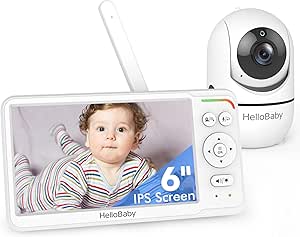 | Best No-Wi-Fi Pick with a Large Screen | Screen: 6-inch IPS | Connection: 2.4 GHz FHSS digital-encrypted; no Wi-Fi required | Battery life: 16–30 hours | VIEW ON AMAZON | See Our Full Breakdown |
| smart baby monitors with camera | Connectivity | Battery life |
|---|---|---|
| 1080p Wi-Fi Baby Monitor with | 2.4 GHz Wi-Fi and FHSS | — |
| HelloBaby HB6550 No-WiFi Baby | 2.4 GHz FHSS; no Wi-Fi required | Up to 30 hours |
| Nanit Smart Baby Video Monitor | Wi-Fi with local-network viewing during internet outages | — |
| HelloBaby 4.3” Video Baby Mon | 2.4 GHz FHSS; no Wi-Fi | Up to 30 hours in ECO mode; 16 hours in non-ECO mode |
| Dr.Care VistaView 5-Inch 1080p | 2.4 GHz FHSS and 2.4 GHz Wi-Fi | Up to 11 hours continuous streaming; up to 15 hours in VOX mode |
| 1080p Wi-Fi Baby Monitor with | 2.4 GHz Wi-Fi FHSS, wireless | Up to 14 hours; monitor unit requires power |
| GoodBaby 5-Inch Baby Monitor w | No Wi-Fi; 2.4 GHz FHSS | Up to 30 hours in VOX mode; up to 10 hours with screen on |
| HelloBaby 6" No WiFi Video Bab | No Wi-Fi; 2.4 GHz FHSS | 18–33 hours |
| Owlet Dream Sight Smart Baby M | — | — |
| Momcozy Smart WiFi Baby Monito | Dedicated parent unit or 2.4 GHz Wi-Fi via app | — |
| VTech Smart WiFi Baby Monitor | Wi-Fi | — |
| ARENTI Baby Monitor C3 Kit wit | Wi-Fi 6 and 2.4GHz FHSS | — |
| Tapo SolarCam C402 Kit 1080p W | — | Up to 180 days per charge |
| GoodBaby 5-Inch Split-Screen B | — | Up to 30 hours in VOX mode; up to 10 hours with screen on |
| HelloBaby HB6560 6-Inch Non-Wi | — | 16–30 hours |
More Details on Our Top Picks
1080p Wi-Fi Baby Monitor with Camera, 4-Inch Screen, Pan and Tilt
This monitor suits parents who want a dedicated screen at home but also value app viewing when using a phone is more convenient. Its camera captures 720p video and supports up to 1080p display, so the display figure should not be mistaken for a native 1080p camera feed. Cry and temperature alerts, two-way talk, and lullabies add useful nursery controls, while pan and tilt help reframe the view remotely. Compared with the HelloBaby HB6550, this model adds smartphone access but has a smaller screen and shorter stated battery life. Its 2.4 GHz Wi-Fi and FHSS options give it two connection approaches, though the camera still needs power. I would skip it if you need a supplied camera stand or a monitor that works without Wi-Fi setup.
Pros:- Can be viewed on the included 4-inch screen or through a smartphone app
- Pan-and-tilt camera, night vision, cry detection, and temperature alerts cover common monitoring needs
- Two-way audio and remote lullabies allow basic interaction without entering the nursery
- Supports both Wi-Fi and FHSS connections
Cons:- Camera video is 720p; 1080p refers to supported display rather than capture resolution
- Only supports 2.4 GHz Wi-Fi
- Camera needs power and no stand is included
Best for: Parents who want both a portable dedicated display and smartphone viewing, with cry and temperature alerts for everyday nursery monitoring.
Not ideal for: Buyers who need a camera stand in the box, native 1080p camera capture, or a completely Wi-Fi-free setup.
- Camera video:720p; supports up to 1080p display
- Screen:4-inch IPS
- Camera movement:340° pan and tilt
- Connectivity:2.4 GHz Wi-Fi and FHSS
- Night vision range:8 meters
- Screen battery life:Up to 14 hours
- Connection range:Up to 1,000 feet
- Alerts and audio:Cry and temperature alerts; two-way audio
- Warranty:2 years
Our verdict“Choose this if you want app access alongside a dedicated parent screen, but not if you require native 1080p capture or a ready-to-mount camera.”
HelloBaby HB6550 No-WiFi Baby Monitor with Camera and 5-Inch Screen
The HB6550 is the clearest fit for parents who want camera monitoring without connecting the nursery to home Wi-Fi or an app. Its 2.4 GHz FHSS connection links the camera to a 5-inch screen, with remote pan and tilt, 2× zoom, and infrared night vision for checking the crib from the parent unit. Compared with the Wi-Fi-capable 1080p Wi-Fi Baby Monitor with Camera, it gives up smartphone access in exchange for a simpler, more self-contained viewing setup. Support for up to four cameras also makes it a stronger choice for monitoring multiple rooms than a single-camera system. The tradeoff is that extra cameras must be compatible and are not included in the described package; the screen also needs corded power, so its long battery-life figure applies to battery operation rather than unrestricted screen use.
Pros:- Operates without Wi-Fi or an app using a 2.4 GHz FHSS connection
- 5-inch screen, remote pan and tilt, and 2× digital zoom
- Supports up to four cameras for monitoring additional rooms
- Includes infrared night vision, two-way audio, temperature alerts, and lullabies
Cons:- No smartphone or remote viewing outside the monitor’s connection range
- Screen uses corded electric power, limiting its portability despite the stated battery-life figure
- Additional compatible cameras are needed to use multi-camera support
Best for: Parents who want a private, app-free monitor with a larger screen and the option to add compatible cameras for more than one room.
Not ideal for: Caregivers who need to check video from outside the home or expect the parent screen to run untethered for long periods.
- Screen:5-inch color display
- Connectivity:2.4 GHz FHSS; no Wi-Fi required
- Camera movement:355° horizontal pan and 120° vertical tilt
- Zoom:2× digital
- Night vision:Infrared
- Battery life:Up to 30 hours
- Camera capacity:Supports up to 4 cameras
- Audio and alerts:Two-way audio and room-temperature alerts
- Mounting:Wall, crib, ceiling, desk, or freestanding
Our verdict“Pick the HB6550 if you prefer a larger, Wi-Fi-free parent-unit setup and do not need smartphone access.”
Nanit Smart Baby Video Monitor with Camera and Floor Stand, 1080p Wi-Fi
Nanit pairs 1080p live video with a supplied floor stand, giving parents a more complete camera placement setup than the Wi-Fi monitor that ships without a stand. Motion, sound, temperature, and humidity alerts broaden its monitoring beyond simple video, and multiple caregivers can receive access with permissions. A useful distinction from the Dr.Care VistaView is that Nanit includes local-network viewing during internet outages, while its advanced sleep insights and video history are tied to a subscription after the three-month trial. Core monitoring does not require a paid plan, so the ongoing cost is relevant mainly to families who want those added records and insights. Setup does require internet access and Wi-Fi, making this a poor match for parents who want a fully offline system.
Pros:- 1080p video with infrared night vision
- Supplied floor stand provides a ready-made camera placement option
- Motion, sound, temperature, and humidity alerts can be customized
- Multiple caregiver access with permissions and local-network viewing during internet outages
Cons:- Advanced sleep insights and video history require a subscription after the included three-month trial
- Initial setup requires internet access and Wi-Fi
- Does not offer the included dedicated parent screen described for the Dr.Care VistaView
Best for: Families who want a 1080p Wi-Fi camera with a floor stand, customizable alerts, and controlled access for multiple caregivers.
Not ideal for: Parents who avoid Wi-Fi setup, want advanced sleep insights without a subscription, or prefer an offline parent-unit system.
- Resolution:1080p HD
- Connectivity:Wi-Fi with local-network viewing during internet outages
- Night vision:Infrared
- Audio:Two-way audio
- Alerts:Motion, sound, temperature, and humidity
- Mounting:Floor stand or wall mount
- Caregiver access:Multiple users with access permissions
- Data security:256-bit AES encryption and two-factor authentication
- Included trial:3 months of Nanit Insights Sleep Plan
Our verdict“Choose Nanit if shared caregiver access, a floor stand, and detailed alerts matter more than offline setup or subscription-free sleep history.”
HelloBaby 4.3” Video Baby Monitor with Remote Pan-Tilt-Zoom
This HelloBaby is aimed at parents who want a standalone parent unit that can last through extended stretches away from a charger. Its 2.4 GHz FHSS connection needs neither Wi-Fi nor an app, and the screen is rated for up to 30 hours in ECO mode or 16 hours outside it. Sound-activated screen behavior can keep the display off when the nursery is quiet, while remote pan, tilt, and zoom help adjust the view from the parent unit. Compared with the HelloBaby HB6550, this model has a smaller 4.3-inch screen, but it specifies a large battery and ECO-mode runtime. The main limitation is the same offline tradeoff: unlike the Nanit, it cannot send a view to a phone away from home.
Pros:- No Wi-Fi or app required for camera viewing
- Up to 30 hours of battery life in ECO mode and up to 16 hours in non-ECO mode
- Remote 350° pan, 120° tilt, and zoom help adjust the camera view
- Sound-activated screen, night vision, two-way talk, and temperature monitoring
Cons:- No remote smartphone viewing outside the monitor’s local connection
- 4.3-inch screen is smaller than the HB6550’s 5-inch display
- Designed for indoor use only
Best for: Parents who want a privacy-focused, Wi-Fi-free monitor with a long-running rechargeable parent screen for overnight or extended use.
Not ideal for: Caregivers who need app access outside the home, larger-screen viewing, or a camera system intended for outdoor use.
- Screen:4.3-inch IPS
- Connectivity:2.4 GHz FHSS; no Wi-Fi
- Battery capacity:3,500 mAh
- Battery life:Up to 30 hours in ECO mode; 16 hours in non-ECO mode
- Range:Approximately 1,000 feet
- Camera movement:350° pan and 120° tilt
- Features:Night vision, two-way talk, lullabies, temperature monitor, and ECO mode
- Mount type:Wall mount
Our verdict“Pick this model for long battery life and private local viewing, but choose a Wi-Fi monitor if you need to check the camera remotely.”
Dr.Care VistaView 5-Inch 1080p Smart Wi-Fi Baby Monitor with Camera and Clip Mount
The VistaView combines a 5-inch parent unit with a 1080p camera and app control, making it the most feature-dense hybrid pick in this group. It supports both 2.4 GHz FHSS and Wi-Fi, so families can use a dedicated screen or choose app viewing; optional Wi-Fi-off mode gives another way to limit connected use. Motion, temperature, and humidity alerts join feeding reminders, two-way talk, and lullabies, while optional split-screen viewing can help when using multiple cameras. Compared with Nanit, VistaView lists a parent unit and local SD-card recording, but its card is not included and cloud storage is optional. Its removable battery and broad feature set are useful, though continuous streaming is rated at up to 11 hours—less than the HelloBaby monitors’ stated ECO-mode runtime.
Pros:- 1080p camera pairs with a 5-inch parent unit and app control
- Supports both 2.4 GHz FHSS and 2.4 GHz Wi-Fi, with an optional Wi-Fi-off mode
- Motion, temperature, and humidity alerts plus feeding reminders
- Local SD-card recording option, split-screen viewing, and a removable battery
Cons:- SD card is not included, and cloud storage is optional
- Continuous streaming battery life is up to 11 hours, shorter than the HelloBaby models’ stated maximum runtimes
- Camera movement is limited to 300° rotation and 65° tilt
Best for: Families who want both a dedicated screen and app control, with recording options, multiple alert types, and a removable parent-unit battery.
Not ideal for: Buyers seeking a simple, Wi-Fi-free setup or those who do not want to supply an SD card for local recording.
- Screen:5 inches
- Camera resolution:1080p
- Connectivity:2.4 GHz FHSS and 2.4 GHz Wi-Fi
- Camera movement:300° rotation and 65° tilt
- Zoom:2× and 4×
- Battery:5,000 mAh removable
- Battery life:Up to 11 hours continuous streaming; up to 15 hours in VOX mode
- Storage:Up to 128 GB SD card (not included) or optional cloud storage
- Security:256-bit AES encryption and optional Wi-Fi-off mode
Our verdict“Choose VistaView if you want a versatile screen-and-app system with recording and alerts, and are comfortable supplying storage separately.”
1080p Wi-Fi Baby Monitor with 2 Cameras and Audio, 4″ IPS Display
For caregivers who need one setup to cover two sleeping spaces, this model’s dual-camera simultaneous viewing is its clearest advantage. You can check both feeds on the 4-inch monitor or through the app, while pan-tilt-zoom, night vision, and a 68° lens help with adjusting the view as needs change. It also adds two-way audio, temperature monitoring, and alerts, giving it more connected features than the GoodBaby SM663, which avoids Wi-Fi but has a smaller, 480p image. The tradeoff is that the stated video resolution is 720p, despite the title’s 1080p wording, and the monitor unit needs to stay plugged in. There’s no built-in cloud recording either, so I’d choose it for live, two-room oversight rather than saving video clips.
Pros:- Shows two camera feeds simultaneously on the screen or app.
- Pan-tilt-zoom, a 68° lens, and auto-IR night vision support flexible room coverage.
- Includes two-way audio, temperature monitoring, and real-time alerts.
- AES-encrypted wireless connectivity adds a security feature for connected monitoring.
Cons:- The listed camera resolution is 720p, not 1080p.
- The monitor unit must be plugged in, limiting portable use.
- No built-in cloud storage for recorded video.
Best for: Families who want to monitor two rooms at once and value both a dedicated screen and smartphone access.
Not ideal for: Caregivers who need a portable parent unit, recorded video storage, or a confirmed 1080p camera feed.
- Video resolution:720p; supports up to 1080p display
- Display:4-inch IPS
- Camera features:Pan-tilt-zoom, 68° wide lens, auto-IR night vision
- Camera count:2
- Battery life:Up to 14 hours; monitor unit requires power
- Audio:Two-way audio
- Connectivity:2.4 GHz Wi-Fi FHSS, wireless
- Temperature sensor:Yes
- Wireless security:AES encryption
Our verdict“Choose this model if simultaneous views of two rooms matter more than a fully portable parent unit or saved recordings.”
GoodBaby 5-Inch Baby Monitor with Camera and Audio, No Wi-Fi
The GoodBaby SM663 suits families who want a camera feed on a dedicated screen without connecting a smartphone or home Wi-Fi. Its encrypted FHSS connection, remote pan and tilt, and stated range of up to 1,000 feet make it a straightforward alternative to the app-connected Owlet Dream Sight. You still get useful extras—two-way audio, temperature alerts, a feeding timer, and lullabies—while VOX mode can stretch parent-unit battery life to a stated 30 hours. The main compromise is 480p video, which offers less detail than the Owlet’s 2K feed and the sharper screens in some Wi-Fi models. Also, the camera itself needs power, so the no-Wi-Fi design does not make the whole system cordless. I’d pick it for a simple local connection, not remote viewing or high-resolution detail.
Pros:- No Wi-Fi required; uses encrypted 2.4 GHz FHSS.
- Remote 355° pan, 120° tilt, and 2× zoom help adjust the camera view.
- VOX mode offers up to 30 hours of parent-unit battery life.
- Adds two-way audio, temperature alerts, a feeding timer, and eight lullabies.
Cons:- 480p video provides less detail than the Owlet Dream Sight’s 2K feed.
- The camera needs to be plugged in.
- No smartphone app or remote internet viewing.
Best for: Caregivers who want a dedicated monitor with no Wi-Fi or app setup, plus feeding reminders and long VOX battery life.
Not ideal for: Families who need smartphone access away from home or want more detailed video than 480p.
- Display:5-inch IPS LCD
- Video resolution:480p
- Camera movement:355° pan, 120° tilt
- Zoom:2×
- Stated range:Up to 1,000 ft
- Battery capacity:3,500 mAh
- Battery life:Up to 30 hours in VOX mode; up to 10 hours with screen on
- Connectivity:No Wi-Fi; 2.4 GHz FHSS
- Additional features:Infrared night vision, temperature alerts, feeding timer, eight lullabies
Our verdict“Choose the GoodBaby if a private, Wi-Fi-free screen and long VOX runtime matter more than high-resolution video or app access.”
HelloBaby 6″ No WiFi Video Baby Monitor with Camera and Audio, 33-Hour Battery
The HelloBaby HB6550Plus is a strong fit for caregivers who prefer checking a large 6-inch screen over opening an app. Its no-Wi-Fi FHSS connection keeps monitoring local, while remote pan and tilt, cry detection, temperature monitoring, and two-way audio add everyday utility. Compared with the GoodBaby SM663, this model offers a larger display and support for split-screen viewing with up to four cameras; the GoodBaby lists a longer 1,000-foot range and adds a feeding timer. HelloBaby’s stated battery life reaches 33 hours, though actual runtime varies across its 18–33-hour range. The central limitation is the same one that defines its appeal: no smartphone viewing when you’re away from the parent unit. I’d choose it for a room-based, multi-camera setup rather than remote access.
Pros:- Large 6-inch IPS screen makes the live feed easier to view on the parent unit.
- Supports split-screen viewing with up to four cameras.
- Remote 355° pan and 120° tilt help cover a room.
- Includes cry detection, two-way audio, temperature monitoring, and eight lullabies.
Cons:- No Wi-Fi or smartphone access for remote viewing.
- Maximum capacity is four cameras.
- Battery life is listed as a range of 18–33 hours rather than one guaranteed runtime.
Best for: Families who want a large dedicated display, long stated battery life, and the option to view up to four cameras locally.
Not ideal for: Caregivers who want to check the camera feed remotely from a smartphone or need more than four camera channels.
- Screen:6-inch IPS
- Battery life:18–33 hours
- Connectivity:No Wi-Fi; 2.4 GHz FHSS
- Camera movement:355° pan, 120° tilt
- Camera channels:Up to 4
- Night vision:Invisible infrared
- Audio:Two-way audio
- Additional monitoring:Cry detection and room temperature monitoring
- Mounting options:Ceiling, wall, or stand
Our verdict“Choose the HB6550Plus if a big screen and local multi-camera viewing are more useful to you than app access.”
Owlet Dream Sight Smart Baby Monitor – 2K HD WiFi Camera with Cry Alerts
The Owlet Dream Sight is the pick here for caregivers who prioritize a detailed live image and connected alerts. Its 2K video and 4× zoom give it a clear resolution advantage over the 720p listing for the dual-camera Wi-Fi monitor and the 480p GoodBaby SM663. Night vision, cry and motion alerts, two-way talk, and temperature and humidity readings broaden its use beyond basic video streaming. Dual-band Wi-Fi supports both 2.4 and 5 GHz networks, while 256-bit encryption and the SGS Cybersecurity Mark address security concerns for app-connected monitoring. The tradeoff is dependence on a reliable Wi-Fi connection; unlike the GoodBaby or HelloBaby no-Wi-Fi models, this isn’t a local-only setup. I’d choose it for smart alerts and image detail, but skip it if nursery connectivity is unreliable.
Pros:- 2K video and 4× zoom provide more image detail than the lower-resolution options in this batch.
- Cry and motion alerts add event notifications beyond a live feed.
- Temperature and humidity monitoring provide additional nursery readings.
- Uses 256-bit encryption and carries the SGS Cybersecurity Mark.
Cons:- Requires reliable Wi-Fi for connected monitoring.
- The supplied product information does not specify a dedicated parent display or battery life.
- Unlike the no-Wi-Fi GoodBaby and HelloBaby models, it cannot serve as a local-only monitor.
Best for: Caregivers with reliable home Wi-Fi who want high-resolution video, zoom, and cry or motion alerts.
Not ideal for: Families who prefer a dedicated no-Wi-Fi monitor or have unreliable wireless coverage in the nursery.
- Video resolution:2K HD
- Night vision:Yes
- Zoom:4×
- Wi-Fi:Dual-band 2.4 GHz and 5 GHz
- Bluetooth pairing:Yes
- Audio:Two-way audio
- Environmental monitoring:Temperature and humidity
- Encryption:256-bit
- Security certification:SGS Cybersecurity Mark
Our verdict“Choose the Owlet if sharp video and smart alerts justify relying on a dependable Wi-Fi connection.”
Momcozy Smart WiFi Baby Monitor with Camera, 5-Inch 1080p Display and Wall Mount
Momcozy BM04 is best suited to households where more than one caregiver wants access to the feed and saved footage matters. It pairs a dedicated 5-inch parent unit with app viewing, so caregivers can monitor locally at home or check remotely over 2.4 GHz Wi-Fi. App-based danger-zone and motion alerts, shared viewing for up to 20 family members, and continuous or motion-activated recording set it apart from the Owlet Dream Sight, whose supplied details highlight 2K video and cry alerts but do not list recording or broad family sharing. Momcozy’s tradeoffs are practical: app pairing is limited to 2.4 GHz networks, and motion notifications arrive only in the app. The listing also warns that night vision may be insufficient beyond 5 m. I’d pick it for shared, recordable monitoring, not for a distant camera placement.
Pros:- Offers both a dedicated parent unit and smartphone app access.
- Supports shared app viewing for up to 20 family members.
- Records continuously or when motion is detected.
- App includes danger-zone and motion alerts.
Cons:- Wi-Fi pairing supports only 2.4 GHz networks.
- Motion notifications appear only in the app.
- Night vision may be insufficient when the camera is more than 5 m from the crib.
Best for: Families who want multiple caregivers to share app access and need continuous or motion-activated video recording.
Not ideal for: Caregivers with only 5 GHz Wi-Fi, those who need motion alerts on the parent unit, or anyone placing the camera more than 5 m from the crib.
- Display:5-inch, 1080p
- Connectivity:Dedicated parent unit or 2.4 GHz Wi-Fi via app
- App alerts:Danger-zone and motion alerts
- Shared app access:Up to 20 family members
- Recording:Continuous or motion-activated
- Certification:FCC certified
- Placement guidance:At least 0.6 m above the baby and within 5 m horizontally of the crib
Our verdict“Choose Momcozy if shared access and video recording are priorities and your camera can stay within the stated night-vision distance.”
VTech Smart WiFi Baby Monitor with 1080p Camera, 5″ Screen, Pan‑Tilt‑Zoom, Night Vision, Two‑Way Talk (VM901)
The VM901 is a strong fit for parents who want phone access without giving up a dedicated monitor. Its 1080p camera, pan-tilt-zoom controls, and automatic night vision make it easier to check a changing nursery view than a fixed camera, while temperature alerts and two-way talk add practical ways to respond. The 5-inch parent unit can connect up to 1,000 feet, and the MyVTech Baby app adds remote viewing when you are away from home. Compared with the HelloBaby HB6560, this model adds Wi-Fi app access and higher-resolution video; the HelloBaby instead avoids Wi-Fi and has a larger screen. The key compromise is that the VTech parent unit needs an outlet, so it is less convenient to carry around than a battery-powered handheld monitor.
Pros:- Combines a dedicated 5-inch parent screen with remote app viewing
- 1080p video and automatic night vision support detailed day-and-night checks
- Pan, tilt, and zoom help follow movement and adjust the nursery view
- Two-way talk and temperature alerts add useful monitoring tools
Cons:- The parent unit requires a power outlet and cannot run on battery
- Wi-Fi app access may not suit families seeking a no-Wi-Fi setup
Best for: Parents who want both a dedicated bedside screen and app-based access when away from home.
Not ideal for: Caregivers who want a fully portable parent unit or prefer a monitor that works without Wi-Fi.
- Parent unit screen:5 inches
- Camera resolution:1080p
- Listed range:Up to 1,000 ft
- Zoom:10x digital
- Connectivity:Wi-Fi
- App:Free MyVTech Baby app
- Camera and audio features:Pan, tilt, zoom, night vision, and two-way talk
- Alerts and access:Temperature alerts and multi-user access
Our verdict“Choose the VM901 if you want 1080p camera control, a dedicated screen, and remote app viewing in one system.”
ARENTI Baby Monitor C3 Kit with 5″ Wireless Display and 3MP PTZ Camera
The ARENTI C3 Kit suits families who want wide camera coverage with more than one way to view it. Its 3MP camera offers 355-degree pan and a broad tilt range, while the 5-inch display and app provide dedicated and phone-based viewing. Cry detection, motion alerts, feeding reminders, and Alexa or Google Assistant integration give it a more connected feature set than the VTech VM901. ARENTI also supports encrypted local transmission and microSD storage, so cloud use is not mandatory. That flexibility comes with some compromises: the camera uses manual focus, and its 20 fps video may look less fluid than a faster feed. The IP30 rating also makes this an indoor monitor, not a camera for damp or exposed locations.
Pros:- 3MP camera with broad pan-and-tilt coverage helps reduce blind spots
- Dedicated 5-inch display and app offer flexible viewing
- Encrypted local transmission and microSD support provide alternatives to mandatory cloud storage
- Cry detection, feeding reminders, and voice-assistant integration add smart features
Cons:- Manual focus may require adjustment for a clear image
- 20 fps video can appear less smooth than higher-frame-rate feeds
- IP30 rating limits it to indoor use away from wet conditions
Best for: Families who want a wide-coverage camera, local storage, and app access alongside a dedicated display.
Not ideal for: Buyers who need especially smooth video, automatic focusing, or a camera suited to outdoor or wet locations.
- Camera resolution:3MP (1296p)
- Display:5 inches
- Digital zoom:6x
- Pan and tilt:355° pan; -15° to 78° tilt
- Night vision:8 × 940nm infrared LEDs
- Connectivity:Wi-Fi 6 and 2.4GHz FHSS
- Storage:MicroSD up to 256GB and cloud storage
- Smart-home integration:Alexa and Google Assistant
Our verdict“Pick the ARENTI if broad PTZ coverage, local-storage options, and smart-home features matter more than automatic focus or higher frame rates.”
Tapo SolarCam C402 Kit 1080p Wireless Security Camera with Solar Panel
The Tapo SolarCam C402 is a security camera rather than a dedicated baby-monitor system, which makes it a specialized choice for families who want one camera for a nursery and other areas. Its wire-free design, solar panel, and stated battery life of up to 180 days can reduce charging interruptions, while color night vision, activity zones, and person detection help focus alerts on relevant movement. Unlike the VTech VM901, it has no dedicated parent screen listed, so viewing depends on a compatible phone or smart-home setup. Two-way audio is available, but the product data does not list baby-specific tools such as temperature alerts or lullabies. Its IP65 rating permits indoor or outdoor use, though solar charging requires temperatures above 32°F and cloud storage requires a subscription.
Pros:- Solar panel and built-in battery reduce the need for frequent charging
- Color night vision and a night-vision range of up to 30 ft support low-light viewing
- Person and motion detection with activity zones can narrow alerts
- IP65 weather resistance supports indoor or outdoor placement
Cons:- No dedicated parent display is listed, unlike the VTech VM901
- Solar charging requires temperatures above 32°F
- Cloud storage requires a Tapo Care subscription
Best for: Families seeking a rechargeable, solar-supported camera for flexible indoor or outdoor monitoring and comfortable using an app-based setup.
Not ideal for: Parents who need a dedicated parent unit, baby-specific alerts, or a monitor built around nursery use.
- Resolution:1080p
- Battery life:Up to 180 days per charge
- Solar charging:45 minutes of direct sunlight provides up to one day of use
- Weather resistance:IP65
- Night vision range:Up to 30 ft
- Local storage:MicroSD card up to 512GB
- Cable length:13 ft
- Smart-home compatibility:Amazon Alexa and Google Assistant
Our verdict“Choose the Tapo if flexible, solar-assisted camera placement matters more than a dedicated baby-monitor screen and nursery-specific features.”
GoodBaby 5-Inch Split-Screen Baby Monitor with 2 Cameras
For parents keeping tabs on two sleep spaces, the GoodBaby’s split-screen view and two included cameras are its main advantage: both images stay visible at once, and the system can expand to four cameras. Remote pan and tilt help adjust each view without entering the room. That makes it more suited to multi-room monitoring than the HelloBaby HB6560, which supports up to two cameras but is presented with a single-camera kit. GoodBaby also works without an app-based setup and includes two-way audio, lullabies, night vision, and temperature alerts. The compromise is that split-screen viewing does not mean split audio: sound focuses on one camera at a time. Battery life reaches up to 30 hours in VOX mode but falls to 10 hours with the screen on.
Pros:- Two included cameras can be viewed simultaneously on the split screen
- Expandable to four cameras for additional rooms
- Remote pan and tilt help adjust coverage without repositioning the camera by hand
- VOX mode offers up to 30 hours of battery life
Cons:- Battery life falls to up to 10 hours with the screen on
- Audio focuses on only one camera at a time
- 2× zoom offers less magnification than the VTech VM901’s 10× digital zoom
Best for: Families monitoring two rooms or children who want both camera views visible on one dedicated screen.
Not ideal for: Caregivers who need continuous screen viewing for long stretches or simultaneous audio from both cameras.
- Display:5-inch LCD
- Included cameras:2
- Camera capacity:Up to 4 cameras
- Pan and tilt:355° pan; 120° tilt
- Zoom:2×
- Listed range:1,000 ft (also listed as 960 ft in the title)
- Battery life:Up to 30 hours in VOX mode; up to 10 hours with screen on
- Additional features:Two-way audio, 8 lullabies, 15 ft night vision, and temperature alerts
Our verdict“Choose GoodBaby if seeing two rooms at once is your priority and you can work around single-camera audio and shorter screen-on runtime.”
HelloBaby HB6560 6-Inch Non-WiFi Video Baby Monitor
The HB6560 is for parents who want a large dedicated screen without Wi-Fi or an app. Its 6-inch IPS display is larger than the 5-inch screens on the VTech VM901 and GoodBaby split-screen monitor, making the camera view easier to check at a glance. The encrypted 2.4 GHz FHSS connection keeps monitoring separate from home Wi-Fi, while remote pan and tilt, infrared night vision, temperature alerts, and two-way audio cover everyday nursery needs. It can support two cameras with split screen, but the product data says it is compatible only with specified HelloBaby HB6560 models, so expansion options are more restricted than GoodBaby’s four-camera capacity. Battery life varies from 16 to 30 hours, and the exact runtime depends on use.
Pros:- 6-inch IPS display gives a larger viewing area than the 5-inch VTech and GoodBaby screens
- Encrypted 2.4 GHz FHSS connection works without Wi-Fi or an app
- Remote pan and tilt, infrared night vision, and two-way audio support basic nursery monitoring
- Supports split-screen viewing with up to two cameras
Cons:- No Wi-Fi or app access for remote viewing outside the monitor’s connection
- Camera expansion is limited to specified HelloBaby HB6560 models
- Battery life varies from 16 to 30 hours
Best for: Parents who prefer a large-screen, encrypted monitor that works without Wi-Fi or smartphone apps.
Not ideal for: Families who need remote viewing away from home, broad camera compatibility, or a monitor with a clearly fixed battery runtime.
- Screen:6-inch IPS
- Connection:2.4 GHz FHSS digital-encrypted; no Wi-Fi required
- Battery life:16–30 hours
- Camera movement:355° pan; 120° tilt
- Night vision:Infrared
- Audio:Two-way audio
- Camera capacity:Up to 2 compatible cameras with split screen
- Other features:Temperature alerts and 8 lullabies
Our verdict“Pick the HB6560 if a large screen and no-Wi-Fi connection matter more than app access or flexible camera compatibility.”

How We Picked
I compared these 15 options by how well their features answer real nursery-monitoring needs: dependable local viewing, useful Wi-Fi access, clear camera specifications, controls for adjusting the view, and practical screen and battery details. I also looked at setup flexibility, including wall, floor, and clip mounts, and whether a model offers one camera or support for multiple sleep spaces. A feature matters here only when it changes how a parent can check the room, share access, or use the monitor day to day.
The ranking favors products with a clear fit, useful viewing options, and fewer compromises for their intended buyer. Models that combine a dedicated screen with Wi-Fi rank ahead of choices that serve a narrower use, while no-Wi-Fi units earn their place for families prioritizing a direct connection. Specialized features such as 2K video, cry alerts, long battery claims, or solar power do not automatically move a product up: I weigh them against setup demands and whether they suit indoor baby monitoring. The Tapo security camera is included as an adjacent option, not treated as equivalent to a dedicated baby monitor.
Factors to Consider When Choosing Smart Baby Monitors With Camera
Before choosing a camera, decide how you expect to check in: from a bedside screen, through a phone app, or both. The right choice depends less on the longest feature list than on where the camera will sit, who needs access, and what happens when Wi-Fi or power is unavailable. I’d use these factors to narrow the field before comparing individual models.
Choose Your Connection Before Comparing Resolution
A Wi-Fi monitor can make remote viewing and shared access easier, but it depends on your home network, app setup, and account security. A no-Wi-Fi model avoids those dependencies and can feel simpler for a parent who mainly needs a screen at home. A hybrid setup with both app access and a dedicated display offers flexibility, though it can involve more configuration than a direct-link monitor. Ask whether you actually need to view the nursery away from home; if not, app features may add complexity without changing your routine. Check how the monitor behaves if the internet goes down, since local viewing and remote access are not the same thing.
Match the Display to Where You Will Use It
A larger screen makes it easier to see a wider portion of the crib, but it also takes up more room and can be less convenient to carry. Smaller displays are often easier to keep nearby or pack for another room, although fine details may be harder to make out. Do not compare screen size alone: camera resolution, screen resolution, viewing angle, and night-vision performance all affect what appears on the display. If you mostly check the baby at night, think about screen brightness and whether you can make quick adjustments without waking someone beside you. For phone viewing, consider whether the app’s picture quality and controls matter more than the included monitor screen.
Plan Camera Placement and Mounting
Mounting determines what the camera can see and how easy it is to adjust as the nursery changes. A floor stand can suit a room where wall mounting is impractical, while a clip mount may be useful when a suitable surface is nearby; neither setup works equally well in every layout. Before buying, map out a safe position with a clear view of the sleep space and a route for any power cable that stays out of reach. Pan, tilt, and zoom controls help correct framing remotely, but they cannot compensate for a blocked view or poor placement. Check what mounting hardware comes in the box and whether the camera can still be moved easily when the crib or room arrangement changes.
Decide Whether You Need One Camera or Several
Two-camera systems can help when you monitor twins, a nursery and play area, or more than one child’s room. Split-screen viewing saves the step of switching feeds, but it can make each camera image smaller on the display. A multi-camera package may also require more careful positioning and power planning than a single-camera model. For one sleep space, a second camera can be unnecessary equipment rather than useful flexibility. Think about whether you need simultaneous viewing or simply the ability to add another camera later, and check that the monitor supports the exact arrangement you want.
Treat Alerts as a Convenience, Not a Substitute for Viewing
Cry alerts and motion or sound notifications can draw attention to activity when you are away from the screen, but they can also create interruptions if sensitivity is poorly matched to the room. A feature label does not tell you how alerts behave in your home, so look for adjustable settings and a clear way to review what triggered a notification. Consider who will receive alerts and whether multiple caregivers can access them without sharing one login. Keep a camera monitor’s role clear: video and audio features are for checking in, not a replacement for safe sleep practices or direct supervision. Paying more for alert features makes sense only if they fit a specific routine you will use.
Check Battery, Power, and Network Dependencies
Battery claims are useful only when paired with an understanding of how the monitor will be used; continuous screen viewing and frequent camera movement can affect runtime. A longer-lasting handheld unit may suit parents who move around the home, while a screen that stays plugged in may be fine for a fixed bedside spot. Wi-Fi cameras usually need a dependable network and power source, so check whether your intended mounting location has both. Solar power is designed for a different kind of camera setup and does not automatically make an outdoor security camera a good nursery monitor. Consider what you will rely on during a power or internet interruption, and choose a backup approach that matches your home rather than assuming every feature works offline.
Frequently Asked Questions
Is a Wi-Fi baby monitor better than a no-Wi-Fi monitor?
Neither connection type is better for every family. Wi-Fi is useful when you want to check the camera from a phone away from the dedicated screen or share access with another caregiver, but it adds network and account dependencies. No-Wi-Fi models suit parents who mainly monitor from home and want a direct connection without app setup. If remote access matters, check what functions still work when your internet connection is unavailable. If privacy and simplicity matter more, a screen-based model may be the more comfortable fit.
Should I choose a monitor with both a phone app and a dedicated screen?
A combined setup is useful if you want phone access at times but prefer a separate screen for routine checks at home. It can also give caregivers different ways to view the same camera, depending on how the manufacturer handles sharing. The tradeoff is additional setup and reliance on more components, including an app and network connection. Before buying, confirm that the dedicated display can still serve your needs if the app or internet is unavailable. If you only need one way to view the nursery, a simpler model may be easier to manage.
How many cameras do I need for a baby monitor?
For a single sleep space, one camera is usually the simplest starting point. Two cameras are more useful when you need to watch more than one room or child, or when one camera cannot cover the areas you want to check. Split-screen viewing lets you see multiple feeds at once, but each view may appear smaller than a full-screen feed. Check whether the monitor supports simultaneous viewing or only lets you switch between cameras, since those setups serve different needs. Also plan for power and placement at every camera location.
Does a higher-resolution camera guarantee a clearer nursery view?
No. Resolution is one part of the image, but the display, lighting, camera placement, and night-vision performance also shape what you can see. A high-resolution camera paired with a smaller or lower-resolution screen may not show every detail at its full capacity. A well-positioned camera can be more useful than a higher-spec camera aimed at a blocked or poorly lit area. Compare the complete viewing setup rather than choosing by the camera’s resolution label alone. If you rely on phone viewing, check how the app presents the image as well.
Can I use an outdoor security camera as a baby monitor?
An outdoor security camera may provide a live video feed, but it is not automatically a practical substitute for a dedicated baby monitor. Nursery use calls for convenient indoor mounting, accessible controls, and a viewing setup suited to frequent checks; security cameras may prioritize different installation needs. Solar power, for example, is designed around a camera’s outdoor placement and may not suit a nursery. Check the camera’s alerts, audio features, app access, and power requirements before treating it as a monitor. For regular sleep checks, a purpose-built baby monitor is usually the more direct match.
Conclusion
For the best overall balance, I’d choose the VTech VM901 for its combination of Wi-Fi viewing and a dedicated screen. The Nanit is my best premium-style smart pick for families drawn to a camera-centered connected setup, while the HelloBaby HB6550 is a strong beginner-friendly choice for parents who want a no-Wi-Fi screen-first monitor. For value-focused buyers, compare the simpler HelloBaby and GoodBaby no-Wi-Fi models against the features you will actually use rather than paying for connectivity you do not need. If you need to monitor two rooms, look at the GoodBaby split-screen model or the two-camera Wi-Fi option; for a larger handheld display, consider the HelloBaby 6-inch models. I would choose the Tapo SolarCam only for a security-camera use case that genuinely fits its setup, not as my default nursery pick.
Fall Picks

eufy Security Essential 7-Piece Alarm System
As an affiliate, we earn on qualifying purchases.