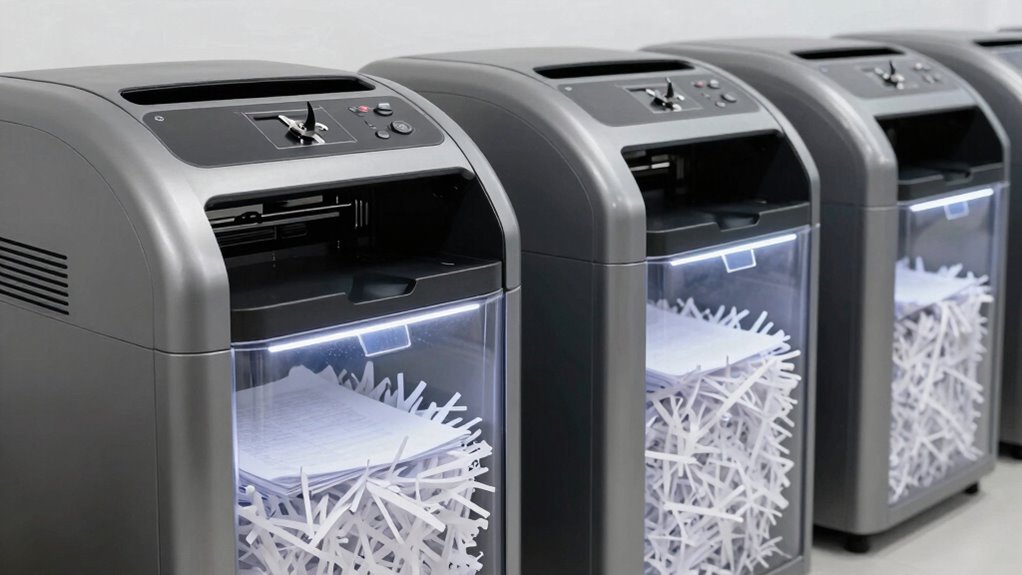

For a heavy-duty office paper shredder with high security, I’d start with the BONSEN 300-Sheet Auto-Feed Micro-Cut: its large automatic feed and micro-cut format suit offices clearing substantial batches of sensitive paper. The Aurora AU220MB is another standout for high-volume micro-cut shredding, while the BONSEN 20-Sheet Cross-Cut offers a more direct manual-feed option for shared desks. The main tradeoff is between micro-cut security and batch convenience on one side, and simpler, faster manual feeding on the other. Bin capacity, duty cycle, and the space available can matter as much as sheet count. Read on for my comparison of all 15 models and guidance on matching one to your office’s workload.

Get cleaning gear delivered free with Prime
- Fast, free delivery on millions of items
- Prime Video, Amazon Music and more included
- Member-only deals all year
Complete the kit


Key Takeaways
- The roundup’s strongest high-volume pattern is automatic micro-cut feeding: the BONSEN 300-sheet, Aurora AU220MB 220-sheet, and Aurora AU200MA and Bonsaii 200-sheet models pair batch processing with smaller-cut security.
- Maximum feed capacity is not the only measure of office throughput. A shredder’s bin size, run time, cooling needs, and access to the feed slot shape how smoothly a busy office can clear daily paperwork.
- Micro-cut models dominate the higher-security choices here, while cross-cut models such as the BONSEN 20-sheet and Bonsaii 18-sheet favor straightforward manual feeding over the smaller shred fragments.
- Manual-feed and auto-feed models solve different problems: 12-, 15-, and 18-sheet units suit intermittent shared-desk use, while auto-feed machines can reduce hands-on time when documents accumulate in batches.
- Choosing by workload prevents overbuying. A compact 12-sheet micro-cut shredder can fit a small office’s sensitive paperwork routine better than a large commercial-style unit that needs more floor space and batch volume to justify its footprint.
| Bonsaii 12-Sheet Cross-Cut Paper Shredder, P-4 Security |  | Best Compact Desk-Side Pick | Cut type: Cross cut | Security level: P-4 | Sheet capacity: 12 sheets per pass | VIEW ON AMAZON | See Our Full Breakdown |
| BONSEN 20-Sheet Cross-Cut P-4 High Security Heavy Duty Paper Shredder |  | Best for Long Manual Shredding Sessions | Cut type: Cross cut | Security level: P-4 | Sheet capacity: 20 sheets per pass | VIEW ON AMAZON | See Our Full Breakdown |
| Aurora AU200MA Commercial Grade 200-Sheet Auto-Feed Micro-Cut Paper Shredder |  | Best for Higher-Security Bulk Shredding | Cut type: Micro-cut | Security level: P-5 | Auto-feed capacity: 200 sheets | VIEW ON AMAZON | See Our Full Breakdown |
| Bonsaii 200-Sheet Auto-Feed Micro-Cut Paper Shredder |  | Best Balanced Auto-Feed Pick | Cut type: Micro cut | Security level: P-4 | Auto-feed capacity: 200 sheets | VIEW ON AMAZON | See Our Full Breakdown |
| Amazon Basics 200-Sheet Auto-Feed Cross-Cut Paper Shredder |  | Best P-4 Auto-Feed Cross-Cut Pick | Cut type: Cross-cut | Security level: P-4 | Automatic sheet capacity: 200 sheets | VIEW ON AMAZON | See Our Full Breakdown |
| Aurora 150-Sheet Auto-Feed Micro-Cut Paper and Credit Card Shredder |  | Best for Long Auto-Feed Runs | Cut type: Micro-cut | Security level: P-4 | Automatic sheet capacity: 150 sheets | VIEW ON AMAZON | See Our Full Breakdown |
| Bonsaii 12-Sheet Micro-Cut Paper Shredder |  | Best Compact High-Security Pick | Cut type: Micro-cut | Security level: P-4 | Sheet capacity: 12 sheets | VIEW ON AMAZON | See Our Full Breakdown |
| Bonsaii 120-Sheet Autofeed Micro-Cut Paper Shredder |  | Best for Compact Auto-Feed Workflows | Cut type: Micro-cut | Security level: P-4 | Automatic sheet capacity: 120 sheets | VIEW ON AMAZON | See Our Full Breakdown |
| Bonsaii 18-Sheet Cross-Cut Paper Shredder |  | Best for High-Volume Hand Feeding | Cut type: Cross-cut | Security level: P-4 | Sheet capacity: 18 sheets | VIEW ON AMAZON | See Our Full Breakdown |
| Bonsaii 15-Sheet Cross-Cut Paper Shredder |  | Best for Mixed-Media Office Cleanup | Cut type: Cross-cut | Sheet capacity: Up to 15 sheets | Shred size: 13/64 × 63/64 inches | VIEW ON AMAZON | See Our Full Breakdown |
| Aurora AU220MB Commercial Grade 220-Sheet Auto-Feed Micro-Cut Paper Shredder |  | Best for Higher-Security Auto-Feed Shredding | Cut type and security: Micro-cut, P-5 | Shred size: 3/32 × 15/32 in (2 × 12 mm) | Automatic capacity: Up to 220 sheets | VIEW ON AMAZON | See Our Full Breakdown |
| Locksworth 110-Sheet Micro-Cut Shredder with 6.9-Gallon Bin |  | Best for Small Teams Needing Flexible Feeding | Cut type and security: Micro-cut, P-4 | Shred size: 5/32 × 15/32 in (4 × 12 mm) | Automatic capacity: Up to 110 sheets | VIEW ON AMAZON | See Our Full Breakdown |
| BONSEN 300-Sheet Auto-Feed Micro-Cut Heavy-Duty Paper Shredder for Office |  | Best for Maximum Batch Capacity | Cut type and security: Micro-cut, P-4 | Shred size: 5/32 × 15/32 in | Automatic capacity: Up to 300 sheets | VIEW ON AMAZON | See Our Full Breakdown |
| VidaTeco 18-Sheet Micro-Cut Paper Shredder |  | Best for Manual Heavy-Duty Shredding | Cut type and security: Micro-cut, P-4 | Shred size: 0.16 × 0.47 in (4 × 12 mm) | Sheet capacity: Up to 18 sheets | VIEW ON AMAZON | See Our Full Breakdown |
| Amazon Basics 150-Sheet Autofeed Micro-Cut Paper and Credit Card Shredder |  | Best for Familiar, Mid-Size Auto-Feed Workloads | Cut type and security: Micro-cut, P-4 | Automatic capacity: Up to 150 sheets | Manual capacity: Up to 10 sheets | VIEW ON AMAZON | See Our Full Breakdown |
| heavy duty office paper shredder high security | Bin capacity | Shred size | Cut type | Security level |
|---|---|---|---|---|
| Bonsaii 12-Sheet Cross-Cut Pap | — | 5 × 20 mm | Cross cut | P-4 |
| BONSEN 20-Sheet Cross-Cut P-4 | 6.6 gallons | 13/64 × 63/64 inches | Cross cut | P-4 |
| Aurora AU200MA Commercial Grad | 8.5 gallons | 2 × 12 mm | Micro-cut | P-5 |
| Bonsaii 200-Sheet Auto-Feed Mi | 8.1 gallons | 4 × 12 mm | Micro cut | P-4 |
| Amazon Basics 200-Sheet Auto-F | 8.5 gallons | 4 × 20 mm | Cross-cut | P-4 |
| Aurora 150-Sheet Auto-Feed Mic | 6.3 gallons | 4 × 12 mm | Micro-cut | P-4 |
| Bonsaii 12-Sheet Micro-Cut Pap | 4.2 gallons | 5 × 12 mm | Micro-cut | P-4 |
| Bonsaii 120-Sheet Autofeed Mic | 6 gallons | — | Micro-cut | P-4 |
| Bonsaii 18-Sheet Cross-Cut Pap | 6 gallons | — | Cross-cut | P-4 |
| Bonsaii 15-Sheet Cross-Cut Pap | 5 gallons | 13/64 × 63/64 inches | Cross-cut | — |
| Aurora AU220MB Commercial Grad | 8.5 gallons | 3/32 × 15/32 in (2 × 12 mm) | — | — |
| Locksworth 110-Sheet Micro-Cut | 6.9 gallons | 5/32 × 15/32 in (4 × 12 mm) | — | — |
| BONSEN 300-Sheet Auto-Feed Mic | 8.1 gallons | 5/32 × 15/32 in | — | — |
| VidaTeco 18-Sheet Micro-Cut Pa | 7.9 gallons | 0.16 × 0.47 in (4 × 12 mm) | — | — |
| Amazon Basics 150-Sheet Autofe | 8.5 gallons | — | — | — |
More Details on Our Top Picks
Bonsaii 12-Sheet Cross-Cut Paper Shredder, P-4 Security
Compact footprint and P-4 cross-cut security make this Bonsaii a practical choice for a home office or a small team with occasional sensitive paperwork. It handles up to 12 sheets per pass and accepts cards, staples, and clips, so routine shredding does not require removing common fasteners first. Compared with the BONSEN 20-Sheet Cross-Cut, it takes less room and weighs just 12 pounds, but its six-minute run limit makes it a poor fit for sustained office batches. The transparent 5.5-gallon bin makes fill level easy to check, while overheat protection and a head-lift safety stop add useful safeguards. I would choose it for intermittent disposal, not as the main shredder for a busy department.
Pros:- P-4 cross-cut output suits routine disposal of sensitive documents.
- Accepts credit cards, staples, and clips, reducing prep work.
- Compact 12-pound design is easier to place or move than the larger auto-feed models.
- Transparent 5.5-gallon bin and head-lift safety stop support convenient, safer use.
Cons:- Continuous operation is limited to six minutes, restricting batch size.
- Manual feeding requires more attention than the 200-sheet auto-feed models.
- The 5.5-gallon bin is smaller than the bins on the heavy-duty office alternatives.
Best for: Home-office users and small teams shredding short batches of confidential paperwork who need P-4 security in a compact, lightweight unit.
Not ideal for: Busy offices or anyone regularly clearing large paper piles; the six-minute continuous run time is much shorter than the BONSEN 20-Sheet’s 60 minutes.
- Cut type:Cross cut
- Security level:P-4
- Sheet capacity:12 sheets per pass
- Shred size:5 × 20 mm
- Continuous run time:Up to 6 minutes
- Wastebasket capacity:5.5 gallons (21 liters)
- Supported materials:Paper, credit cards, staples, and clips
- Dimensions and weight:7.91 × 12.6 × 18.3 inches; 12 pounds
Our verdict“Choose this Bonsaii for occasional P-4 shredding in a small workspace, but pick the BONSEN 20-Sheet for longer office sessions.”
BONSEN 20-Sheet Cross-Cut P-4 High Security Heavy Duty Paper Shredder
For offices that prefer feeding pages by hand but need to work through substantial batches, the BONSEN 20-Sheet pairs a 20-sheet capacity with a 60-minute continuous run time. That combination separates it from the Bonsaii 12-Sheet, whose six-minute limit suits brief jobs rather than sustained use. Its P-4 cross-cut output and jam-proof system support routine confidential-paper disposal, while the claimed noise level of no more than 60 dB is a useful fit for shared work areas. The 6.6-gallon pull-out bin on casters reduces interruptions for emptying. The tradeoff is a sizable, over-12-kilogram machine with a plastic enclosure; it lacks auto-feed, so someone still has to stand by and feed each stack.
Pros:- Takes up to 20 sheets per pass, more than the Bonsaii 12-Sheet.
- 60-minute continuous run time supports extended shredding sessions.
- 6.6-gallon pull-out bin with casters reduces emptying interruptions.
- P-4 cross-cut output, jam-proof design, and stated noise level of 60 dB or less suit shared office use.
Cons:- At over 12 kg, it is cumbersome to move despite its casters.
- Plastic enclosure may feel less robust than an all-metal housing.
- No auto-feed means large stacks still need hands-on attention.
Best for: Small offices with recurring paper batches that want long continuous manual shredding, a large bin, and P-4 security without relying on auto-feed.
Not ideal for: Teams seeking hands-off batch processing or a lightweight shredder; the machine is heavy and requires manual feeding.
- Cut type:Cross cut
- Security level:P-4
- Sheet capacity:20 sheets per pass
- Shred size:13/64 × 63/64 inches
- Continuous run time:60 minutes
- Bin capacity:6.6 gallons
- Noise level:≤60 dB
- Dimensions and weight:15.7 × 10.7 × 21.6 inches; 12.05 kg
Our verdict“Choose the BONSEN 20-Sheet if your office needs long, quiet manual shredding sessions and can accommodate a heavy machine.”
Aurora AU200MA Commercial Grade 200-Sheet Auto-Feed Micro-Cut Paper Shredder
The Aurora AU200MA is the strongest fit here when document security and unattended batch capacity matter more than a small footprint. Its P-5 micro-cut blades reduce paper to 2 × 12 mm particles, a finer cut than the P-4 models in this group, including the Bonsaii C283-A. The 200-sheet auto-feed capacity and 60-minute operating window let staff load a sizable stack and return to other work; a pull-out 8.5-gallon bin helps contain the resulting volume. It also accepts up to 10 sheets manually, although that is less than the Bonsaii C283-A’s 12-sheet manual capacity. At 38.1 pounds, this is a substantial machine, and the one-year warranty does not add long-term coverage.
Pros:- P-5 micro-cut security produces finer particles than the P-4 models listed here.
- 200-sheet auto-feed capacity reduces hands-on time for large document batches.
- Runs for up to 60 minutes and has an 8.5-gallon pull-out bin.
- Anti-jam auto-reverse helps address feed problems.
Cons:- At 38.1 pounds, it is harder to move than the smaller Bonsaii 12-Sheet.
- Manual feeding is limited to 10 sheets at a time.
- Its larger commercial footprint may not suit a compact office.
Best for: Office administrators handling large batches of highly sensitive records who want P-5 micro-cut output and unattended auto-feed operation.
Not ideal for: Small offices with little floor space, frequent relocation needs, or mostly short manual jobs; it is heavy and manually takes only 10 sheets.
- Cut type:Micro-cut
- Security level:P-5
- Auto-feed capacity:200 sheets
- Manual feed capacity:10 sheets
- Shred size:2 × 12 mm
- Continuous run time:Up to 60 minutes
- Bin capacity:8.5 gallons
- Dimensions and weight:22.83 × 14.02 × 18.35 inches; 38.1 pounds
Our verdict“Pick the Aurora AU200MA when P-5 security and hands-off 200-sheet batches outweigh the need for a light or compact shredder.”
Bonsaii 200-Sheet Auto-Feed Micro-Cut Paper Shredder
The Bonsaii C283-A balances 200-sheet auto-feed convenience with P-4 micro-cut security, making it a more rounded office workhorse than the small Bonsaii 12-Sheet. It also gives you a 12-sheet manual slot for quick jobs, compared with the Aurora AU200MA’s 10-sheet manual limit. Its 8.1-gallon wheeled bin, stated 58 dB noise level, and jam-proof feature help make regular batch shredding less disruptive. The key distinction is security: the Aurora cuts at P-5, finer than this model’s P-4, 4 × 12 mm output. The Bonsaii also weighs 33.9 pounds and its auto-feed mode is specified for letter-size paper, so it is not a compact, universal paper-handling option.
Pros:- Auto-feeds up to 200 sheets for hands-off batch processing.
- P-4 micro-cut output and 12-sheet manual feed cover routine office needs.
- 8.1-gallon wheeled bin holds approximately 700 sheets.
- Stated 58 dB operation and jam-proof feature suit shared work areas.
Cons:- P-4 security is less fine than the Aurora AU200MA’s P-5 micro-cut output.
- Auto-feed mode is limited to letter-size paper.
- At 33.9 pounds, it is not an easy unit to carry between rooms.
Best for: Small and midsize offices that want unattended letter-size batch shredding, P-4 micro-cut security, and a larger manual-feed limit for quick jobs.
Not ideal for: Buyers handling documents that call for P-5 security, or teams needing auto-feed for paper sizes beyond letter; the Aurora AU200MA offers finer cutting.
- Cut type:Micro cut
- Security level:P-4
- Auto-feed capacity:200 sheets
- Manual-feed capacity:12 sheets
- Shred size:4 × 12 mm
- Run time:Up to 60 minutes in auto-feed mode; up to 30 minutes in manual-feed mode
- Bin capacity:8.1 gallons
- Noise level and weight:58 dB; 33.9 pounds
Our verdict“Choose the Bonsaii C283-A for quiet, P-4 auto-feed batch shredding, and move up to the Aurora AU200MA if P-5 security is the priority.”
Amazon Basics 200-Sheet Auto-Feed Cross-Cut Paper Shredder
This Amazon Basics model suits buyers who want 200-sheet auto-feed capacity and P-4 protection without moving to a micro-cut shredder. Its 8.5-gallon pull-out bin has status indicators, and anti-jam auto-reverse can help when a feed runs into trouble. Compared with the Bonsaii C283-A, it uses cross-cut pieces measuring 4 × 20 mm rather than P-4 micro-cut pieces measuring 4 × 12 mm, and its manual capacity is 10 sheets instead of 12. The stated 60-minute auto-feed runtime supports bulk jobs, but manual operation lasts just 10 minutes and the listed cooldown is 45 minutes. That makes it less flexible for repeated hands-on batches than the BONSEN 20-Sheet, which runs continuously for 60 minutes.
Pros:- Auto-feeds up to 200 sheets for large unattended batches.
- P-4 cross-cut output fits routine confidential-document disposal.
- 8.5-gallon pull-out bin includes status indicators.
- Anti-jam auto-reverse and energy-saving sleep mode add practical operating features.
Cons:- Cross-cut pieces are larger than the P-4 micro-cut output from the Bonsaii C283-A.
- Manual feed is limited to 10 sheets and a stated 10-minute runtime.
- Requires a 45-minute cooldown after its stated runtime.
Best for: Office buyers who want P-4 auto-feed handling for large paper stacks and value a pull-out bin with status indicators.
Not ideal for: Users who need finer micro-cut output or frequent manual shredding; the Bonsaii C283-A cuts smaller, and this model has a 10-minute manual runtime followed by a 45-minute cooldown.
- Cut type:Cross-cut
- Security level:P-4
- Automatic sheet capacity:200 sheets
- Manual sheet capacity:10 sheets
- Shred size:4 × 20 mm
- Bin capacity:8.5 gallons
- Automatic and manual runtime:60 minutes automatic; 10 minutes manual
- Cooldown time:45 minutes
- Dimensions and weight:18.35 × 14.02 × 22.83 inches; 32.9 pounds
Our verdict“Choose this Amazon Basics shredder for P-4 auto-feed bulk disposal, but favor the Bonsaii C283-A for smaller micro-cut particles or longer manual work.”
Aurora 150-Sheet Auto-Feed Micro-Cut Paper and Credit Card Shredder
The Aurora pairs a 150-sheet automatic feeder with a 60-minute continuous run time, making it a strong fit for offices that need to clear batches of sensitive paperwork without stopping frequently. Its P-4 micro-cut output is a closer match for high-security document disposal than the larger particles from a cross-cut model such as the Bonsaii 18-Sheet Cross-Cut. The Aurora also takes credit cards, while jam prevention and auto reverse can help when a stack feeds unevenly. Its tradeoff is that manual feeding tops out at 10 sheets, so it is less suited to quick, thick hand-fed batches than the Bonsaii 18-Sheet. The 6.3-gallon pullout bin limits interruptions but still needs emptying during sustained use.
Pros:- Automatically shreds up to 150 sheets per batch.
- P-4 micro-cut output supports more secure disposal than cross-cut models in this lineup.
- Runs continuously for up to 60 minutes.
- Jam prevention, auto reverse, and a pullout bin support smoother routine use.
Cons:- Manual feeding is limited to 10 sheets at a time.
- The 6.3-gallon bin still requires periodic emptying during heavy workloads.
Best for: Small offices that regularly accumulate sensitive documents and want long unattended auto-feed sessions with P-4 shredding.
Not ideal for: Teams that mainly shred hand-fed stacks or need a bin large enough to go a long time without emptying.
- Cut type:Micro-cut
- Security level:P-4
- Automatic sheet capacity:150 sheets
- Manual sheet capacity:10 sheets
- Shred size:4 × 12 mm
- Continuous run time:60 minutes
- Bin capacity:6.3 gallons
- Dimensions:14.4 × 11.3 × 22.8 inches
- Warranty:1 year
Our verdict“Choose the Aurora for long, high-security auto-feed sessions; pick the Bonsaii 18-Sheet Cross-Cut instead if hand-fed sheet capacity matters more.”
Bonsaii 12-Sheet Micro-Cut Paper Shredder
For a smaller office that feeds documents by hand, this Bonsaii provides P-4 micro-cut security in a more compact package than the auto-feed Aurora 150-Sheet. It handles up to 12 sheets at once and accepts paper, credit cards, staples, paper clips, and CDs, giving it broad media coverage without requiring a large batch feeder. Casters and a pullout bin make it easier to reposition and empty than a fixed desk-side unit. The compromise is workload: its run time is capped at 20 minutes, well short of the Aurora’s 60-minute operation and the 30-minute automatic cycle of the Bonsaii 120-Sheet Autofeed. Noise data also conflicts, listing both 60 and 70 dB, so I would not choose it for a noise-sensitive workspace based on the stated figure alone.
Pros:- Handles up to 12 sheets per pass.
- P-4 micro-cut particles offer a higher-security format than cross-cut output.
- Accepts paper, cards, staples, paper clips, and CDs.
- Casters and a pullout bin make movement and emptying easier.
Cons:- Continuous operation is limited to 20 minutes.
- Listed noise levels conflict between 60 and 70 dB.
- Its hand-fed capacity is less convenient for large batches than the lineup’s auto-feed models.
Best for: Home offices and small teams that hand-feed modest daily stacks and want P-4 cuts plus the ability to shred mixed materials.
Not ideal for: Busy offices processing large backlogs or buyers who need a clearly specified noise level and longer operating sessions.
- Cut type:Micro-cut
- Security level:P-4
- Sheet capacity:12 sheets
- Continuous run time:Up to 20 minutes
- Shred size:5 × 12 mm
- Bin capacity:4.2 gallons
- Noise level:60 dB listed; 70 dB in description
- Dimensions:13.15 × 9.57 × 18.03 inches
- Warranty:1 year
Our verdict“Pick this Bonsaii for compact, hand-fed P-4 shredding, but choose the Aurora 150-Sheet for larger workloads and longer runs.”
Bonsaii 120-Sheet Autofeed Micro-Cut Paper Shredder
The Bonsaii 120-Sheet gives offices a useful middle ground: automatic feeding for up to 120 sheets, P-4 micro-cut output, and a 6-gallon bin, without the Aurora 150-Sheet’s larger stated footprint. Manual feeding reaches 12 sheets, slightly more than the Aurora’s 10, which helps when a few documents need immediate disposal. The tradeoff is work-cycle discipline: auto mode runs for 30 minutes before a 60-minute cooldown, while manual mode is limited to 10 minutes before the same rest period. That makes it less suitable for prolonged clearing sessions than the Aurora’s 60-minute continuous run time. Its maker also advises against shredding metallic credit cards, so buyers who need that capability should look at the Aurora or a cross-cut alternative such as the Bonsaii 18-Sheet.
Pros:- Auto-feeds up to 120 sheets for hands-off batch processing.
- P-4 micro-cut output is suited to sensitive office paperwork.
- Manual mode handles up to 12 sheets at a time.
- The 6-gallon pullout bin has casters for easier movement and emptying.
Cons:- Automatic mode needs a 60-minute cooldown after 30 minutes of use.
- Manual mode is limited to 10 minutes before a 60-minute cooldown.
- The manufacturer advises against shredding metallic credit cards.
Best for: Small offices that want P-4 auto-feed convenience, a movable pullout bin, and a more compact unit for regular but not nonstop batches.
Not ideal for: Departments clearing large backlogs in one sitting or users who need to shred metallic credit cards.
- Cut type:Micro-cut
- Security level:P-4
- Automatic sheet capacity:120 sheets
- Manual sheet capacity:12 sheets
- Automatic run time:30 minutes on, 60 minutes off
- Manual run time:10 minutes on, 60 minutes off
- Particle size:4 × 12 mm
- Bin capacity:6 gallons
- Noise level:62 dB
Our verdict“Choose this model for space-conscious, intermittent auto-feed shredding; choose the Aurora 150-Sheet if longer continuous runs are the priority.”
Bonsaii 18-Sheet Cross-Cut Paper Shredder
If speed at the feed opening matters more than micro-cut output, this Bonsaii stands out with an 18-sheet capacity and 60-minute continuous run time. That combination suits a shared office that hand-feeds paper throughout the day; it accepts more sheets per pass than the 15-sheet Bonsaii Cross-Cut and runs longer than the 12-sheet Bonsaii Micro-Cut. Its P-4 rating makes it a high-security cross-cut option, though its 5 × 25 mm particles are larger than the 4 × 12 mm micro-cut pieces from the Aurora 150-Sheet. It also shreds cards and staples, with auto reverse and anti-jam protections to help manage feed problems. At 23.1 pounds, it is movable on casters but still heavier to lift or carry than a small desk-side unit.
Pros:- Handles up to 18 sheets per pass, the highest hand-fed capacity among these five products.
- Runs continuously for up to 60 minutes.
- P-4 cross-cut shredding accepts paper, credit cards, and staples.
- A 6-gallon pullout bin, casters, and anti-jam protections support shared-office use.
Cons:- Cross-cut particles are larger than the micro-cut output of the Aurora and Bonsaii 120-Sheet.
- Weighs 23.1 pounds, making it awkward to lift or carry.
- Requires access to a power outlet.
Best for: Shared offices that hand-feed frequent, thick paper batches and value long operating sessions over the smallest possible shred particles.
Not ideal for: Buyers who prioritize micro-cut particle size or need to carry the shredder between rooms without relying on casters.
- Cut type:Cross-cut
- Security level:P-4
- Sheet capacity:18 sheets
- Particle size:5 × 25 mm
- Continuous run time:Up to 60 minutes
- Bin capacity:6 gallons
- Noise level:62 dB
- Dimensions:11.2 × 14.2 × 21.5 inches
- Weight:23.1 pounds
Our verdict“Choose this Bonsaii for high-volume hand-fed work and long run time, but select a micro-cut model if finer P-4 particles are your priority.”
Bonsaii 15-Sheet Cross-Cut Paper Shredder
This Bonsaii makes the most sense when the office needs one machine for paper, mail, CDs, credit cards, and staples, rather than the finer output of a micro-cut model. Its 15-sheet capacity is useful for routine hand-fed batches, while the 40-minute continuous run time exceeds the 20-minute limit of the Bonsaii 12-Sheet Micro-Cut. It also has a 5-gallon pullout bin, clear window, swivel casters, and jam-prevention functions. The compromise is that it needs 40 minutes to cool after a full run, and its cross-cut particles are larger than the micro-cut pieces produced by the Aurora 150-Sheet or Bonsaii 120-Sheet. For sensitive paper records where smaller particles are the main concern, those micro-cut options are the stronger fit.
Pros:- Handles up to 15 sheets per pass.
- Shreds paper, CDs, credit cards, mail, and staples.
- Runs for up to 40 minutes before cooldown.
- Pullout bin has a clear window and 360-degree swivel casters.
Cons:- Requires a 40-minute cooldown after continuous operation.
- The 5-gallon bin may need frequent emptying during heavy use.
- Cross-cut output is less fine than the micro-cut output of the Aurora 150-Sheet.
Best for: Small offices and home workspaces that need to shred mixed media and want a moderate hand-fed capacity with casters.
Not ideal for: Teams that process long uninterrupted batches or put finer micro-cut document disposal ahead of shredding CDs and other media.
- Cut type:Cross-cut
- Sheet capacity:Up to 15 sheets
- Shred size:13/64 × 63/64 inches
- Continuous run time:Up to 40 minutes
- Cooling time:40 minutes
- Bin capacity:5 gallons
- Noise level:60 dB
- Materials handled:Paper, CDs, credit cards, mail, and staples
- Warranty:1-year limited protection
Our verdict“Choose this Bonsaii for mixed-media cleanup and moderate hand-fed batches, but select a micro-cut shredder for finer document particles.”
Aurora AU220MB Commercial Grade 220-Sheet Auto-Feed Micro-Cut Paper Shredder
The Aurora AU220MB pairs a 220-sheet automatic tray with P-5 micro-cut security, making it the strongest fit here for offices that need both batch processing and finer paper particles. Its 60-minute continuous run time can accommodate a substantial paperwork session, while the 8.5-gallon bin reduces interruptions for emptying. Compared with the BONSEN 300-Sheet Auto-Feed, Aurora accepts fewer sheets per automatic load, but its P-5 rating is a security step above that model’s P-4. Jam prevention, overload protection, and status indicators add practical safeguards during unattended feeding. The tradeoff is a nearly 40-pound body and a manual slot limited to 12 sheets, so it is less suited to frequent repositioning or clearing mixed small stacks by hand.
Pros:- P-5 micro-cut security provides finer shredding than the P-4 BONSEN 300-Sheet model.
- Automatic tray handles up to 220 sheets for unattended batch work.
- Runs continuously for up to 60 minutes.
- Jam prevention, overload protection, and bin status indicators support smoother operation.
Cons:- At 39.46 pounds, it is cumbersome to move between work areas.
- Manual feed capacity is limited to 12 sheets.
- The 1-year warranty is relatively brief for a commercial-grade machine.
Best for: Office teams processing sensitive documents in batches who prioritize P-5 security and long automatic runs.
Not ideal for: Small offices that need a lightweight, frequently moved shredder or regularly feed large stacks manually.
- Cut type and security:Micro-cut, P-5
- Shred size:3/32 × 15/32 in (2 × 12 mm)
- Automatic capacity:Up to 220 sheets
- Manual capacity:Up to 12 sheets
- Continuous run time:Up to 60 minutes
- Bin capacity:8.5 gallons
- Accepted materials:Paper and credit cards
- Dimensions and weight:14.02 × 18.35 × 22.83 in; 39.46 lbs
- Warranty:1 year
Our verdict“Choose the AU220MB when P-5 security and lengthy automatic shredding matter more than maximum tray capacity or easy portability.”
Locksworth 110-Sheet Micro-Cut Shredder with 6.9-Gallon Bin
The Locksworth AZ1689VC suits a small office that wants automatic batch feeding without committing to a large, high-capacity machine. Its 110-sheet tray is less than half the capacity of the Aurora AU220MB, and its P-4 security does not match Aurora’s P-5 cut, but the Locksworth adds casters and a transparent bin window that make everyday placement and fill checks easier. It runs up to 60 minutes in automatic mode, though the specified 60-minute cool-down means that long sessions need to be planned rather than resumed quickly. Manual feeding accepts paper clips, staples, and credit cards, giving it more media flexibility than Aurora’s listed paper-and-card handling. Those materials are manual-feed only, and the smaller 6.9-gallon bin fills sooner than the 8.5-gallon options.
Pros:- 110-sheet automatic feed supports unattended batches.
- P-4 micro-cut shredding suits routine confidential office documents.
- Casters and a viewing window make the unit easier to move and monitor.
- Manual mode accepts credit cards, staples, and paper clips.
Cons:- Requires a 60-minute cool-down after continuous running.
- P-4 security is less fine than the Aurora AU220MB’s P-5 cut.
- Its 6.9-gallon bin is smaller than the 8.5-gallon bins on several alternatives.
Best for: Small office teams that want automatic shredding, easy bin monitoring, and the ability to handle stapled pages or cards manually.
Not ideal for: Departments needing P-5 security, the largest automatic loads, or repeated long sessions with minimal downtime.
- Cut type and security:Micro-cut, P-4
- Shred size:5/32 × 15/32 in (4 × 12 mm)
- Automatic capacity:Up to 110 sheets
- Manual capacity:Up to 12 sheets
- Run time:Up to 60 minutes automatic; 30 minutes manual
- Cool-down time:60 minutes
- Bin capacity:6.9 gallons
- Accepted materials:Paper; credit cards, staples, and paper clips in manual mode
- Dimensions:15.4 × 12.6 × 19.7 in (D × W × H)
Our verdict“Pick the Locksworth for flexible manual shredding and convenient mobility, but choose the Aurora AU220MB for finer security or heavier batch workloads.”
BONSEN 300-Sheet Auto-Feed Micro-Cut Heavy-Duty Paper Shredder for Office
For offices where reducing loading time matters most, the BONSEN 300-Sheet has the largest automatic tray in this group. That capacity exceeds the Aurora AU220MB by 80 sheets, making it the better match for bulk paperwork when staff can let a large stack process unattended. The compromise is P-4 security rather than Aurora’s P-5, so buyers handling especially sensitive records may prefer the finer-cut Aurora. BONSEN still offers a 60-minute automatic run, an 8.1-gallon bin, and a stated 58 dB noise level that can be more manageable in a shared workspace. Its 12-sheet manual feed is ordinary for this lineup, and at 33.5 pounds it remains a substantial floor-standing unit rather than a convenient desk-side option.
Pros:- 300-sheet automatic tray offers the largest batch capacity among these five products.
- Runs up to 60 minutes in automatic mode.
- 58 dB listed noise level is suited to shared work areas.
- Manual slot handles up to 12 sheets, including credit cards, staples, and clips.
Cons:- P-4 security is less fine than the Aurora AU220MB’s P-5 cut.
- At 33.5 pounds, it is bulky to relocate.
- Manual capacity remains limited to 12 sheets despite the large automatic tray.
Best for: Busy offices that routinely shred large paper batches and value fewer reloads over P-5 particle size.
Not ideal for: Teams requiring P-5 security or buyers who need a compact, lightweight shredder for a small workstation.
- Cut type and security:Micro-cut, P-4
- Shred size:5/32 × 15/32 in
- Automatic capacity:Up to 300 sheets
- Manual capacity:Up to 12 sheets
- Run time:Up to 60 minutes automatic; 30 minutes manual
- Bin capacity:8.1 gallons
- Noise level:58 dB
- Weight:33.5 lbs
- Warranty:1 year
Our verdict“Choose the BONSEN 300-Sheet when maximum unattended batch capacity is the priority and P-4 security meets your document policy.”
VidaTeco 18-Sheet Micro-Cut Paper Shredder
The VidaTeco 18-Sheet is the manual-feed choice for offices that prefer to shred documents as they collect them rather than load unattended stacks. Its 18-sheet capacity beats the 12-sheet manual slots on the Aurora AU220MB and BONSEN 300-Sheet, while P-4 micro-cutting offers a stronger security fit than a basic cross-cut machine. It also handles staples, paper clips, CDs, and credit cards, reducing the need to separate common office materials before shredding. The listed 60-minute runtime and 58 dB noise level suit sustained use in shared spaces, though no cool-down period is provided in the product data, so I would not assume that it can restart immediately after a full run. Its 7.9-gallon bin and casters help with disposal, but the large footprint needs floor space.
Pros:- 18-sheet manual capacity exceeds the 12-sheet slots on the Aurora and BONSEN auto-feed models.
- P-4 micro-cut security handles confidential paperwork.
- Accepts paper, staples, paper clips, CDs, and credit cards.
- Includes auto-reverse anti-jam, a viewing window, and casters.
Cons:- Lacks an automatic feed tray for unattended batch processing.
- Large 7.9-gallon bin requires dedicated floor space.
- Product data does not specify a cool-down period after continuous operation.
Best for: Small departments that feed mixed office materials manually and want a higher per-pass sheet limit than auto-feed models’ manual slots.
Not ideal for: Offices seeking unattended bulk shredding, or buyers who need a specified cool-down schedule before planning long sessions.
- Cut type and security:Micro-cut, P-4
- Shred size:0.16 × 0.47 in (4 × 12 mm)
- Sheet capacity:Up to 18 sheets
- Continuous runtime:Up to 60 minutes
- Bin capacity:7.9 gallons
- Noise level:58 dB
- Accepted materials:Paper, staples, paper clips, CDs, credit cards, and junk mail
- Features:Automatic start-stop, bin-full sensor, auto-reverse anti-jam, and casters
- Warranty:1-year limited warranty
Our verdict“Choose the VidaTeco if you want a robust manual shredder for mixed office materials, not a hands-free solution for document backlogs.”
Amazon Basics 150-Sheet Autofeed Micro-Cut Paper and Credit Card Shredder
The Amazon Basics 150-Sheet Autofeed lands between the smaller Locksworth tray and the higher-capacity BONSEN and Aurora options, making it a practical fit for regular but not extreme paper backlogs. It provides P-4 micro-cut security and handles credit cards, while its 8.5-gallon pull-out bin matches the Aurora AU220MB’s bin capacity. The Aurora is the stronger choice for security-sensitive files because it cuts to P-5 and allows 220 sheets in automatic mode; the BONSEN handles even larger loads at 300 sheets. This model’s advantage is a straightforward middle ground, with anti-jam auto reverse and overheating protection. Its 60-minute autofeed run sounds substantial, but the required 45-minute rest period limits rapid repeat sessions, and manual feeding tops out at 10 sheets.
Pros:- 150-sheet automatic tray suits moderate office batches.
- P-4 micro-cut shredding handles routine confidential documents.
- Shreds credit cards as well as paper.
- 8.5-gallon pull-out bin and anti-jam auto reverse support day-to-day use.
Cons:- Requires a 45-minute rest after its rated 60-minute autofeed run.
- Manual feed is limited to 10 sheets, fewer than the other listed models.
- P-4 security falls short of the Aurora AU220MB’s P-5 cut.
Best for: Small and midsize offices that want an established 150-sheet automatic workflow for routine confidential paperwork and credit cards.
Not ideal for: Teams handling P-5-level documents, very large batches, or repeated manual shredding sessions.
- Cut type and security:Micro-cut, P-4
- Automatic capacity:Up to 150 sheets
- Manual capacity:Up to 10 sheets
- Autofeed runtime:Up to 60 minutes on; 45 minutes off
- Manual runtime:Up to 10 minutes on; 45 minutes off
- Bin capacity:8.5 gallons
- Accepted materials:Paper and credit cards
- Dimensions:14 × 18.3 × 22.8 in
- Weight:33.6 pounds
Our verdict“Choose this Amazon Basics model for moderate automatic workloads and credit-card shredding, but opt for Aurora for P-5 security or BONSEN for larger batches.”

How We Picked
I compared the 15 listed models against the needs implied by heavy-duty office use and high security: cut type, stated sheet capacity, manual versus automatic feeding, and suitability for recurring document disposal. Micro-cut models received preference when the security aim was stronger fragmentation; automatic-feed capacity mattered most for offices handling accumulated batches. I also considered practical fit, including whether a smaller manual-feed model might be easier to place and use than a large batch shredder.
The ranking logic favors machines that combine higher-security cutting with useful office throughput, rather than sheet count alone. Models with large auto-feed capacity lead for sustained batch work, while commercial-grade Aurora options and other high-capacity micro-cut machines distinguish themselves by scale. Cross-cut and smaller-capacity picks remain relevant for lighter workloads, but they rank lower for readers specifically seeking heavy-duty, high-security performance. Product names and advertised specifications are the basis of this comparison; I do not treat unprovided details such as duty cycle, noise, or warranty as verified.
| heavy duty office paper shredder high security | Cut type | Security level |
|---|---|---|
| Bonsaii 12-Sheet Cross-Cut Pap | Cross cut | P-4 |
| BONSEN 20-Sheet Cross-Cut P-4 | Cross cut | P-4 |
| Aurora AU200MA Commercial Grad | Micro-cut | P-5 |
| Bonsaii 200-Sheet Auto-Feed Mi | Micro cut | P-4 |
| Amazon Basics 200-Sheet Auto-F | Cross-cut | P-4 |
| Aurora 150-Sheet Auto-Feed Mic | Micro-cut | P-4 |
| Bonsaii 12-Sheet Micro-Cut Pap | Micro-cut | P-4 |
| Bonsaii 120-Sheet Autofeed Mic | Micro-cut | P-4 |
| Bonsaii 18-Sheet Cross-Cut Pap | Cross-cut | P-4 |
| Bonsaii 15-Sheet Cross-Cut Pap | Cross-cut | — |
| Aurora AU220MB Commercial Grad | — | — |
| Locksworth 110-Sheet Micro-Cut | — | — |
| BONSEN 300-Sheet Auto-Feed Mic | — | — |
| VidaTeco 18-Sheet Micro-Cut Pa | — | — |
| Amazon Basics 150-Sheet Autofe | — | — |
Factors to Consider When Choosing Heavy Duty Office Paper Shredder High Security
Choosing a shredder for sensitive office paper means balancing security with the way documents actually arrive: in daily handfuls, scheduled cleanouts, or large unattended batches. I’d match the cut style to the sensitivity of the material, then check whether the machine’s workflow, capacity, and footprint suit the people who will use it.
Match Cut Style to the Sensitivity of Your Records
Micro-cut and cross-cut are not interchangeable labels: they produce different fragment sizes, and micro-cut is generally the stronger choice when documents contain sensitive personal or business information. A smaller cut can bring a slower or more involved shredding routine, so the security gain should match your document policy rather than an assumption that every page needs the highest setting. Check the security level stated for the exact model and the requirements your organization follows. Do not infer a specific certification from the words “high security” in a product title. For ordinary internal drafts, a less restrictive shred standard may be adequate, while personnel, financial, or confidential client records may call for stricter controls.
Choose Manual Feed or Auto-Feed by Document Rhythm
Manual-feed shredders are a natural fit when staff dispose of a few sheets at a time and need the machine immediately available at a desk or shared station. Auto-feed models are more useful when paperwork builds up and an employee can load a batch, close the feed tray, and handle other work. The advertised sheet count describes a feed capacity, not a promise that every job will finish at the same speed. Mixed paper sizes, staples, folded sheets, and uneven stacks can complicate batch feeding, so check the manufacturer’s accepted materials and loading instructions. A common mistake is paying for a large auto-feed capacity when the office rarely has enough paper to use it.
Look Past Sheet Count to Real Office Throughput
Sheet capacity alone cannot tell you how much paperwork a machine can process over a full workday. Duty cycle, cooling intervals, continuous-run time, and the time needed to empty the bin all affect how often staff must pause. These details matter especially when several people share one shredder or when records are destroyed on a set schedule. Compare the manufacturer’s run-time and rest-time guidance with your busiest expected session, not just an average day. If those specifications are unavailable, avoid assuming that a high sheet count means the machine can run continuously.
Size the Bin and Plan for Emptying
A large-capacity shredder can still interrupt work if its bin fills quickly or is awkward to access. Micro-cut fragments may pack differently from cross-cut waste, so a bin’s gallon figure is only part of the disposal picture. Think about who empties it, how often that person can do so, and whether the unit can be placed near an approved waste or recycling area. A bin that is too small turns batch shredding into repeated maintenance; a very large unit may take up more room than a small office can spare. Check whether the bin has a full indicator or other handling features on the exact model rather than assuming all units include them.
Check the Materials You Need to Destroy
Not every shredder handles the same combination of paper, staples, clips, cards, or other media. If staff need to destroy payment cards, first verify that the model accepts them and whether the card slot or cutting mechanism is separate from the paper feed. A product title mentioning credit cards is not a substitute for checking accepted formats and any limits. Feeding materials the machine does not support can cause jams or damage, and removing staples manually may add enough friction to discourage consistent use. Make a short list of the office’s routine materials before comparing models.
Fit the Machine to Its Location and Users
Heavy-duty units can demand floor space, clear access to the bin, and a location that can accommodate staff bringing batches of paper. Measure the intended spot, including room to open the cabinet or pull out the waste bin, before choosing a commercial-style model. In a small office, a lower-capacity micro-cut unit may be easier to keep accessible than a larger machine that ends up tucked away. Shared machines also need clear rules for loading, jam clearing, and emptying so one person’s large batch does not block everyone else. Pay for extra capacity when it solves a real workflow problem, not simply because the largest number looks reassuring.
Frequently Asked Questions
Is micro-cut necessary for every office document?
No. Micro-cut is a sensible direction for highly sensitive records, but the required security level depends on your organization’s policies and the documents involved. Routine drafts and nonconfidential internal pages may not justify the extra shredding burden of the strictest cut style. Check the security designation for the specific model rather than relying on a general “high security” label. If staff handle different record types, write a simple disposal rule so the shredder choice does not become the only security safeguard.
Should I choose a 200- or 300-sheet auto-feed shredder over a smaller model?
Choose a high-capacity auto-feed model when your office regularly accumulates large stacks and benefits from leaving the machine to process them. A smaller shredder can be a better fit when people destroy paperwork throughout the day in modest amounts or when space is limited. Before choosing by capacity, compare run time, cooling intervals, bin size, and supported paper conditions. If batch jobs are occasional, a large unit may occupy space without meaningfully reducing staff time.
Can one shredder handle paper and credit cards?
Some models in this roundup advertise credit-card shredding, but that does not mean every shredder accepts cards or that all cards can be fed in the same way as paper. Confirm the exact model’s instructions, including any separate slot, limits, or restrictions. Do not feed cards into an opening unless the manufacturer says that feed path supports them. If card destruction is a frequent task, make that requirement part of the initial shortlist rather than treating it as a bonus feature.
What specifications matter most when several people share a shredder?
For shared use, I’d check duty cycle and cooling time alongside sheet capacity, since staff need to know whether the machine can keep up with repeated users. Bin capacity and ease of emptying also shape how often the shredder becomes unavailable. A large auto-feed tray can help with scheduled batches, but it may not suit staff who need quick access for a few pages at a time. Placement matters too: leave enough room for loading and bin removal, and agree on who clears jams and empties waste.
When is a smaller manual-feed shredder the better office choice?
A smaller manual-feed model can be the smarter choice when the office generates little sensitive paper, has limited floor space, or needs a shredder near one or two desks. It avoids dedicating room to a machine built for batches the office rarely processes. The tradeoff is more hands-on feeding and less capacity for a cleanout session. If paperwork volume rises or multiple staff members queue for the machine, reassess whether an auto-feed unit would save enough staff time to justify its larger footprint.
Conclusion
My best overall pick for heavy-duty high-security batch work is the BONSEN 300-Sheet Auto-Feed Micro-Cut, based on its combination of advertised batch capacity and micro-cut format. For a best value in office-scale capability, compare the Bonsaii 120-Sheet Autofeed Micro-Cut with the Amazon Basics 150-Sheet Autofeed Micro-Cut and choose by the capacity and materials your office actually needs; the supplied lineup does not include price data to establish a price-based value winner. The best premium direction is the commercial-grade Aurora AU220MB or AU200MA for buyers prioritizing large auto-feed workloads. For beginners and smaller offices, the Bonsaii 12-Sheet Micro-Cut offers a more approachable manual-feed format than the large batch machines. If you need a cross-cut manual-feed shredder, the BONSEN 20-Sheet is a standout; if card shredding is a specific requirement, compare the advertised card-capable Aurora 150-Sheet and Amazon Basics 150-Sheet models against their exact operating instructions. Before deciding, confirm the model’s security designation, run-time guidance, bin fit, and accepted materials for your office.