
Neglecting robot vacuum maintenance can silently hurt its performance and shorten its lifespan. If you ignore regular battery care, dustbin cleaning, and brush checks, your device will struggle to clean effectively and may break down sooner. Worn brushes, clogged filters, and a full dustbin reduce suction and cause strain on motors. Staying on top of these tasks keeps your vacuum working efficiently longer. Keep going to discover essential tips to keep your robot in top shape.

Get cleaning gear delivered free with Prime
- Fast, free delivery on millions of items
- Prime Video, Amazon Music and more included
- Member-only deals all year
Key Takeaways
- Neglecting battery care leads to reduced runtime and premature device failure.
- Ignoring dustbin and filter maintenance decreases suction power and cleaning effectiveness.
- Failing to clean brushes and wheels causes mechanical strain and movement issues.
- Skipping regular inspections can result in unnoticed wear and costly repairs.
- Overlooking routine upkeep shortens overall device lifespan and diminishes cleaning performance.
Ever wonder how to keep your robot vacuum running smoothly? The key lies in regular maintenance, which many homeowners tend to overlook until their device starts acting up. One of the most critical aspects is guaranteeing your vacuum’s battery longevity. Over time, batteries lose their capacity to hold a charge, affecting the cleaning efficiency. To prolong the battery’s life, avoid letting it fully discharge constantly or leaving it on the charger for extended periods after it’s fully charged. Instead, follow the manufacturer’s recommendations for charging cycles. Keeping the battery healthy ensures your robot vacuum can run longer and more effectively, saving you time and frustration.
Another essential maintenance task is dustbin cleaning. It might seem trivial, but a clogged or full dustbin hampers your vacuum’s performance considerably. Regularly empty the dustbin after each cleaning session or at least once a week if you use the device frequently. Make sure to clean out any debris stuck in the filters and around the dustbin’s edges. Dirty filters and dustbins restrict airflow, making the vacuum work harder and reducing its suction power. Proper dustbin cleaning keeps the device operating at peak efficiency and prevents unnecessary strain on its motor, ultimately extending its lifespan. Additionally, routine maintenance can help prevent more serious mechanical issues down the line, especially when combined with careful battery care.
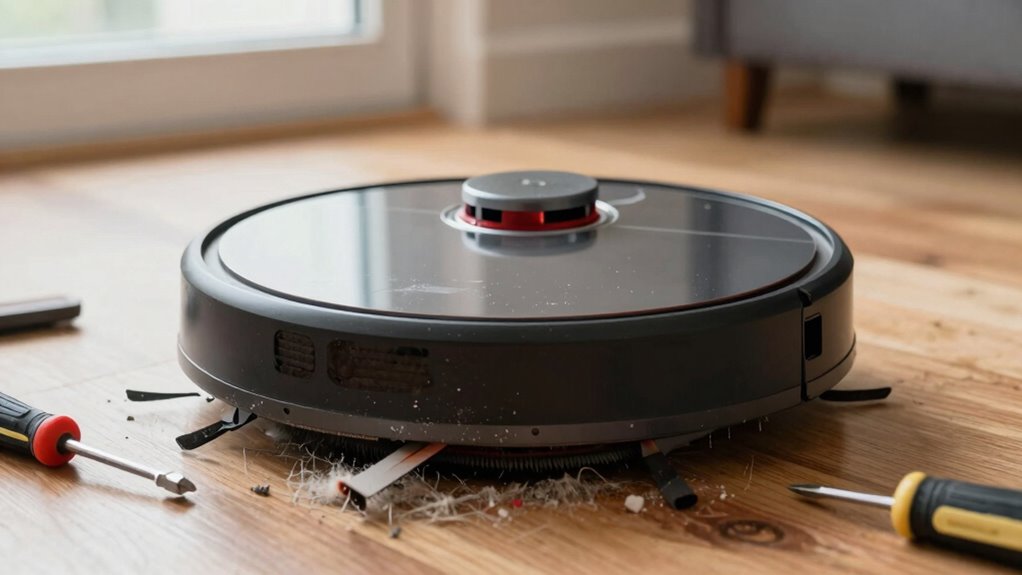
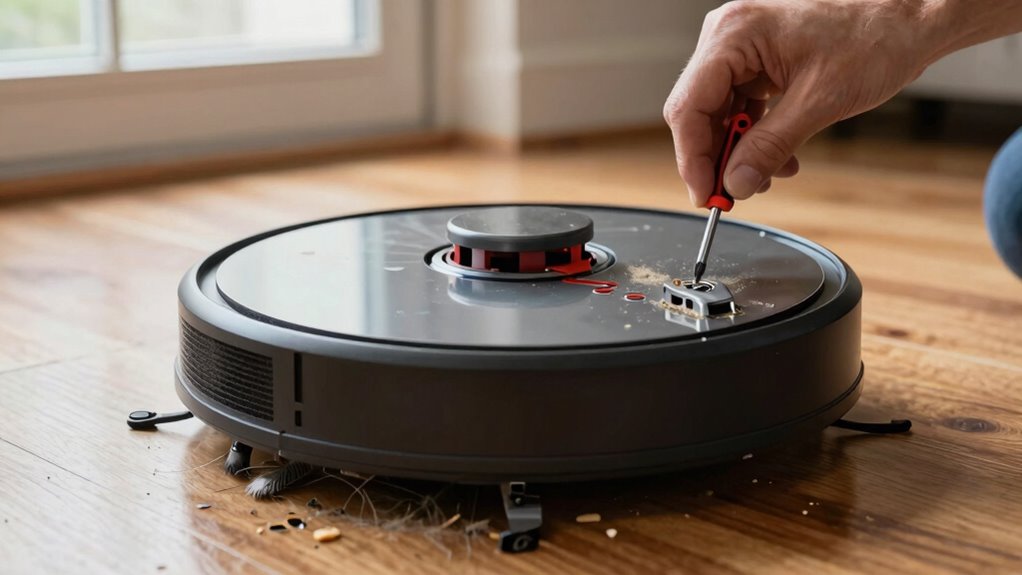
Beyond battery and dustbin care, you should also check and clean the brushes and wheels periodically. Hair, lint, or debris can wrap around the brushes, decreasing their effectiveness. Use a small tool or your fingers to clear away any tangled material, and replace worn brushes when needed. The wheels collect dirt and hair that can hinder movement, so wipe them down with a damp cloth regularly. These simple steps prevent strain on the motor and motorized parts, reducing the risk of breakdowns and costly repairs. Additionally, regular inspections can help identify potential issues early before they cause major damage. Being attentive to wear and tear not only prolongs the life of your vacuum but also ensures optimal cleaning performance.
robot vacuum battery replacement
As an affiliate, we earn on qualifying purchases.
As an affiliate, we earn on qualifying purchases.
Frequently Asked Questions
How Often Should I Replace the Filters in My Robot Vacuum?
You should replace your robot vacuum’s filters every 2 to 3 months, depending on the filter lifespan and how often you use your device. Regular replacement guarantees ideal suction and air quality. If you notice reduced performance or increased dust, it’s time for a replacement. Keep an eye on the filter’s condition and follow your manufacturer’s guidelines for the best replacement frequency, maintaining your vacuum’s efficiency.
Can I Use Regular Cleaning Products on My Robot Vacuum?
A stitch in time saves nine, so don’t risk damage by using regular cleaning products on your robot vacuum. Stick to cleaning solutions specifically designed for electronics and check surface compatibility first. Using harsh chemicals can harm the vacuum’s sensors and internal components. Always read the manufacturer’s instructions, as proper cleaning solutions help maintain performance and extend your vacuum’s lifespan without causing unnecessary wear or damage.
What Are Common Signs My Robot Vacuum Needs Repairs?
You’ll notice your robot vacuum needs repairs if it’s losing suction, making strange noises, or not charging properly. Check the battery replacement first, as a failing battery can cause power issues. Also, perform brush maintenance regularly—clean or replace brushes if they’re tangled or worn out. These signs indicate it’s time to troubleshoot or seek repairs to keep your vacuum functioning efficiently and extend its lifespan.
How Do I Troubleshoot Connectivity Issues With My Robot Vacuum?
Your robot vacuum’s connectivity issues might feel like a mountain, but fixing them is easier than you think. Check its wireless compatibility first—ensure it matches your Wi-Fi network’s frequency. Restart your device and router, then reconnect. Also, consider the battery lifespan, as an aging battery can disrupt connectivity. Keep firmware updated for smooth operation, and if problems persist, resetting your vacuum can often resolve stubborn glitches quickly.
Is It Necessary to Schedule Professional Maintenance?
Yes, scheduling professional maintenance is necessary for your robot vacuum. Regular expert servicing guarantees all components function properly, extends its lifespan, and prevents unexpected breakdowns. A professional inspection can identify hidden issues, like motor wear or sensor misalignments, that you might overlook. By investing in periodic expert servicing, you keep your vacuum running smoothly, saving you time and money in the long run, and maintaining peak cleaning performance.
Conclusion
Neglecting robot vacuum maintenance is like ignoring the silent whispers of your home’s well-being. It’s easy to overlook small upkeep tasks, but they’re the threads that hold your cleaning machine together. Think of your robot as a loyal companion—treat it well, and it’ll serve you faithfully. Remember, neglect now could turn a simple chore into a costly regret later. Don’t let your home’s cleanliness become a story of what could have been—maintain, care, and keep the trust alive.
Fall Picks
fall essentials
As an affiliate, we earn on qualifying purchases.