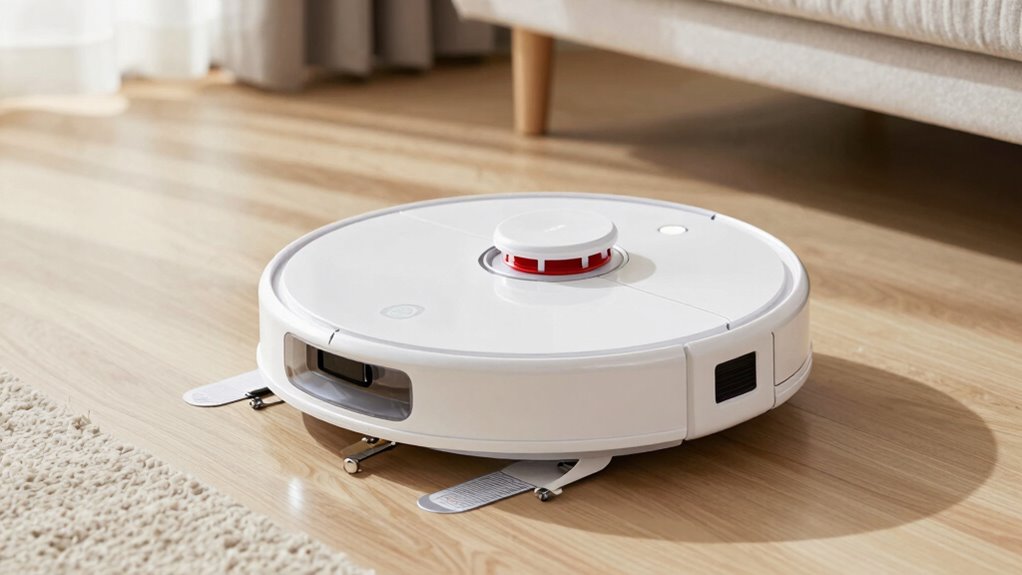

To keep your self-emptying robot vacuum running smoothly, make sure to place the charging station on a flat, unobstructed surface with enough space around it. Regularly empty the dustbin, clean filters, brushes, and sensors, and monitor battery health to prevent performance drops. Proper maintenance also means replacing worn parts and checking for debris buildup. Staying on top of these tasks guarantees your vacuum works efficiently—more tips await to help you maintain it best.
Key Takeaways
- Regularly empty and clean the dustbin and filters to prevent clogs and maintain suction power.
- Monitor battery health to ensure efficient charging and avoid unexpected power failures.
- Place the charging station on a flat, unobstructed surface for reliable docking and charging cycles.
- Clean brushes and sensors frequently to prevent debris buildup that can hinder navigation and cleaning.
- Perform prompt maintenance on worn components to sustain optimal performance and prolong the vacuum’s lifespan.
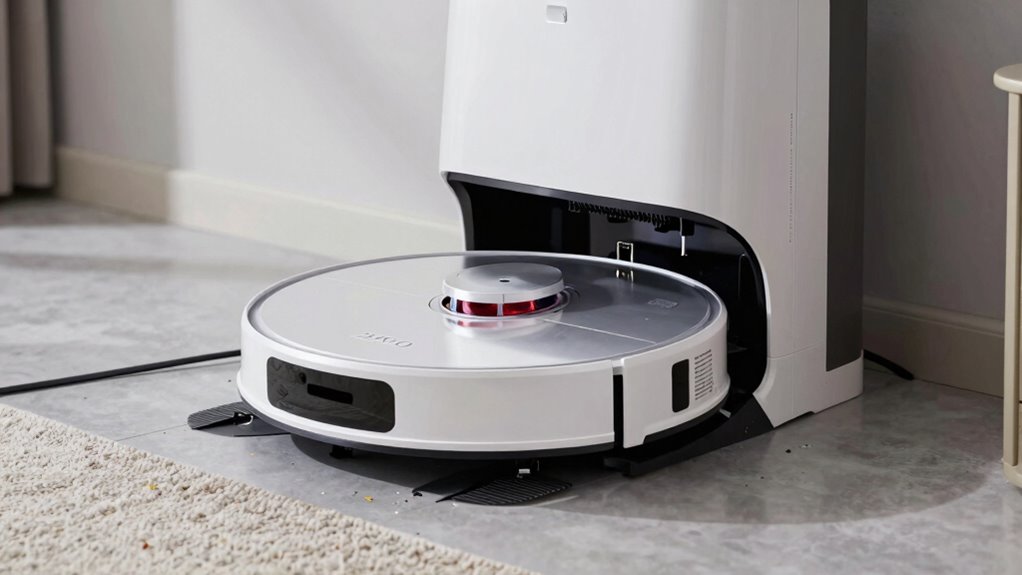
Self-emptying robot vacuums are revolutionizing home cleaning by eliminating the need for frequent manual emptying. Instead of constantly checking the dustbin or making time-consuming trips to the trash, you can rely on these advanced machines to handle the mess. But to make sure your robot vacuum performs at its best, understanding its maintenance needs is essential—especially when it comes to the charging station and battery life. Your robot relies on its charging station to recharge and, in many cases, to empty its dustbin automatically. Ensuring that the charging station is properly positioned and maintained is crucial. Place it on a flat, unobstructed surface against a wall, with enough space around it for the robot to dock seamlessly. This prevents interruptions during charging or emptying cycles and keeps the process smooth.
Battery life plays a pivotal role in the overall performance of your self-emptying robot vacuum. A healthy, well-maintained battery guarantees longer cleaning sessions and reduces the frequency of recharging. Most models use lithium-ion batteries, which degrade over time with regular use. To extend their lifespan, keep the battery charged regularly but avoid letting it completely drain before recharging. Also, if your vacuum has a removable battery, consider replacing it after a couple of years to maintain peak performance. When the battery starts to decline, your robot may struggle to complete full cleaning cycles or return to the charging station on time, so watching for signs of reduced battery capacity can save you frustration. Regularly monitoring the battery health can help you anticipate when replacements are needed, ensuring consistent cleaning efficiency.
In addition to the charging station and battery, regular maintenance of the vacuum itself is essential. Emptying the dustbin frequently and cleaning filters prevent clogs and guarantee suction power stays strong. When the dustbin is full, your robot might not be able to pick up dirt effectively, which can reduce cleaning efficiency and cause the robot to get stuck or stop prematurely. Keep the brushes and sensors clean too, as debris buildup can interfere with navigation and cleaning performance. Most self-emptying models include alerts for when the dustbin or filters need attention, so pay attention to those notifications.
Frequently Asked Questions
How Often Do Self-Emptying Robot Vacuums Need Filter Replacements?
You should perform filter maintenance and replace the filter every 1 to 3 months, depending on usage and your vacuum’s brand. Regular filter replacement guarantees peak cleaning performance and prevents clogging. Keep an eye on your vacuum’s indicator lights or check the filter periodically to determine if it’s dirty or clogged. Following the recommended replacement schedule will help your self-emptying robot vacuum run efficiently and extend its lifespan.
Can I Manually Override the Self-Emptying Feature When Needed?
Yes, you can manually override the self-emptying feature when needed. Most models offer a manual override option, giving you maintenance flexibility. You simply press a button or use the app to disable the automatic emptying function temporarily. This feature is handy when you’re performing maintenance, troubleshooting, or want to control when the robot empties its bin. Always check your specific model’s instructions for the exact override process.
What Is the Typical Lifespan of a Self-Emptying Robot Vacuum?
You can expect your self-emptying robot vacuum to last around 3 to 5 years, depending on usage and maintenance. Battery degradation over time reduces its power, while dustbin capacity impacts how often you need to empty it. Regularly cleaning filters and checking the battery can extend its lifespan. Keep an eye on performance, and replace parts as needed to get the most out of your vacuum.
Are There Specific Floor Types That Hinder Self-Emptying Performance?
Certain floor types can hinder your self-emptying robot vacuum’s performance due to surface challenges. For example, thick carpets or shaggy rugs may clog the bin or cause the vacuum to struggle with floor compatibility. Hard floors like tile or hardwood generally work best. To get ideal results, make sure your vacuum is suited for your specific surface, and regularly check for debris that could interfere with the self-emptying process.
How Do I Troubleshoot if the Vacuum Fails to Empty Automatically?
If your vacuum fails to empty automatically, start by manual resetting the unit to refresh its system. Next, check and clean the sensors, as dust or debris can hinder proper detection. Make certain the dock and bag are correctly aligned and not full. If issues persist, consult the user manual for specific troubleshooting steps or contact customer support to resolve hardware or software problems effectively.
Conclusion
So, as you watch your self-emptying robot vacuum tackle those chores, remember there’s more beneath the surface. Hidden maintenance tasks could surprise you when you least expect them, revealing secrets no one told you about. Will your new gadget keep up with the demands, or will it hold a secret you weren’t prepared for? Stay vigilant—you never know what’s lurking inside just waiting to make itself known. The real story might be closer than you think.