To efficiently turn over a conference room, start by clearing used items like notepads, pens, and any decorative accessories, then disinfect surfaces including tables, chairs, and high-touch areas. Check and tidy tech equipment, ensuring projectors, microphones, and cables work properly. Clean whiteboards and arrange furniture neatly, adjusting lighting for ambiance. Conduct a final inspection to confirm everything is spotless and in order. Keep going to discover more tips for seamless space preparation.
Key Takeaways
- Clear used items, decorative accessories, and clutter to restore room aesthetics.
- Disinfect high-touch surfaces and clean tables, chairs, and shared equipment thoroughly.
- Check and troubleshoot technology devices, ensuring all audiovisual equipment functions properly.
- Finalize room setup by aligning furniture, cleaning whiteboards, and adjusting lighting for optimal ambiance.
- Conduct a final inspection to confirm cleanliness, equipment functionality, and readiness for the next meeting.

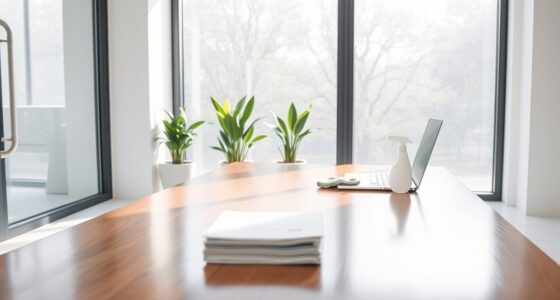
After a meeting wraps up, it’s essential to clean the conference room promptly to make sure it’s ready for the next group. This quick turnaround involves more than just wiping down surfaces; it requires attention to decorative accessories and technology setup to guarantee everything looks professional and functions smoothly. Start by removing any used items, such as notepads, pens, or water bottles, to clear the space. Carefully collect and store decorative accessories like vases, plants, or artwork that might have been moved or displaced during the meeting. These touches help maintain a polished appearance and show attention to detail.
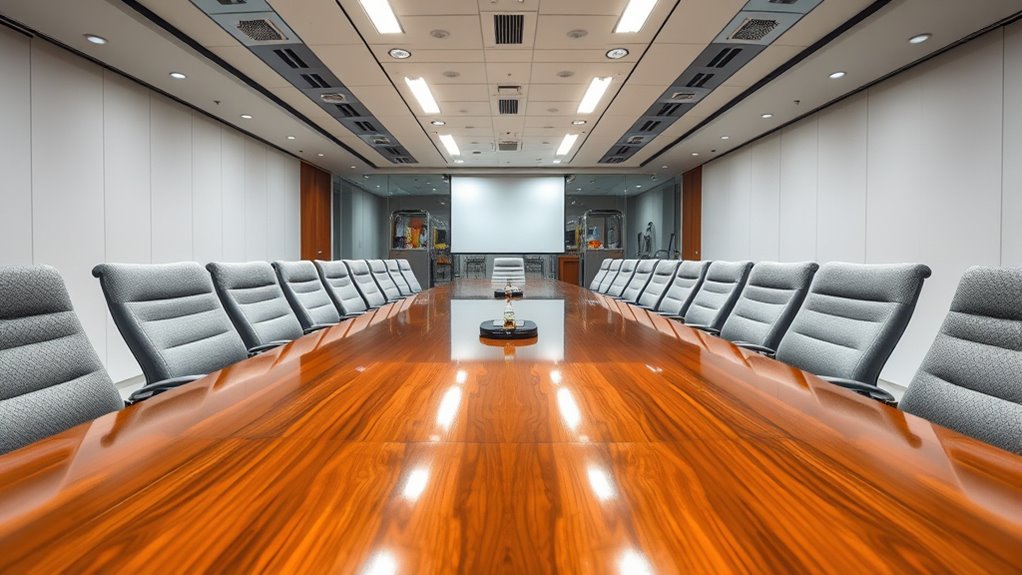
Cleaning the conference room after meetings ensures a professional space and smooth transitions for next users.
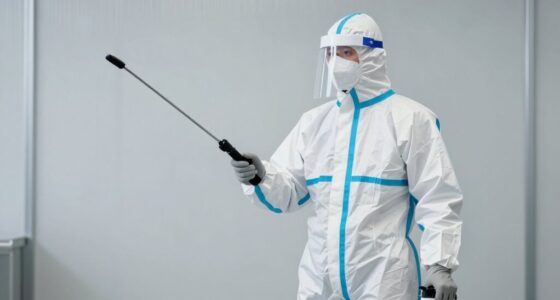
Next, focus on cleaning the surfaces. Wipe down tables, chairs, and any shared equipment with disinfectant to eliminate germs and spills. Pay close attention to high-touch areas like doorknobs, light switches, and conference phones. During this process, guarantee that decorative accessories are repositioned neatly if they were moved, restoring the room’s aesthetic appeal and ensuring a neat environment. This step is critical for creating a welcoming environment and preventing clutter from distracting future users.
Technology setup is another pivotal aspect of conference room turnover. Check that all equipment—projectors, screens, video conferencing tools, and microphones—is clean and functioning correctly. Dust off or wipe down device surfaces gently, and verify that cables are organized and connected properly. If any technology isn’t working, troubleshoot or reset devices immediately, so the next group can start their meeting without delays. Make sure remote controls or clickers are present and operational, and test the sound and video quality beforehand. These small details ensure a seamless experience for your users and uphold professional standards.
Once the cleaning and setup are complete, double-check the room’s overall condition. Ensure chairs are aligned, the whiteboard is erased or cleaned, and any presentation materials are removed or properly stored. If your conference room has decorative accessories like plants or artwork, reposition them strategically to enhance the visual appeal without cluttering the space. Confirm that lighting is appropriate, adjusting blinds or lights if necessary. Additionally, verifying the electric power generation systems and related technology can help prevent unexpected issues during the next meeting.
Frequently Asked Questions
How Often Should Conference Rooms Be Deep Cleaned?
You should deep clean your conference rooms at least once a month to maintain a professional environment. During this process, focus on vacuum maintenance to ensure carpets stay fresh and stain removal techniques help eliminate stubborn spots. Regular deep cleaning reduces germs and allergens, creating a healthier space for meetings. If your room sees frequent use, consider scheduling more frequent deep cleans to keep everything spotless and inviting for your team.
What Cleaning Products Are Safest for Electronic Equipment?
Are you aware that electronic-safe cleaners are essential for protecting your equipment? You should choose products specifically labeled as electronic-safe cleaners and verify their disinfectant compatibility to avoid damage. These cleaners are formulated to safely remove dirt and germs without harming sensitive surfaces. Always follow manufacturer instructions, and avoid harsh chemicals like bleach or ammonia, which can compromise electronic components and reduce equipment lifespan.
How Do I Handle Cleaning After a Large Event?
After a large event, you should quickly handle post event waste disposal by sorting recyclables and trash separately. For carpet stain removal, use a gentle cleaner suitable for the material and blot rather than rub to prevent damage. Make certain all surfaces are wiped down, trash is taken out promptly, and any leftover food or drinks are cleaned up. This helps restore the space efficiently and keeps it ready for the next use.
Are There Eco-Friendly Cleaning Options Available?
You can definitely find eco-friendly cleaning options that are good for the planet. Green cleaning uses eco-friendly products that are safe and effective, reducing harmful chemicals. These options are like hitting two birds with one stone, providing a clean conference room while protecting the environment. Look for biodegradable, non-toxic, and cruelty-free products to make your cleaning routine more sustainable. Switching to green cleaning shows you care about both cleanliness and the planet.
What Is the Best Way to Disinfect High-Touch Surfaces?
To disinfect high-touch surfaces effectively, follow strict disinfection protocols that focus on surface contact. Use EPA-approved disinfectants known to kill germs quickly, ensuring you cover all areas like doorknobs, switches, and shared devices thoroughly. Keep contact time in mind, allowing the disinfectant to sit long enough to work. Regularly sanitize these surfaces between meetings to prevent germ spread and maintain a safe, clean environment.
Conclusion
Now that you know the essential steps, you’re ready to keep your conference room spotless and welcoming. Remember, even in a world full of smartphones and smartboards, a clean space makes everyone feel prepared and professional. Don’t forget to double-check that everything’s in place—think of it as your own personal time machine, ensuring the room’s ready for the next meeting. With these steps, you’ll be the hero of every office gathering!