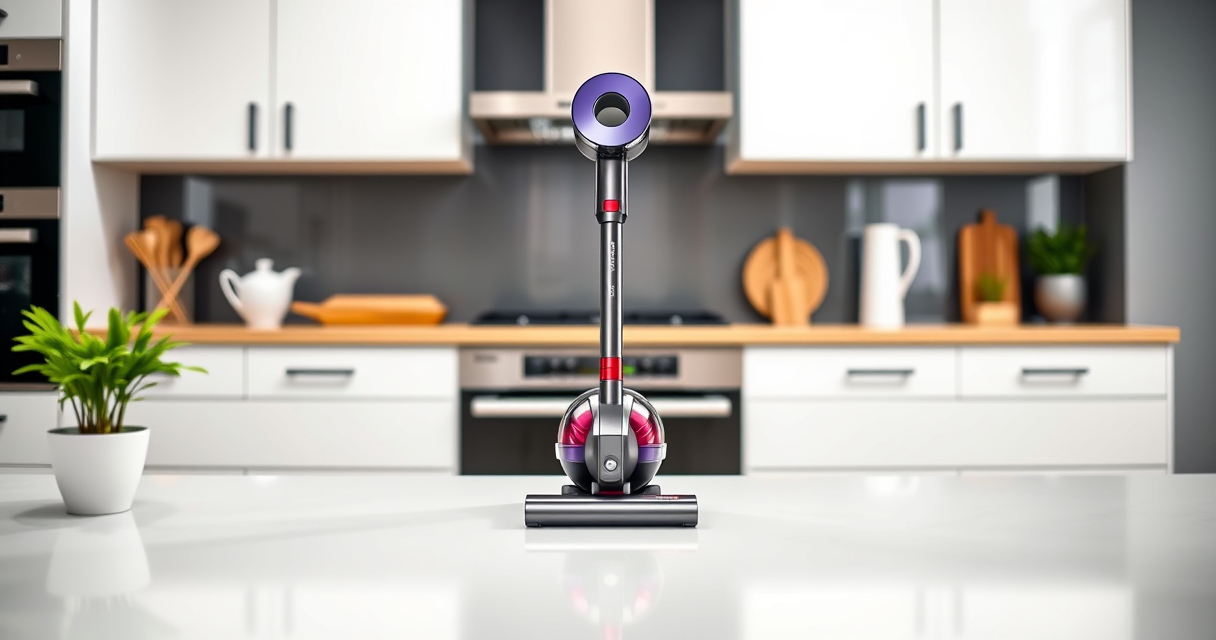

Maintaining your Dyson V12 Detect is essential for optimal cleaning performance and longevity. Proper cleaning of the filter, brush bar, and dustbin ensures your vacuum continues to operate efficiently. Follow these clear, step-by-step instructions to keep your device in top condition.

Get cleaning gear delivered free — and shop member deals
- Fast, free delivery on millions of items
- Access to Prime Big Deal Days deals on October 6–7
- Prime Video, Amazon Music and more included
Always handle parts carefully and use recommended cleaning tools to avoid damage or injury.
Key Takeaways
| Regular Maintenance | Clean filters and dustbin after every few uses. |
| Use Proper Tools | Use recommended attachments for hard-to-reach areas. |
| Avoid Water Damage | Never immerse the motor or electrical parts in water. |
| Check for Wear | Inspect brushes and seals regularly for signs of wear. |
Prepare Your Vacuum and Workspace
- Turn off and unplug your Dyson V12 Detect.
- Find a clean, flat workspace with good lighting.
- Gather cleaning tools: soft cloth, small brush, and optional replacement filters or attachments.
Remove and Clean the Dustbin
- Press the dustbin release button to detach it from the vacuum.
- Hold the dustbin over a trash can and press the red button to release debris.
- Rinse the dustbin with water if needed, but avoid cleaning the motor or filters with water.
- Let it air dry completely before reattaching.
Clean the Filter(s)
- Remove the pre-filter or main filter as per your model’s instructions.
- Rinse the filter under cold water until the water runs clear.
- Allow the filter to air dry completely (at least 24 hours) before reinstalling.
Check and Clean the Brush Bar
- Turn the vacuum over to access the brush bar.
- Use a small brush or cloth to remove hair, string, and debris wrapped around the brush.
- If accessible, remove the brush bar for a more thorough cleaning.
- Reassemble carefully, ensuring it spins freely.
Reassemble and Test Your Vacuum
- Reattach the dustbin and filters securely.
- Turn on the vacuum to ensure it runs smoothly and check for any unusual noises.
- Perform a quick test on a small area to confirm proper operation.
The Products in This Guide
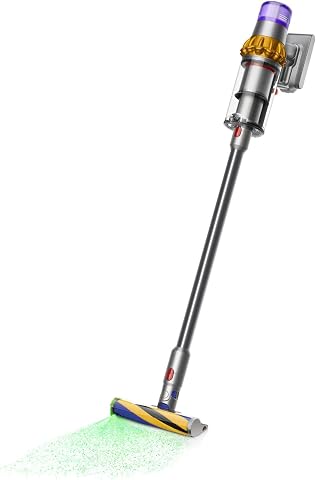
Dyson V15 Detect Total Clean Extra
- ✔ Filter Type: Pre and main filters
- ✔ Attachments: Crevice tool, combination tool
- ✔ Charging Time: 3.5 hours

LANMU Crevice Tool Vacuum Attachments Compatible
- ✔ Length: Approx. 12 inches
- ✔ Color: Black
- ✔ Weight: 150 grams
Dyson V15 Detect Total Clean Extra
The Dyson V15 Detect Total Clean Extra offers deep cleaning with advanced technology. Regular cleaning of filters and dustbin enhances its performance and lifespan.
Pros:
- Powerful suction
- Intelligent debris detection
- Long battery life
- LCD display
Cons:
- Requires regular filter cleaning
- Filter drying time
- Potentially costly replacement parts
Best for: Whole-home deep cleaning, pet owners, allergy sufferers
Not ideal for: Light cleaning tasks, small apartments
Bottom line: A reliable, high-performance vacuum that benefits from regular maintenance.
LANMU Crevice Tool Vacuum Attachments Compatible
The LANMU Crevice Tool Vacuum Attachments are ideal for reaching corners, sofa crevices, and car interiors. Compatible with Dyson V12 Detect for versatile cleaning.
Pros:
- Narrow nozzle for tight spaces
- Flexible and slim design
- Easy to attach and detach
- Effective in hard-to-reach areas
Cons:
- Additional attachment to store
- May require careful handling
- Not compatible with all Dyson models
Best for: Cleaning corners, car interiors, and tight gaps
Not ideal for: Heavy-duty scrubbing or large debris
Bottom line: A useful addition for detailed, precise cleaning tasks.
Frequently Asked Questions
How often should I clean the filters on my Dyson V12 Detect?
It is recommended to clean the filters every 1-3 months, depending on usage, to maintain optimal suction and performance.
Can I wash the dustbin with water?
Yes, the dustbin can be rinsed with water, but ensure it is completely dry before reassembling to prevent damage.
What should I do if my vacuum isn’t picking up debris effectively?
Check and clean the filters, dustbin, and brush bar. Ensure all parts are properly reassembled and free of blockages.
Is it safe to wash the filters in a dishwasher?
No, filters should be rinsed with water by hand. Dishwasher cleaning can damage the filter material.
Keep Your Dyson V12 Detect in Peak Condition
Regular cleaning and maintenance of your Dyson V12 Detect ensure it delivers powerful, efficient cleaning every time. Following these steps helps extend the lifespan of your vacuum and maintains its high performance. Incorporate routine filter cleaning, dustbin emptying, and brush maintenance into your cleaning schedule for best results.
Affiliate disclosure: As an Amazon Associate we earn from qualifying purchases. Prices and availability are accurate as of the time of publishing.
Fall Picks
fall essentials
As an affiliate, we earn on qualifying purchases.