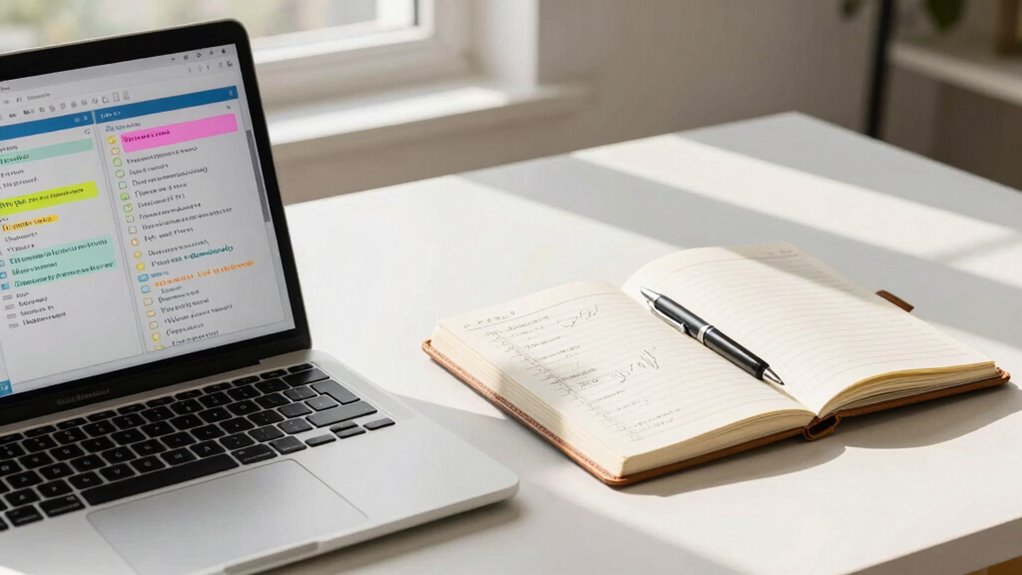

To create better job notes that prevent teams from repeating mistakes, focus on clear, organized format using consistent headings, bullet points, and specific details to provide context. Encourage contributions from all team members and use shared digital tools for collaboration. Regularly review and update notes, incorporating version control to track changes. Make notes practical and easy to understand, transforming them into dynamic resources for continuous improvement. Keep exploring to discover more tips for effective note-taking.

Get cleaning gear delivered free — and shop member deals
- Fast, free delivery on millions of items
- Access to Prime Big Deal Days deals on October 6–7
- Prime Video, Amazon Music and more included
Key Takeaways
- Use consistent formatting and clear structure to ensure notes are easy to read and understand.
- Highlight action items and critical insights to prevent overlooked details and repeated errors.
- Encourage team collaboration by involving all members and maintaining standardized note-taking practices.
- Regularly review and update notes to reflect project changes and ensure accuracy.
- Link related notes and maintain version control to track improvements and prevent outdated information.

Have you ever struggled to recall important details from a job or project later on? If so, you’re not alone. When notes are poorly organized or incomplete, it’s easy to miss key insights that could prevent repeated mistakes. Creating better job notes isn’t just about jotting down random ideas; it’s about making your notes a tool for effective team collaboration and continuous improvement. Clear, well-structured notes help everyone stay on the same page, reducing misunderstandings and streamlining communication.
Start by focusing on note formatting. Use consistent headings, bullet points, and numbered lists to break down complex information into digestible chunks. Highlight critical points or action items so they stand out. This way, when you or your team revisit the notes, you can quickly find what matters most without sifting through lengthy paragraphs. Keep your notes concise but comprehensive—avoid vague statements and aim for specific details that provide context and clarity. For example, instead of writing “discussed issue,” specify “discussed delay in project timeline due to supplier issue.” Precision saves time and prevents ambiguity.
Use clear formatting, highlight key points, and include specific details for efficient, actionable notes.
Team collaboration plays a vital role in creating effective notes. Encourage everyone involved in a project to contribute their perspectives and insights. This collective approach ensures no critical details are overlooked and fosters a shared sense of responsibility. When team members add notes or updates, make sure they follow a consistent format. This consistency improves readability and helps everyone understand the notes regardless of who made them. Consider using shared digital tools like collaborative documents or project management platforms, which allow real-time updates and easy access for all team members. Additionally, incorporating organized note-taking methods can significantly enhance clarity and usability, especially when utilizing standardized formats that promote consistency across team contributions. Developing a shared understanding of note organization can streamline future reviews and updates, reducing the risk of miscommunication. Incorporating note version control can further prevent confusion over different iterations of the same document.
Regularly reviewing and updating your notes is essential, as well as incorporating version control to track changes and avoid confusion over different iterations of the same document. As projects evolve, information becomes outdated or needs clarification. Schedule brief check-ins to refine notes and confirm everyone’s understanding. This practice minimizes mistakes stemming from outdated or incomplete information. Also, link related notes or references, so you can trace back details or see how different parts of the project connect. Well-organized notes become a living document that guides your team, rather than a static record that’s ignored or forgotten.
Ultimately, creating better job notes is about making them functional and easy to use. When your notes are clear, well-formatted, and collaboratively built, your team can avoid repeating mistakes, learn from past experiences, and move projects forward more efficiently. Remember, good notes aren’t just a record—they’re a dynamic tool that empowers your team to work smarter, not harder.
digital collaborative note-taking tools
As an affiliate, we earn on qualifying purchases.
As an affiliate, we earn on qualifying purchases.
Frequently Asked Questions
How Can I Ensure Team Members Actually Read the Job Notes?
To guarantee your team reads job notes, emphasize team accountability by making notes clear and concise. Use straightforward language, highlight key points, and include action items to grab attention. Encourage team members to review notes regularly and lead by example, referencing notes in meetings. You can also implement a checklist system, asking team members to confirm they’ve read and understood the notes, reinforcing accountability and making note clarity.
What Tools Are Best for Collaborative Job Note-Taking?
You should consider using digital notebooks like Notion, OneNote, or Evernote, which excel at real-time collaboration. These tools let your team edit and update job notes simultaneously, ensuring everyone stays on the same page. With features like commenting and version history, you can easily track changes and clarify details. By adopting these tools, you promote transparency, reduce mistakes, and streamline communication across your team.
How Do I Handle Sensitive or Confidential Information in Notes?
Handling sensitive information requires strict confidentiality protocols and data security measures. Did you know that 60% of data breaches occur due to mishandled confidential info? You should encrypt notes, restrict access, and use secure platforms. Clearly label confidential sections and train your team on privacy policies. Regularly review security practices to prevent leaks and guarantee everyone understands their role in safeguarding sensitive information effectively.
How Often Should Job Notes Be Reviewed or Updated?
You should review and update job notes regularly, ideally following a consistent review schedule. For most teams, updating notes at least weekly or after significant project milestones keeps information current and relevant. Adjust your note frequency based on the project’s pace and complexity. Regular reviews prevent outdated details, reduce misunderstandings, and help your team learn from past mistakes, ultimately improving efficiency and collaboration.
What Are Common Mistakes to Avoid When Creating Job Notes?
Imagine a team repeating a mistake because previous notes lacked note clarity. To avoid this, guarantee your documentation is consistent and details are clear. Common mistakes include vague descriptions, inconsistent formats, and missing essential info. For example, if one note says “check equipment,” and another says “test machine,” your team might overlook key steps. Focus on clear, consistent notes to prevent misunderstandings and repetitive errors.
Conclusion
Think of your job notes as the lighthouse guiding your team through foggy waters. Clear, detailed, and honest notes shine brightly, helping others navigate away from hidden rocks and treacherous currents. When you craft notes that serve as beacons of clarity, you illuminate the path forward, preventing repeated mistakes. In this way, your words become the steady light that keeps your team safe, confident, and always moving toward smoother seas.
Fall Picks
fall essentials
As an affiliate, we earn on qualifying purchases.