If your Roborock Q10 S5+ isn’t mopping properly, it can be frustrating, especially when you’re expecting a thorough clean. Common causes include clogged mop pads, improper setup, or hardware issues. This guide provides practical, safe steps to diagnose and fix the problem, helping your robot return to peak performance.
Follow these step-by-step instructions to troubleshoot your mopping function effectively and ensure your Roborock cleans your floors efficiently every time.
Key Takeaways
| Check the mop pad | Ensure the mop pad is clean, correctly installed, and not overly dirty or worn. |
| Inspect water tank | Verify the water tank is filled properly and seated securely. |
| Update firmware | Keep your robot’s firmware up to date for optimal performance. |
| Clean sensors and wheels | Remove dust and debris from sensors and wheels to prevent malfunctions. |
| Reset the device | Perform a reset if other troubleshooting steps fail. |

roborock Q10 S5+ Robot Vacuum and Mop, 10,000Pa Suction, Upgraded from Q8 max+, 70 Days Self-Emptying, Obstacle Avoidance, Sonic Mopping, Dual Anti-Tangle Design, Auto Mop Lifting, Black
- Long-Lasting Self-Emptying: 70 days of maintenance-free cleaning
- Powerful Suction: 10,000 Pa hyperforce suction
- Anti-Tangle Design: Dual anti-tangle system for smooth operation
As an affiliate, we earn on qualifying purchases.
Ensure Proper Mop Pad Installation
- Power off your Roborock Q10 S5+ before handling.
- Remove the mop pad from the bottom of the robot.
- Check for tears, dirt, or debris on the mop pad; wash or replace if necessary.
- Align the mop pad correctly with the designated slots and press firmly to secure.
Check Water Tank and Water Flow
- Remove the water tank and inspect for leaks or blockages in the water outlet.
- Refill the tank with clean, filtered water up to the recommended level.
- Reinstall the tank securely, ensuring it clicks into place.
- Run a test cleaning cycle to see if mopping activates properly.
Update Firmware and Reset
- Open the Roborock app and check for firmware updates; install if available.
- If updating doesn’t help, perform a device reset through the app or manually reset the robot.
Clean Sensors and Wheels
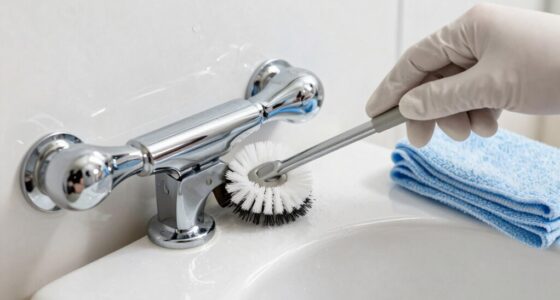
- Turn off your robot and gently wipe sensors with a soft, dry cloth.
- Check and clear debris from the wheels and brushes, especially around the obstacle avoidance sensors.
- Ensure nothing is obstructing the water flow or mop mechanism.
Test and Final Checks
After completing the above steps, run a cleaning cycle to test the mopping function. Confirm that the robot is applying water and moving appropriately over the floor. If issues persist, consider replacing worn mop pads or consulting customer support.
The Products in This Guide

roborock Q10 S5+ Robot Vacuum and Mop
- ✔ Dust Capacity: 2.7L
- ✔ Battery Life: Up to 70 days
- ✔ Dimensions: Standard size for easy navigation

4 Pack Washable Filter
- ✔ Pad Size: Standard
- ✔ Washing Options: Machine washable
- ✔ Replacements: Every 1-3 months
roborock Q10 S5+ Robot Vacuum and Mop
The Roborock Q10 S5+ Robot Vacuum and Mop combines powerful suction with Sonic Mopping technology, making it a top choice for comprehensive cleaning. Its self-emptying station and obstacle avoidance features support hassle-free maintenance, while the dual anti-tangle system ensures smooth operation.
Pros:
- Powerful 10,000 Pa suction
- Self-emptying station for 70 days
- Obstacle avoidance technology
- Dual anti-tangle design
Cons:
- Higher price point
- Requires regular filter replacements
- Mopping performance depends on proper setup
Best for: Households needing reliable vacuum and mopping with minimal maintenance
Not ideal for: Users seeking a budget-friendly option or minimal setup
Bottom line: A high-performance robot vacuum with advanced mopping features for busy households.
4 Pack Washable Filter
Pair your Roborock Q10 S5+ with these washable microfiber mop pads for consistent and thorough mopping. They are easy to install, washable, and designed to work perfectly with your robot, ensuring optimal floor cleaning performance.
Pros:
- Reusable and washable
- High-quality microfiber
- Fits multiple Roborock models
- Effective at removing dirt and pet hair
Cons:
- Must be replaced every 1-3 months
- Can stain if not washed properly
- Additional purchase needed
Best for: Users looking to improve mopping efficiency with reusable pads
Not ideal for: Those preferring disposable mop sheets or minimal maintenance
Bottom line: A cost-effective, eco-friendly upgrade for better mopping results.
Frequently Asked Questions
Why isn’t my Roborock Q10 S5+ mopping properly?
Common causes include dirty or misaligned mop pads, an empty or improperly seated water tank, or firmware needing an update. Follow troubleshooting steps to fix these issues.
How often should I replace the mop pads?
For optimal performance, replace or wash the microfiber mop pads every 1 to 3 months, depending on usage and dirt levels.
Can I use regular water in the tank?
Yes, but filtered or distilled water is recommended to prevent mineral buildup and ensure smooth water flow during mopping.
What is the best way to clean the sensors?
Wipe sensors gently with a soft, dry cloth to remove dust and debris, ensuring accurate obstacle avoidance and navigation.
Get Your Roborock Mopping Again
By carefully inspecting and maintaining your Roborock Q10 S5+—from cleaning the mop pad to updating firmware—you can resolve most mopping issues. Regular upkeep ensures your robot continues to deliver spotless floors with minimal effort. Keep these steps in mind to enjoy efficient, trouble-free cleaning sessions.
Affiliate disclosure: As an Amazon Associate we earn from qualifying purchases. Prices and availability are accurate as of the time of publishing.